Overview:
Under S68(2) of the Singapore Income Tax Act of 1947, Employers in Singapore are required to prepare and submit employment income details. Each March 1st the Inland Revenue Authority of Singapore (IRAS) receives IR8A reports that include complete income details for the prior year of every employee. The guide delivers a detailed explanation which shows employers step-by-step procedures for IR8A filing through payroll software to meet all IRAS regulations.
What are the Common Errors and How to Avoid Them?
1. Designation is too long
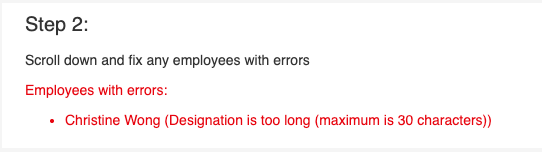
- There is a 30-character limit on the form imposed by IRAS
- Click on Edit form and shorten the employee's designation to less than 30 characters. This will not affect an employee’s job records.
2. Appendix 8A is required

- There were Benefits-in-Kind paid to the employee during the assessment period, hence Appendix 8A is required
- Follow the main tax filing guide to generate Appendix 8A
3. Appendix 8B is required

- There were gains or profits from ESOP or ESOW paid to the employee during the assessment period, hence Appendix 8B is required
- Follow the main tax filing guide to generate Appendix 8B
4. ID number is invalid

- There is a typographical error in the employee’s ID field. Common errors include:
- NRIC does not start with S or T
- NRIC has more than 7 numerals, or a numeral was keyed in wrongly
- FIN does not start with F, G or M
- Click on Edit form and input the correct ID number for the employee. It is recommended that the ID field under the Payroll tab in Omni is also corrected
5. Address is invalid

- There is a typographical error in the employee’s Address fields in Omni. Common errors include:
- Invalid characters keyed in one of the fields
- Postal code is in an invalid format
- Mismatch of addresses
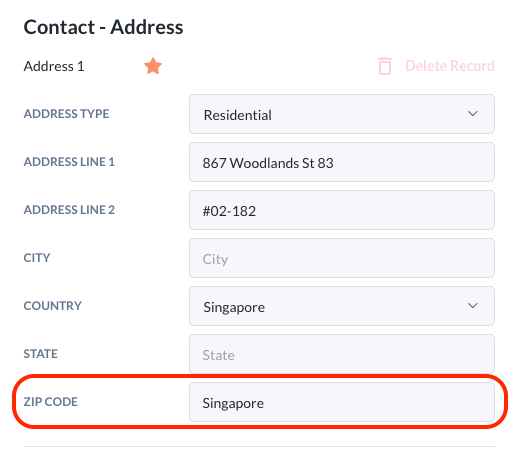
- Edit and save the correct address fields in Omni. In Payroll tab, sync the information to the payroll system. Regenerate IR8A with the correct information if necessary.
6. idReference or idEntity is invalid
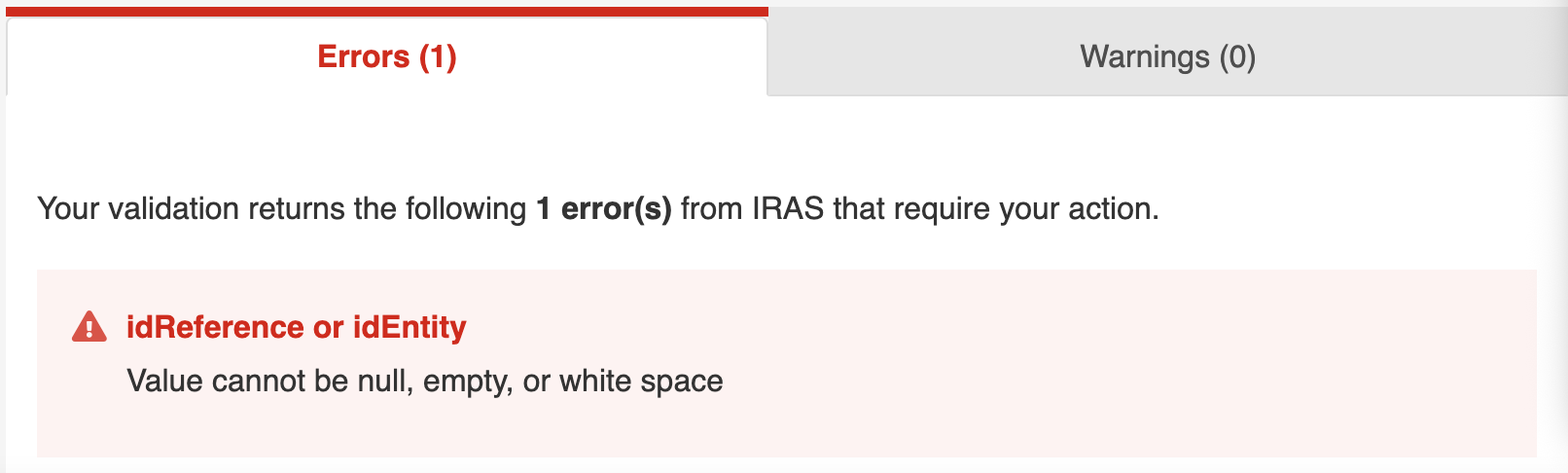
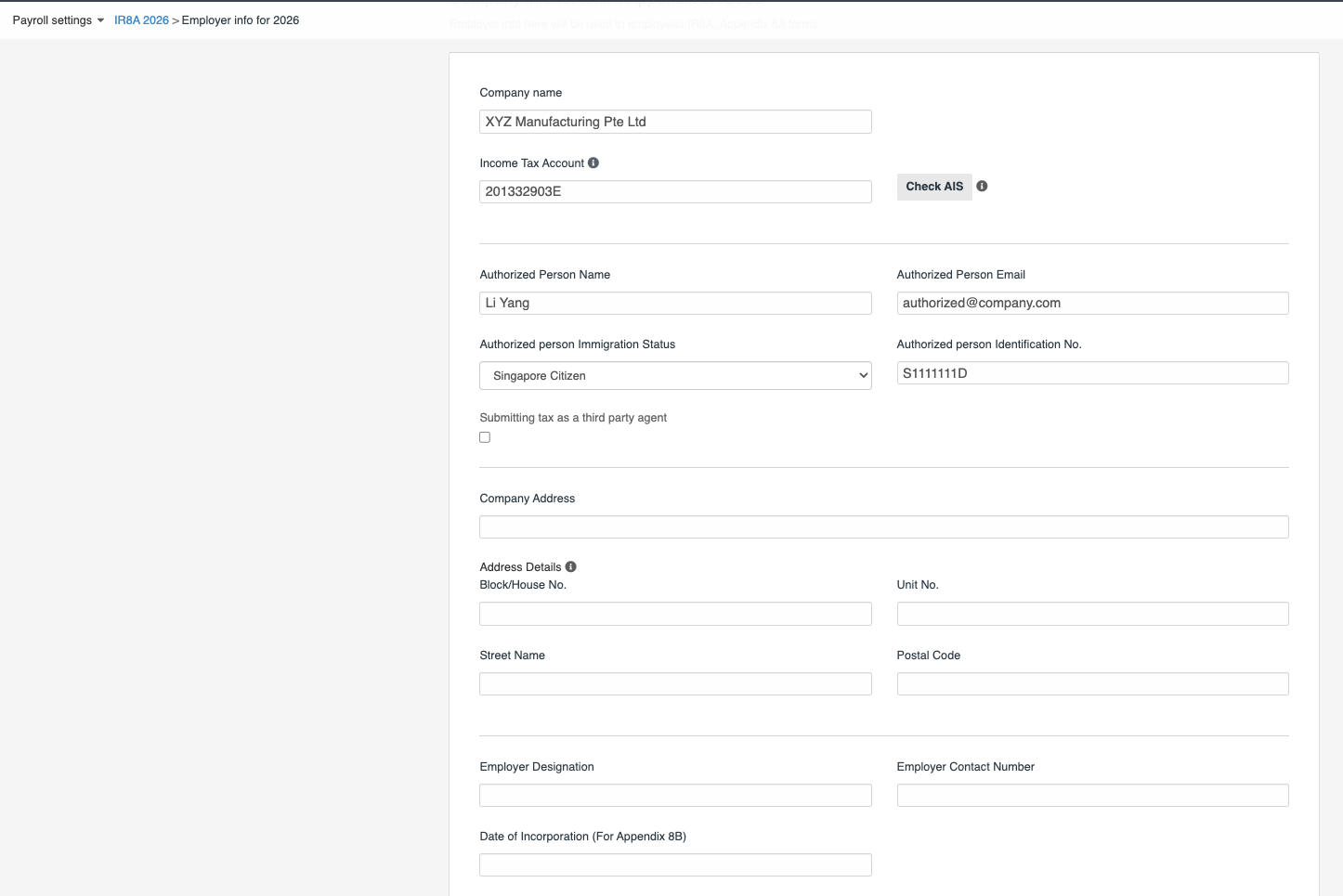
The Employer Information tab contains missing or invalid information. Fill in the missing or incorrect information on Employer Information tab and Save, before validating or submitting tax.
7. User not authorised with an Approver role to make the submission
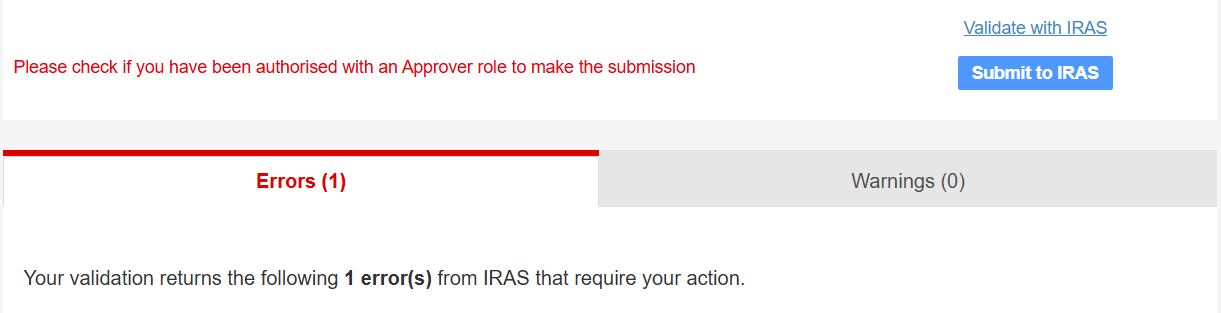
The person making the submission does not have the correct permissions in Corppass to submit employment income records. The Corppass administrator of the company should check and provide the correct permissions.
- Go to http://www.corppass.gov.sg/
- Select e-Service > Assign Selected e-Services or View Entity’s e-Service Access
- Ensure that the e-Service 'Submission of Employment Income Records' is assigned to the authorised user and the role given for the service is 'Approver'

Still Need Help?:
Reach out to our support team should you need further assistance.
Was this article helpful?
That’s Great!
Thank you for your feedback
Sorry! We couldn't be helpful
Thank you for your feedback
Feedback sent
We appreciate your effort and will try to fix the article