Overview:
We’ve refreshed the Holiday Calendar experience to make holiday management more accurate, consistent across countries, and easier for admins to maintain throughout the year.
This article will highlight the improvements to viewing and managing the holiday calendars, the differences between manual & imported calendars, as well as understanding the new feature of daily refresh and how it works.
TABLE OF CONTENTS
- How to view list of holiday calendars?
- What is the difference between manual vs imported calendars?
- What has changed with imported calendars?
- How to manage holiday calendars as an admin?
How to view list of holiday calendars?
- Go to Settings > Work Schedule > Holiday Calendar
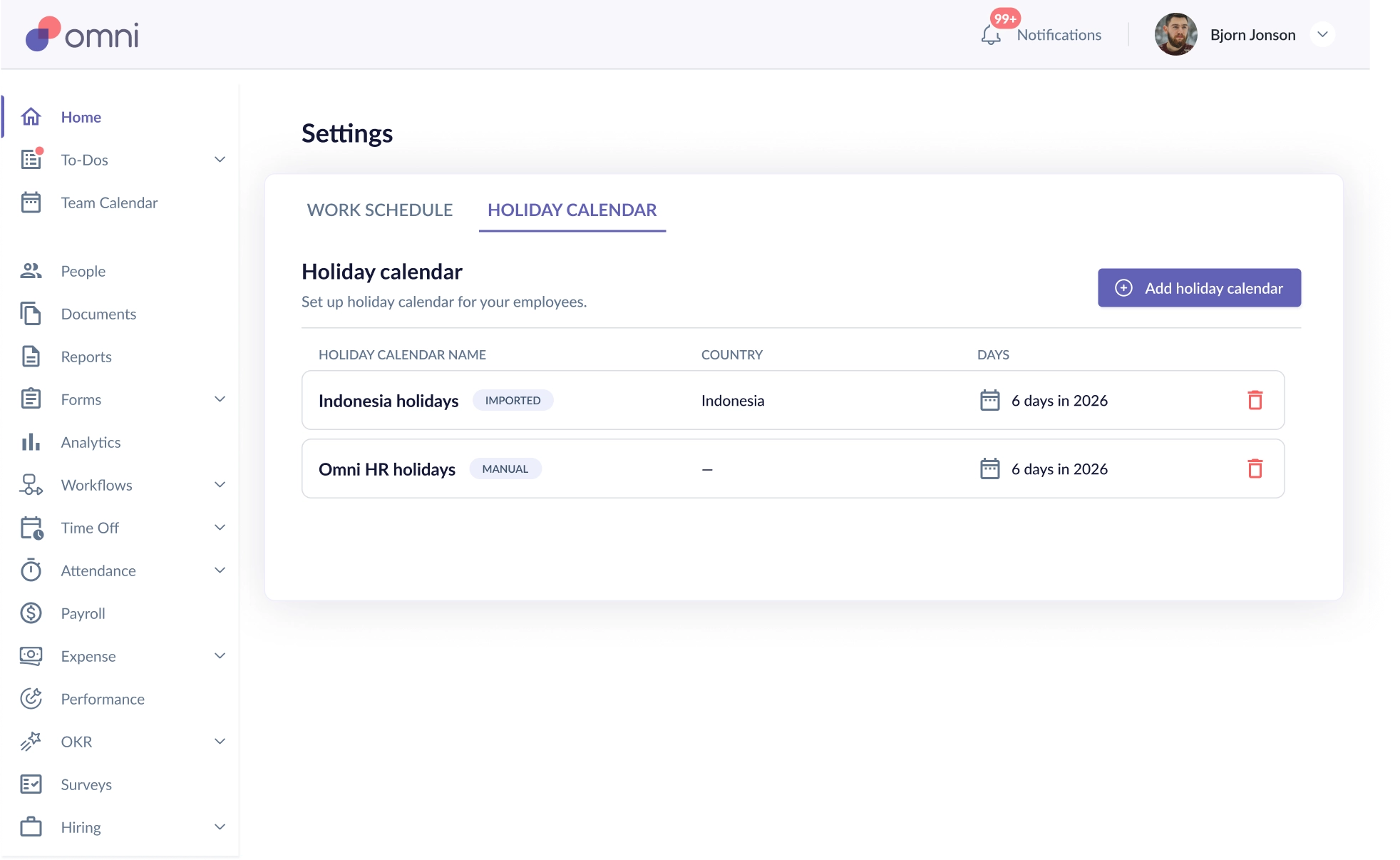
- Holiday Calendars will be tagged, so that you know if it is manually created or imported, with its relevant country, and how many holidays there are in the current year.
- The Delete function will allow you to remove a holiday calendar as long there are no users assigned to the calendar.
What is the difference between manual vs imported calendars?
| Manually Created | Imported |
1. Fully editable: name, date, full/half day, holiday type, status.
3. Ideal for company-specific or custom holidays. 4. No daily & yearly refresh since not tied to any country. | 1. Holidays can be imported based on the selected country & daily refresh will take place. 2. New behaviour:
3. Manual holidays can still be added in if there are specific holidays being observed. |
What has changed with imported calendars?
A - System will auto populate for current and following year holiday calendars
- When you import a calendar i.e. Singapore Calendar, the system will automatically pull for the current & following year. For example, when importing for 2026, the system will import in 2026 & 2027 calendars.
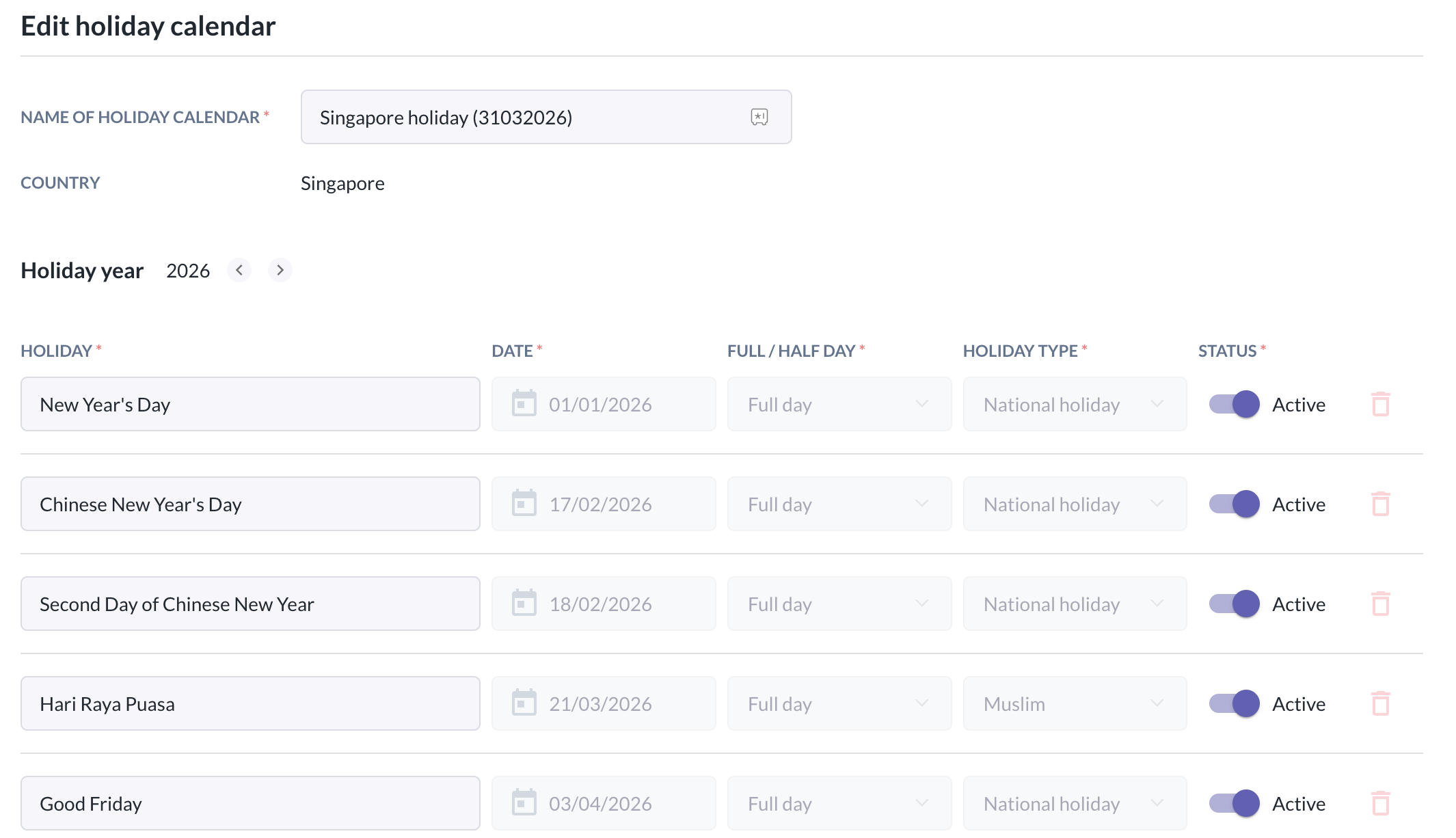
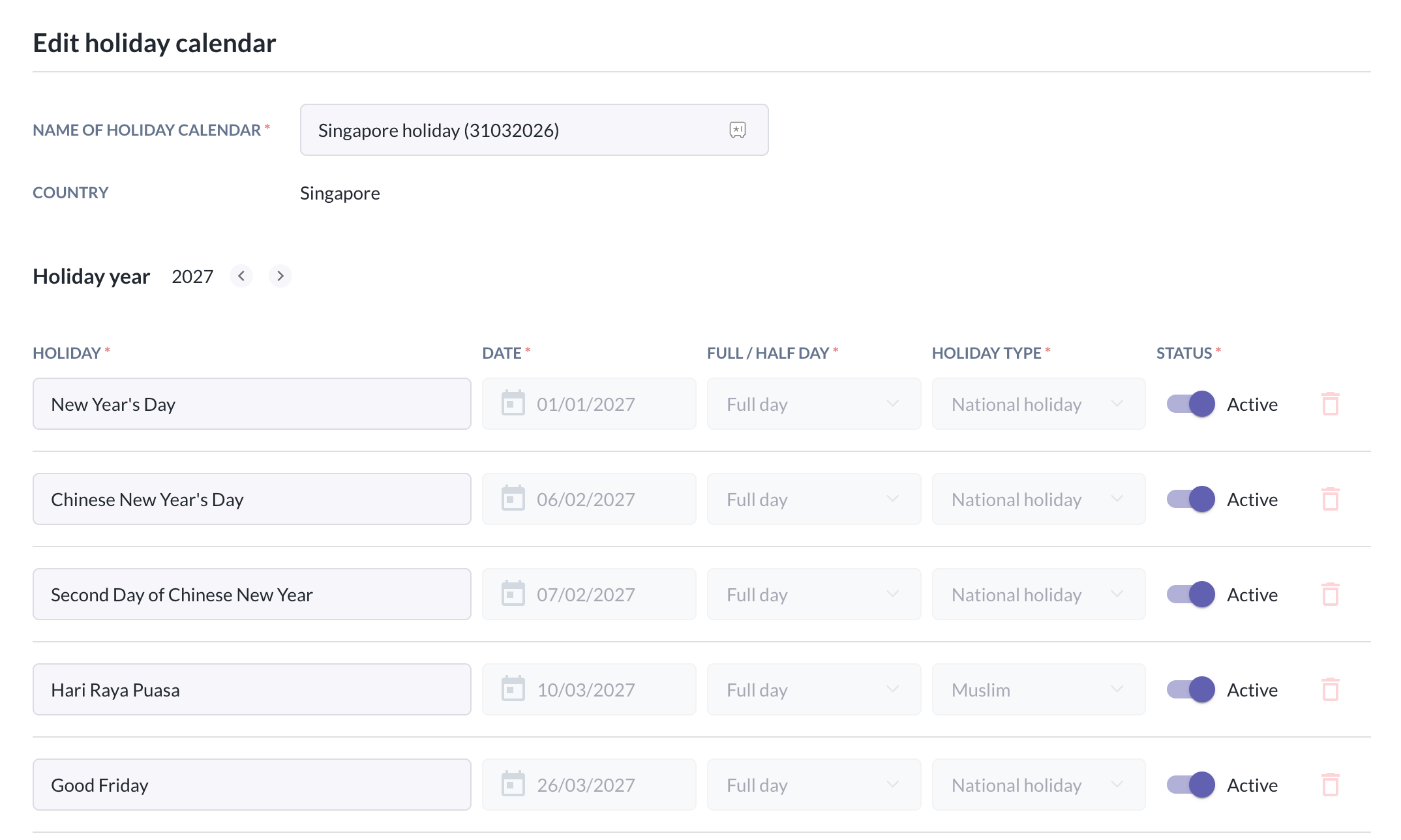
B - Holidays are now automatically sorted, new fields & single-day entries are introduced
- Holidays within a holiday calendar are now automatically sorted by date (ascending) for easier navigation.
- You will see now there are new fields added:
- Holiday Status — mark a holiday as Active or Inactive
- Holiday Type — e.g., Regular holiday and Special non-working holiday (We now store the country specific holiday types)
- All holidays are now added as single-day entries, improving compatibility with attendance and payroll rules.
- Holiday names can be duplicated, so we can still support: CNY 10 Jan, CNY 11 Jan even after multi-day is removed.
- However, note that if there are more than one holiday that fall on the same day, the system will only import in the first occurring holiday into the system. Thus, if there is a need to add on the other holidays, you will still be able to add that in manually if they are observed in your organisation.
C - Enhanced status control for Holidays
- Each holiday now includes a status toggle. This allows companies to keep the holiday record but choose whether it should apply for the current year.
- Toggling holidays will affect the below areas:
- Time off & Who's out widget on the home page
- Profile > Time off Calendar
- Team calendar
- Employee time off submissions: If status = off and employees try to apply for new time off, that day will now be detected as a working day, and “applying for” will count that day as 1 working day (previously submitted time off will not be affected)
- Attendance: When a new holiday is added, previously clocked in attendance hours will NOT be affected. However, the next clock in will be impacted.
D - Automatic & Manual Refresh of Holiday Calendars
- Holiday calendars now stay up to date with official holiday changes through smarter automatic and manual refreshes.
Daily Auto-Refresh- The system automatically refreshes holiday calendars once per day based on a calendar integration on the backend.
- Every 1 January, the system will also auto-pull holidays for the following year (year + 1) if they were not already manually imported.
- What can you expect:
- If there are new holidays announced or found in the backend, it will be auto added to your holiday calendar
- If there is an existing holiday found that requires updates:
- If the name was edited before > the system will not make changes
- If the name was not edited before > the system will overwrite with the official holiday name
- However the status will be preserved if it was toggled on or off before the update
- If the holiday date and/or holiday type is changed, the holiday will be updated to the new date and/or type.
- If a holiday is removed from the calendar integration, it will be removed from the calendar
- If the system finds manually added holidays, the system will not make changes unless:
- Newly imported official holiday conflicts with a manually created holiday:
- The manual holiday will be converted into an imported holiday.
- Fields overwritten: Name and Holiday Type.
- Status is preserved (inactive holidays remain inactive).
- Newly imported official holiday conflicts with a manually created holiday:
How to manage holiday calendars as an admin?
- We will recommend that admins should check-in on the holiday calendars imported just to monitor any new holidays added or removed in line with official government announcements, and you may:
- Review and toggle the status of the holidays whether they are to be observed in organisations
- Edit names of holidays to align with internal policies
- Manually add holidays that are required to be observed by the organisation
- Admins can also choose to manually create holidays if there is a need to create company specific or custom holidays for projects etc.
Still Need Help?
Reach out to our support team should you need further assistance.
Was this article helpful?
That’s Great!
Thank you for your feedback
Sorry! We couldn't be helpful
Thank you for your feedback
Feedback sent
We appreciate your effort and will try to fix the article