Overview:
Lattice has partnered with Omni HR, enabling it's software to be integrated with Omni. Let's go through the steps below. Currently the available sync is a one-way sync from Omni HR to Lattice.
TABLE OF CONTENTS
Integrating with Lattice
Pre-requisite for Integration
1. You must be an Admin in Lattice (IT or Full Admin access)
2. You must be an Admin in Omni HR with Manage Apps system permissions

Once the daily SFTP file import is completed, the newly created users in Lattice will remain in a "Created" state. Users can be invited all at the same time or one at a time.
- Go to your Omni HR Account > Apps > Third-Party Apps > Click Lattice
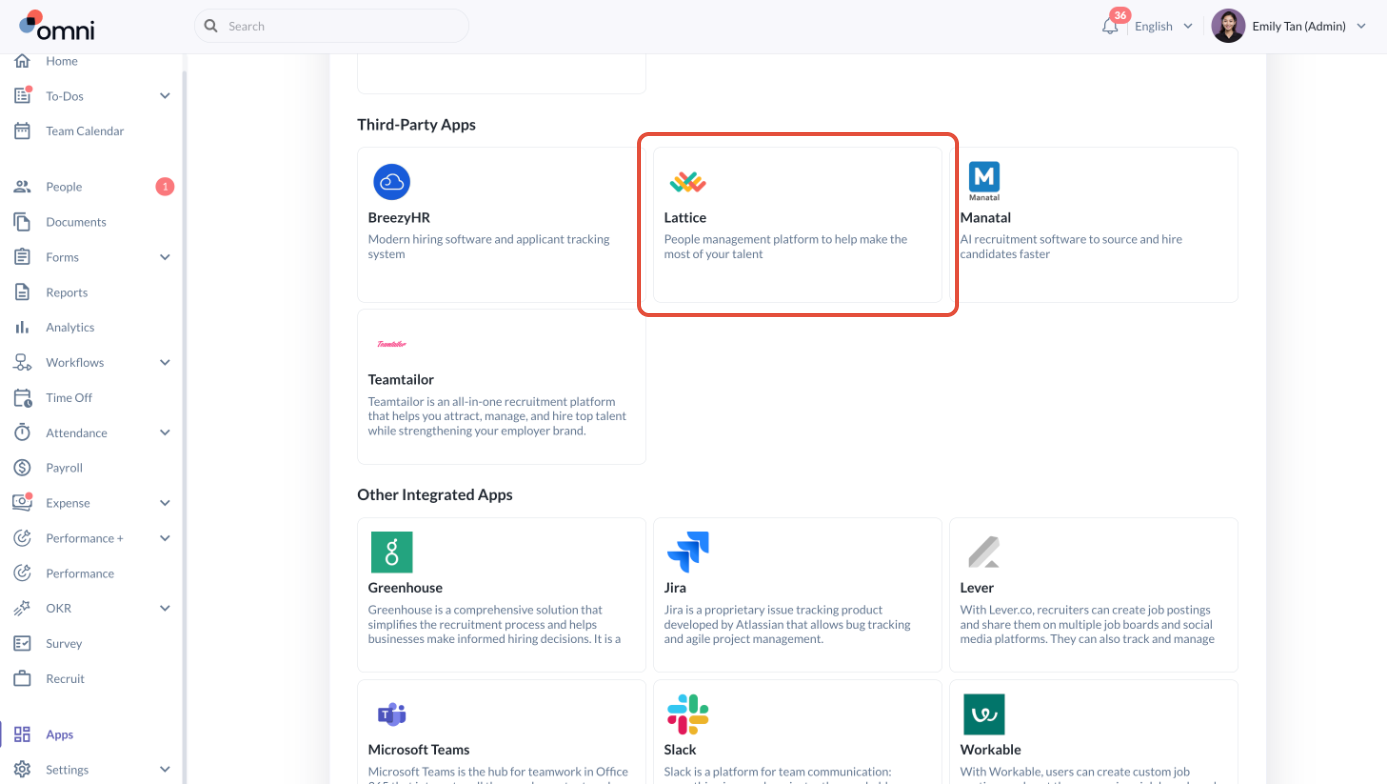
- Click Configure
- You may obtain these details from your Account Manager at Lattice to proceed filling in the details followed with clicking Authorize
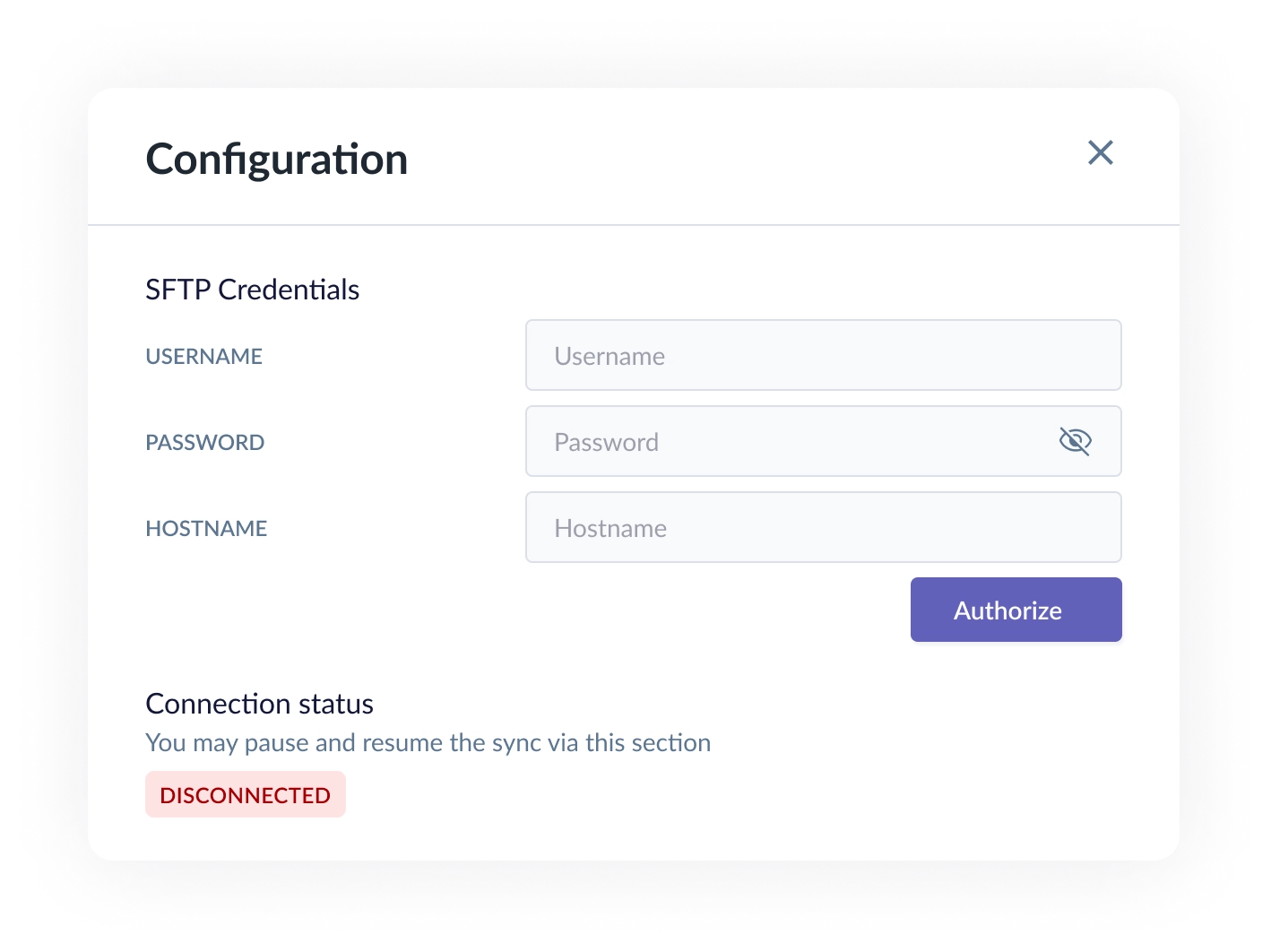
- Once you click Authorize, the connection status will change to Active which indicates the connection is successful.
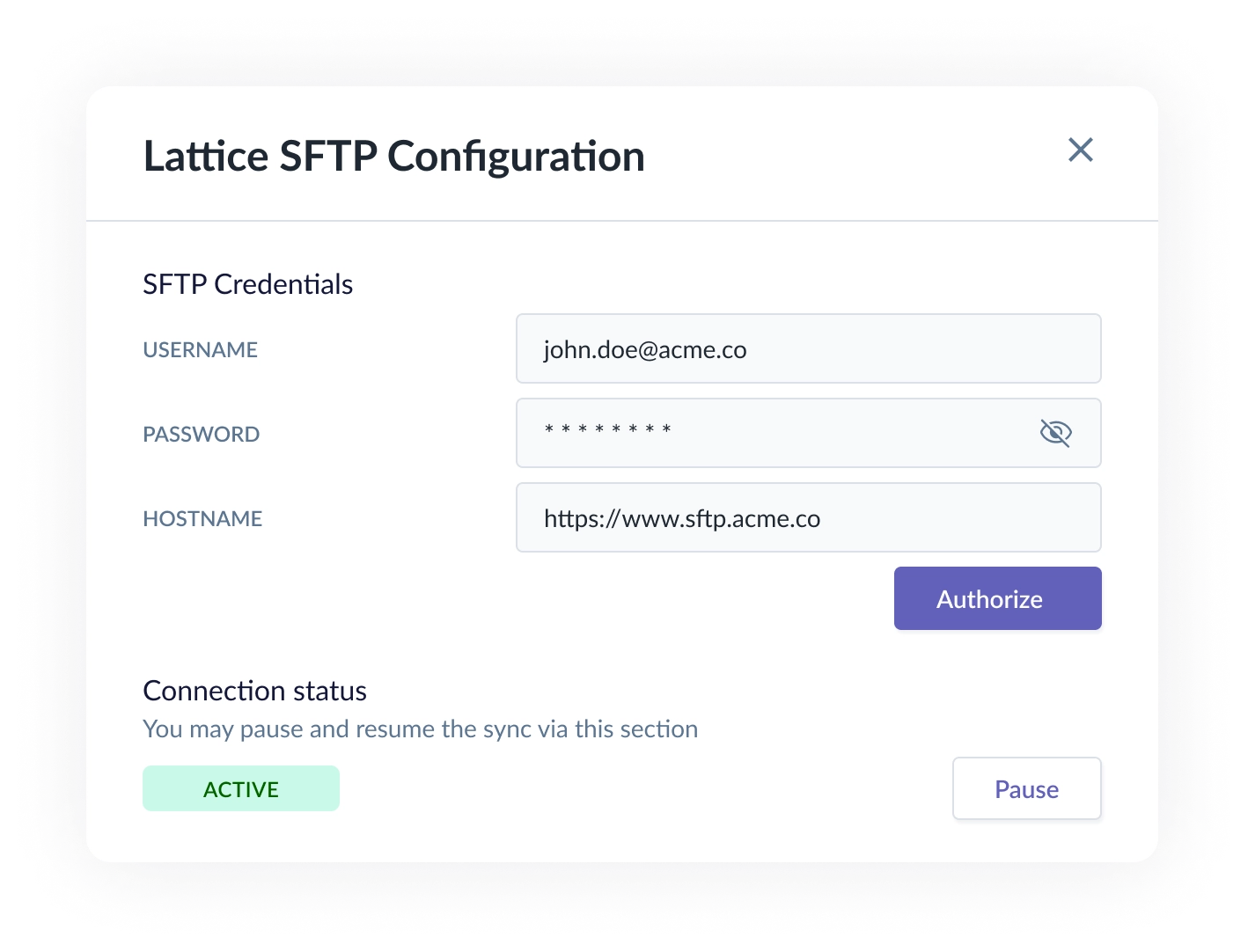
- Once the connection is active, the profile information will be synced from Omni HR to Lattice.
As long as the connection is active, the sync frequency is daily at 12AM SGTEmployee Information Synced from Omni HR to Lattice
- The information updated in Lattice includes basic employee data, organisation chart and reporting structure
Lattice fields Omni HR fields External User ID Omni HR System ID Email Work Email Preferred display name Preferred name Name First name + Last name Title Position Job Type Job record - Employment type Manager email Manager email Hire date Start date Date of birth Date of birth Department Job record - Department Phone number Primary Phone number Status Employee status: Active or Terminated Gender Gender
- Other updates which will be done include:
- If your employee is active in Omni HR but doesn't yet have an account in Lattice, an account will be created for them in Lattice
- If your employee is terminated in Omni HR but doesn't have an account in Lattice, an account will also be created for them, but they will appear in Lattice as deactivated.
- If your employee is active in Omni HR and has an account in Lattice, their information will be updated accordingly
- If your employee is terminated in Omni HR and has an account in Lattice, their account will be deactivated in Lattice and they will no longer be able to log in
Still Need Help?:
Reach out to our support team should you need further assistance.
Was this article helpful?
That’s Great!
Thank you for your feedback
Sorry! We couldn't be helpful
Thank you for your feedback
Feedback sent
We appreciate your effort and will try to fix the article