Overview:
If you already need to update the holidays to the next year for your company, you can do that in just a few simple steps.
Navigating to the holiday calendar:
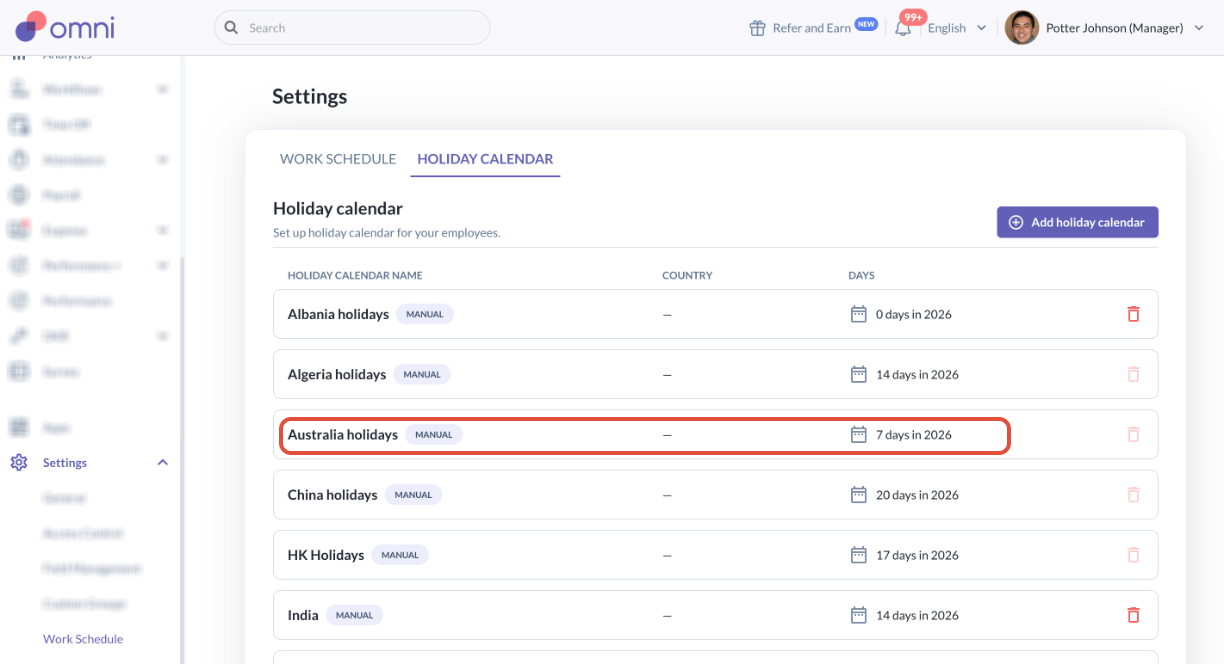
- Go to Settings > Work Schedule > Holiday Calendar > click the Holiday Calendar that is labeled manual you want to update.
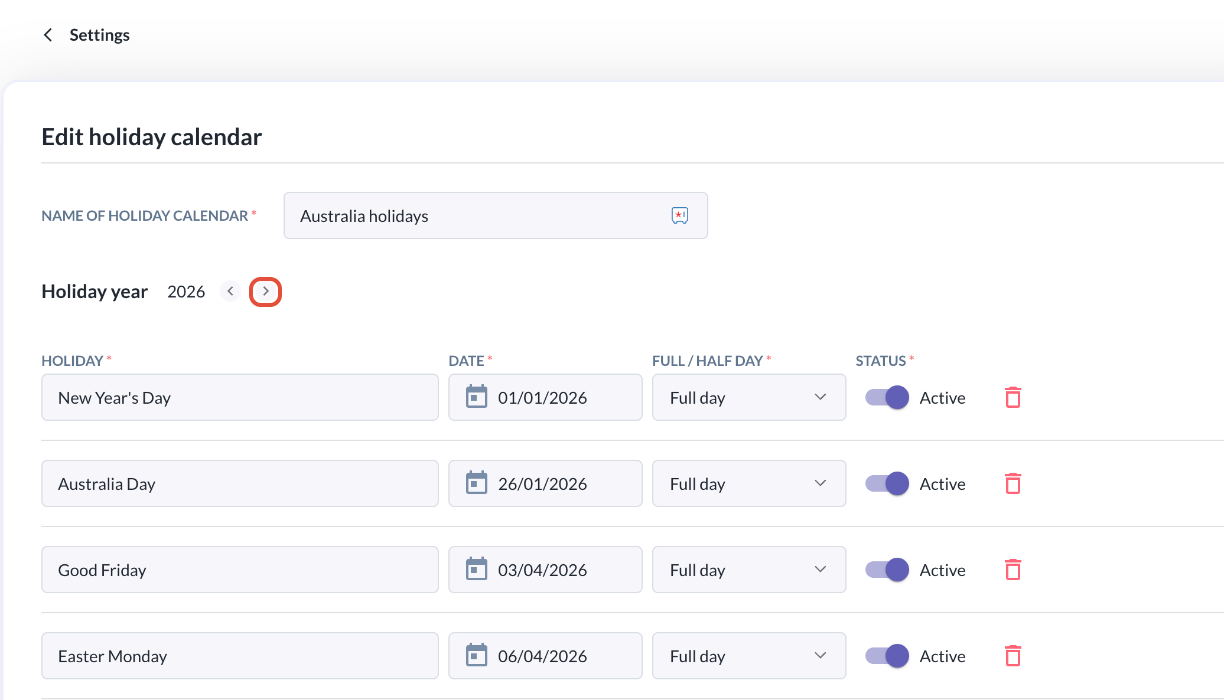
- In the page you're brought to, click the right arrow in Holiday year to go to the next year.
- Click Create manually > and start populating the holidays for the year.
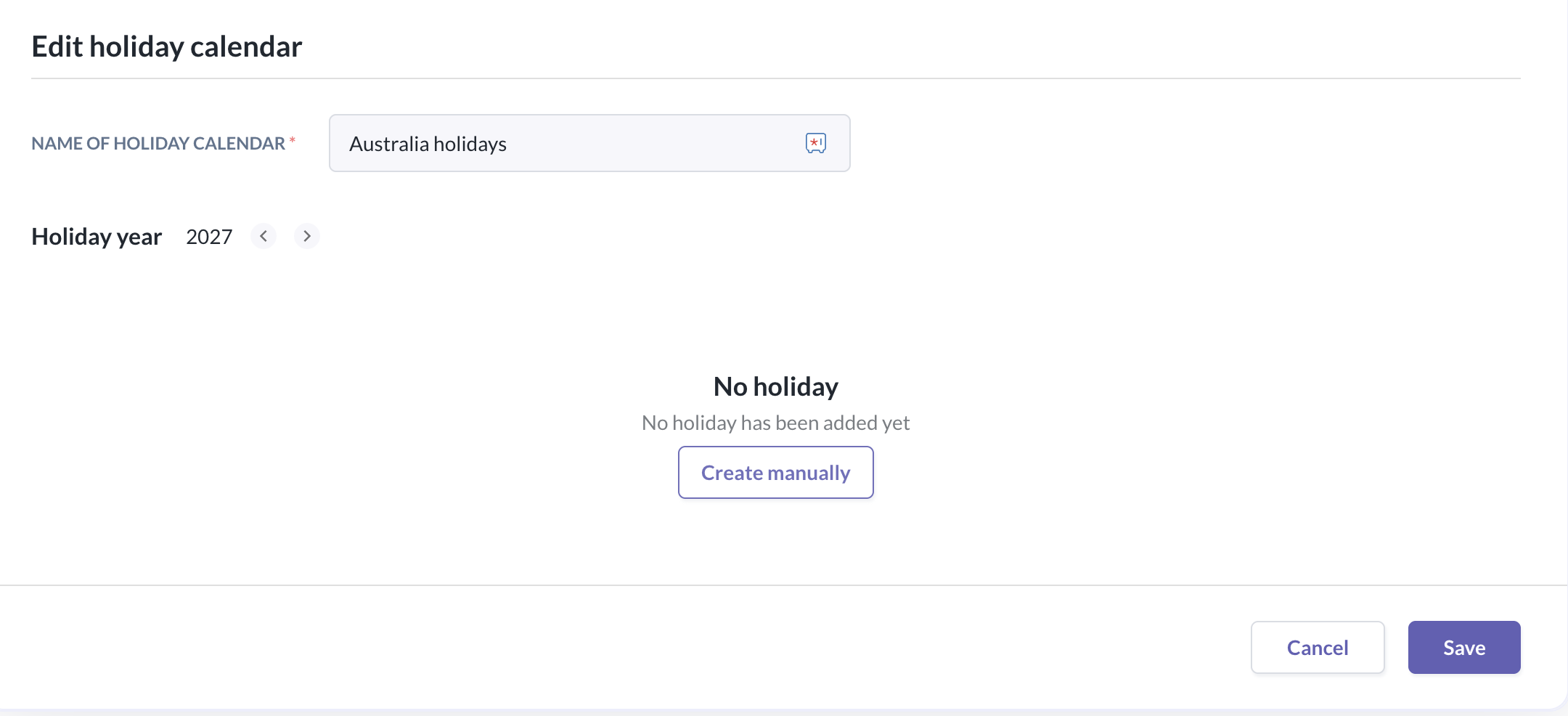
- Click Save. This should now reflect in the Time off events calendars of employees assigned to the holiday calendar.
- Repeat the steps for the other holiday calendars.
Still Need Help?:
Reach out to our support team should you need further assistance.
Was this article helpful?
That’s Great!
Thank you for your feedback
Sorry! We couldn't be helpful
Thank you for your feedback
Feedback sent
We appreciate your effort and will try to fix the article