Overview:
A common question we receive is why a user with admin access may still be unable to view an employee’s performance results. This article explains the reason behind this behavior and the underlying concept
TABLE OF CONTENTS
Example:
The following employee roles will be used as examples to illustrate this use case.
User | Role | Participants |
| Sarah | Employee | Reviewee |
| Alex | Manager | Reviewee and Reviewer for Sarah |
| Lina | Admin | Reviewee |
| Support | Admin | Non-participant |
A. Participants of the performance cycle
- A participant refers to any user who is involved in the performance cycle as a reviewee.
- Example: Sarah, Alex, and Lina are all considered participants.
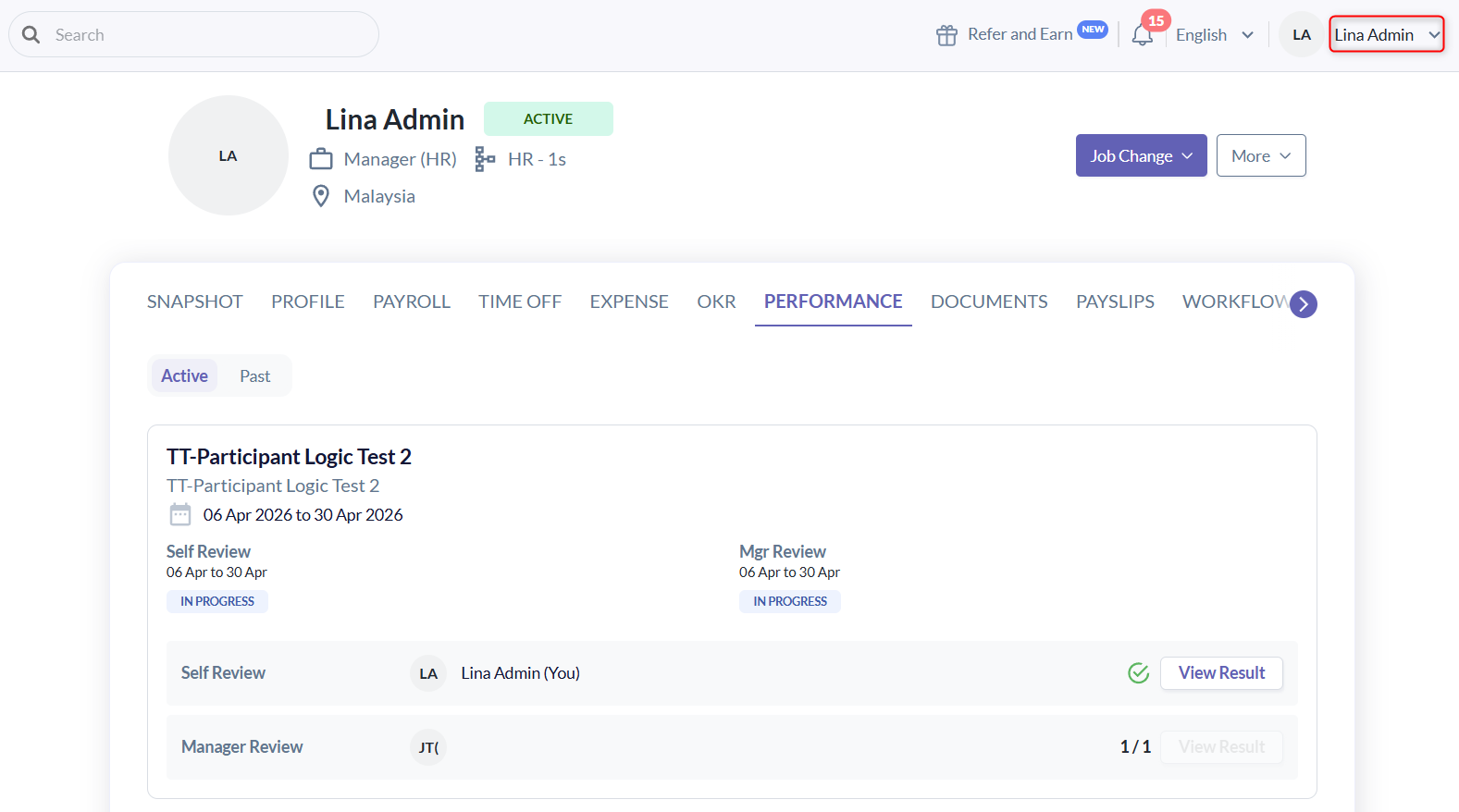
- Even though Lina is an Admin, since she is also a participant (reviewee):
- She can only view her own performance results.
- She cannot view other employees’ results, even with admin access.
- When Lina (as Admin) views the Performance tab in other employees’ profiles (e.g., Sarah or Alex):
- She will not see their performance results.
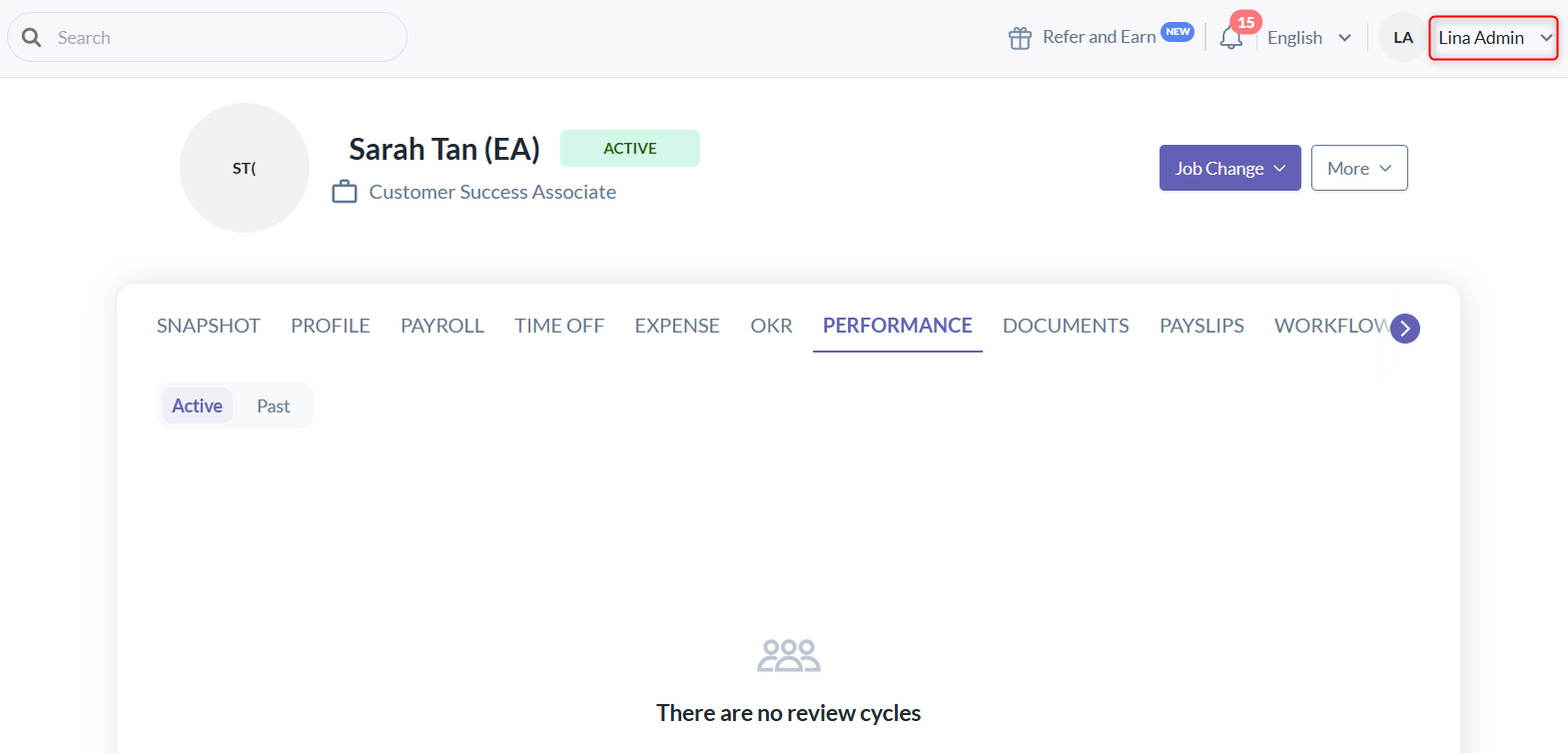
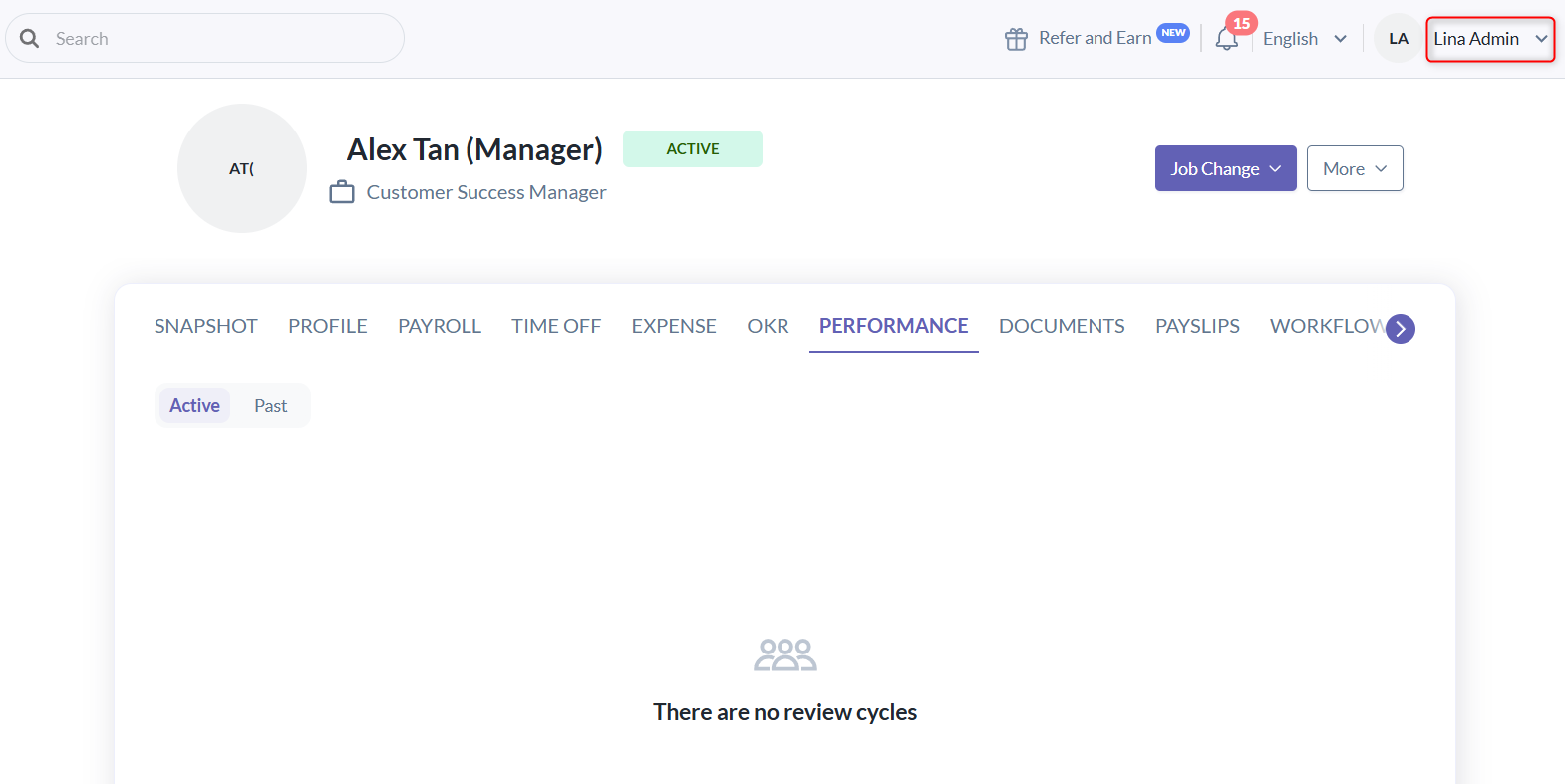
- She can only see her own performance's result.
- She will not see their performance results.
- Alex is both a Manager and a participant (reviewee & reviewer).
- Even if he has access to view the Performance tab of his direct reports/all employees:
- He cannot view all employees’ results. (e.g., Lina)
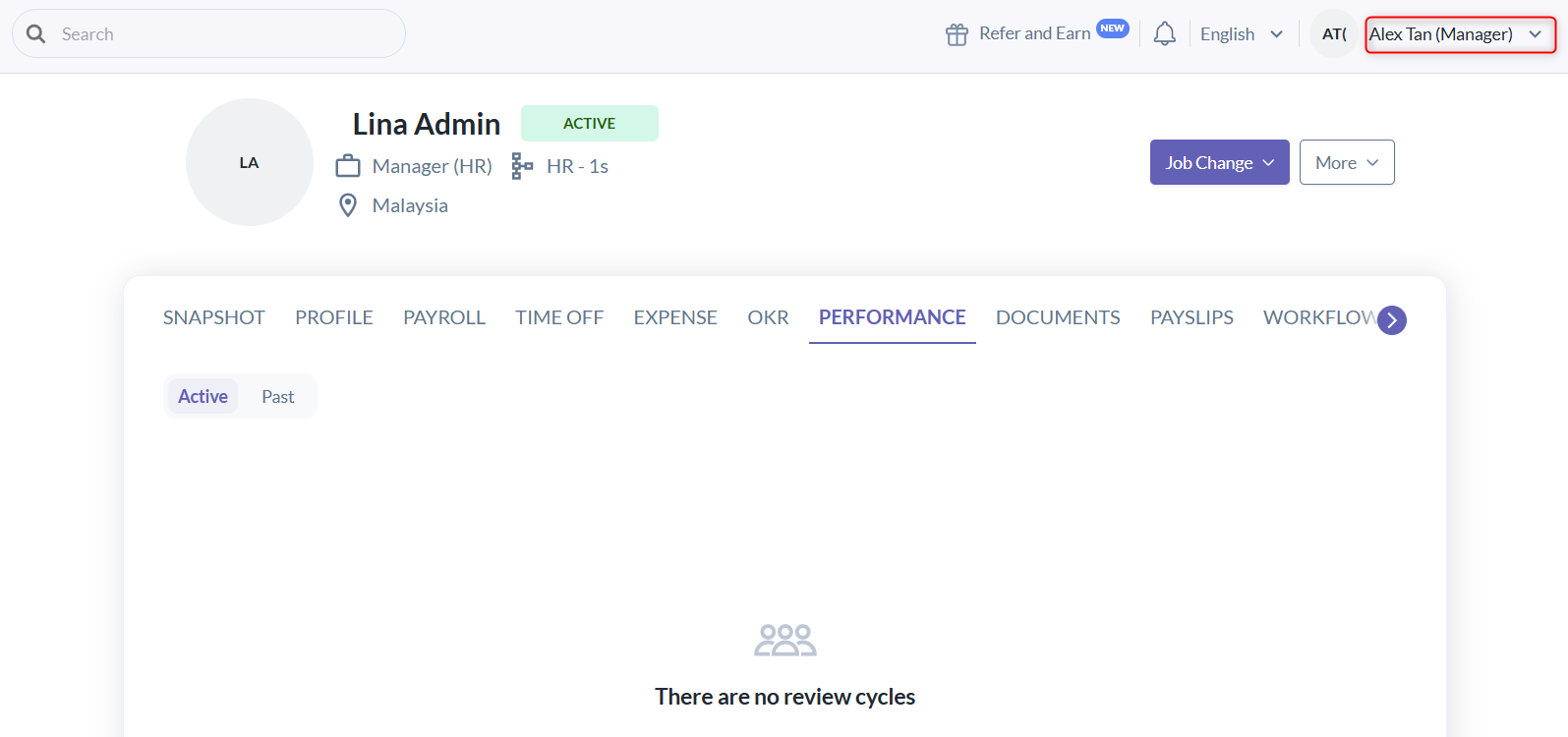
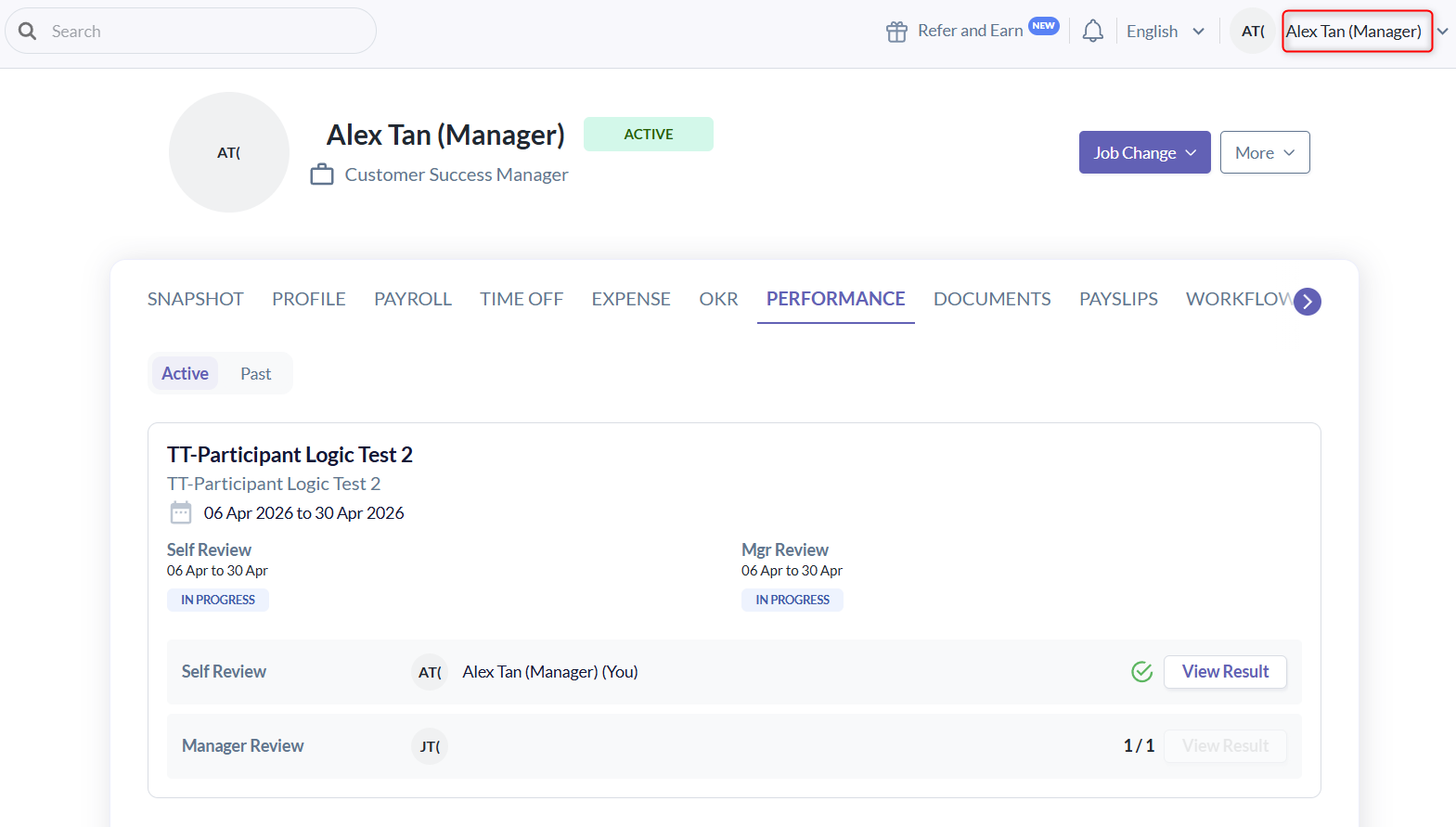
- He can only view:
- His own performance results
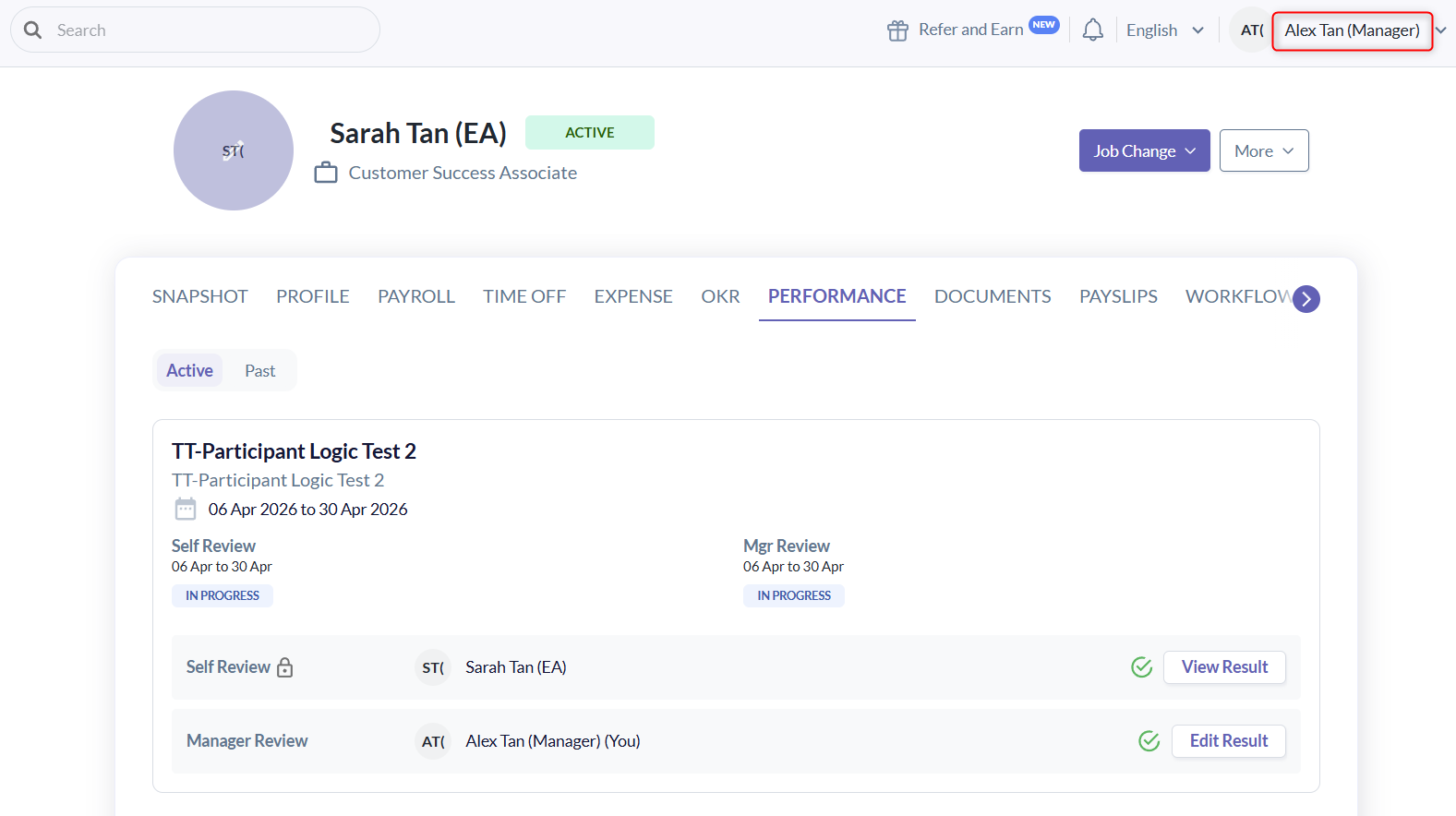
- The review of Sarah, since he is her reviewer
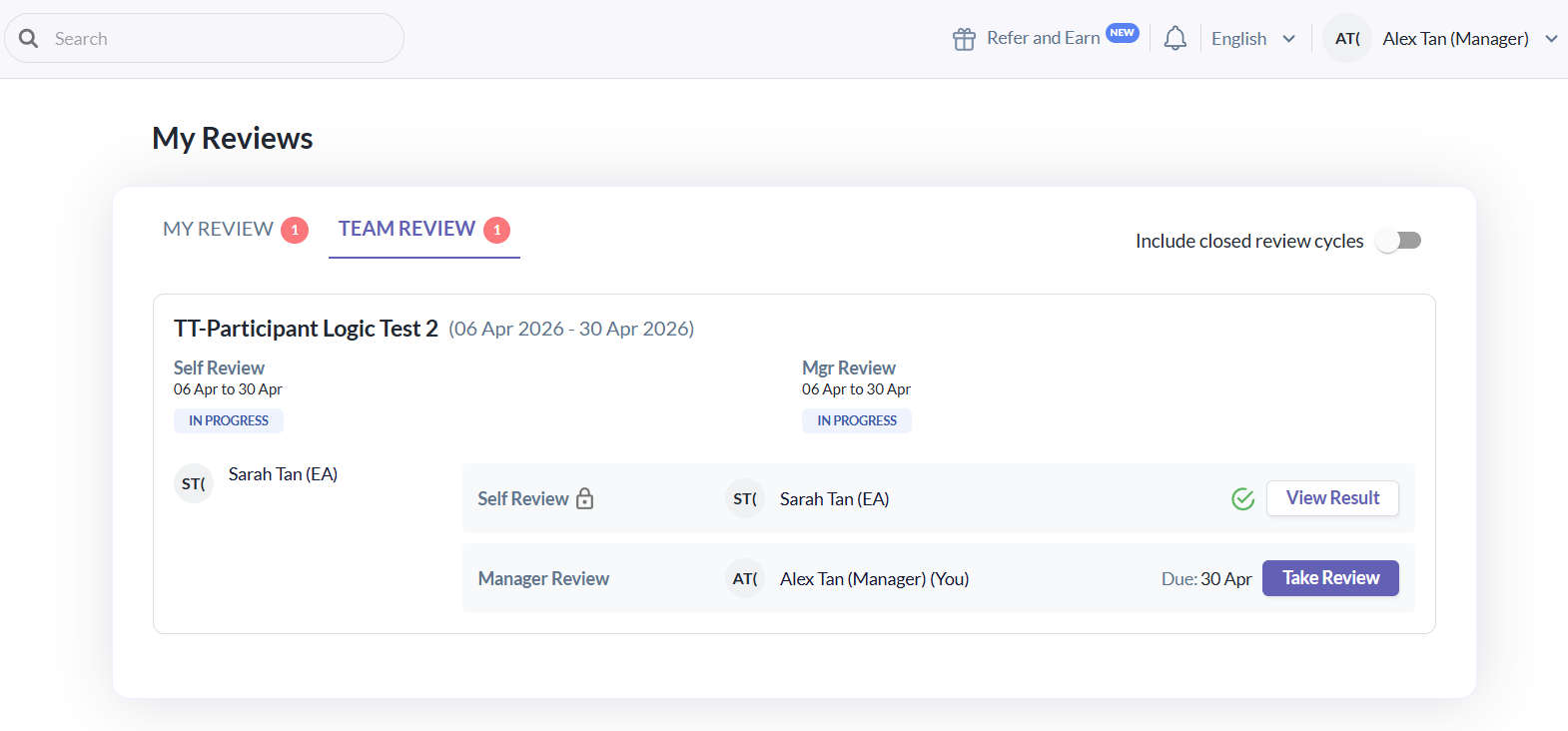
- Alex as Manager review of Sarah, he can still access and complete reviews via the To-Do page.
- His own performance results
- He cannot view all employees’ results. (e.g., Lina)
B. Non-Participants of the performance cycle
- A user who is not a reviewee in the current performance cycle. This includes:
- Reviewers only: Users who are reviewing others in the performance cycle but are not themselves reviewees.
- Not involved: Users who are not part of the performance cycle at all, meaning they are neither reviewees nor reviewers.
- Example: Support is non-participant.
- Non-participants are not restricted by participation rules.
- They can view all performance results, provided they have:
- The appropriate access rights to view the employee's profile performance tab, and
- Visibility based on predefined system rules
- Example: Support can see all performance results in the employee's profile performance tab
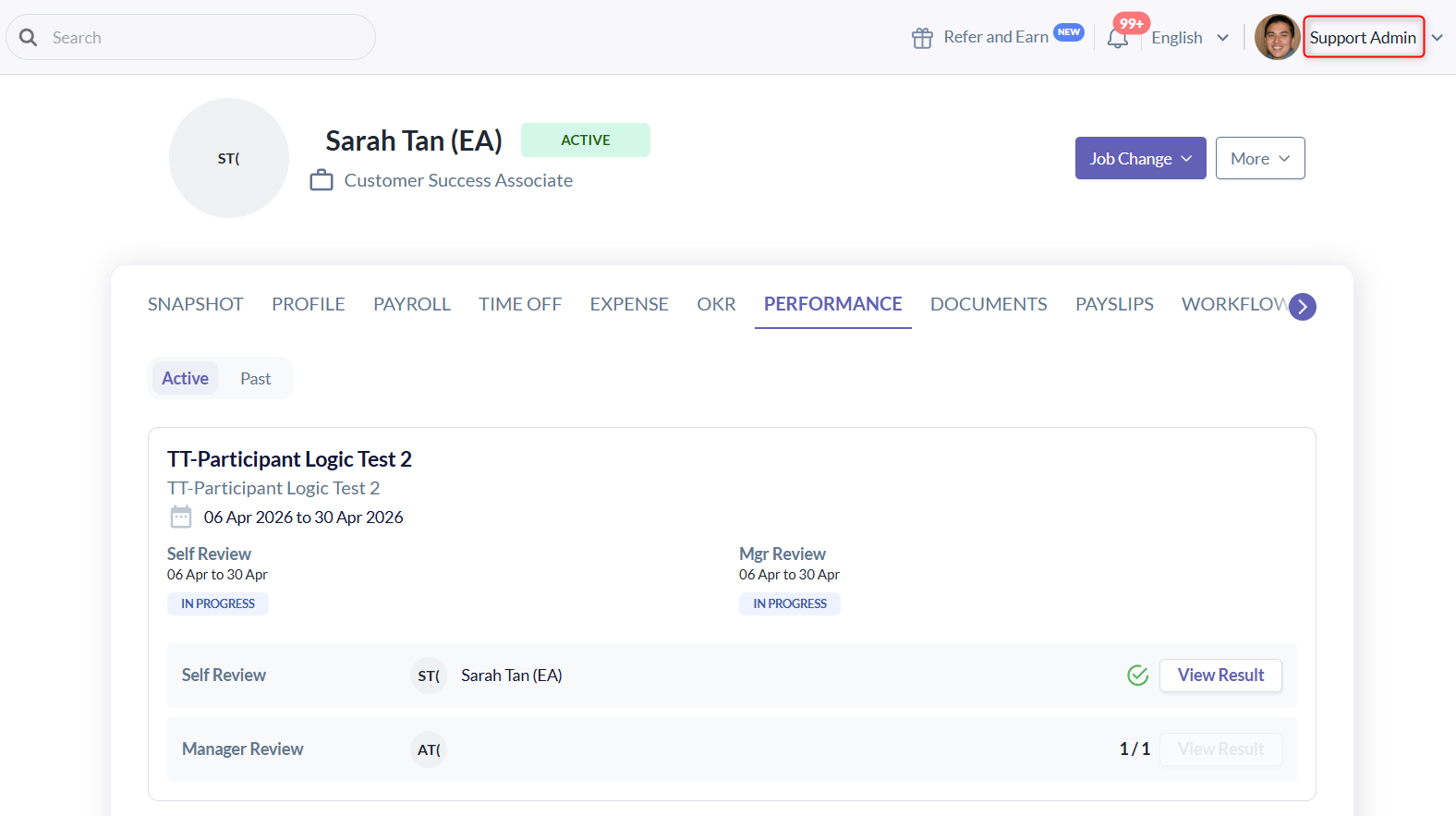
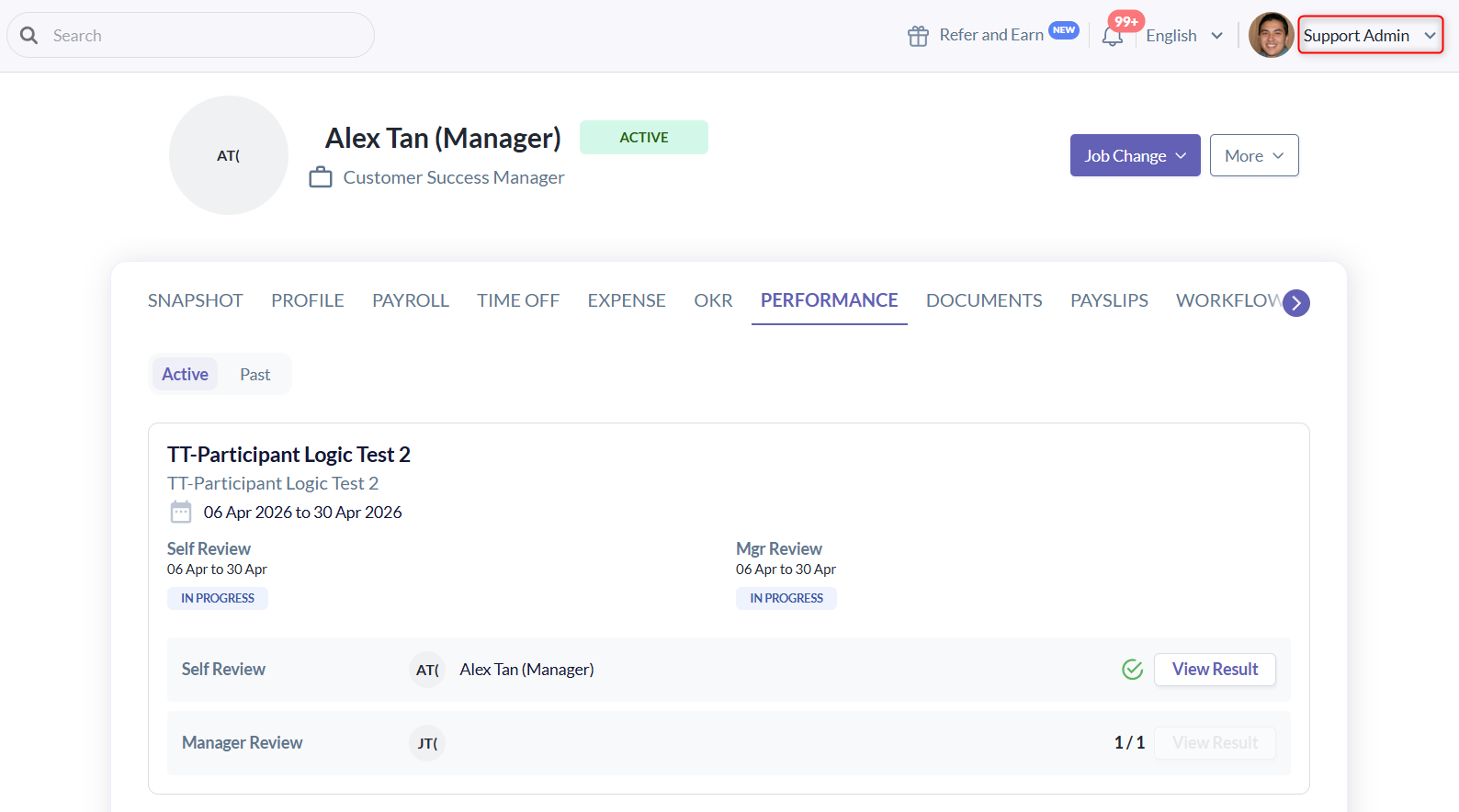
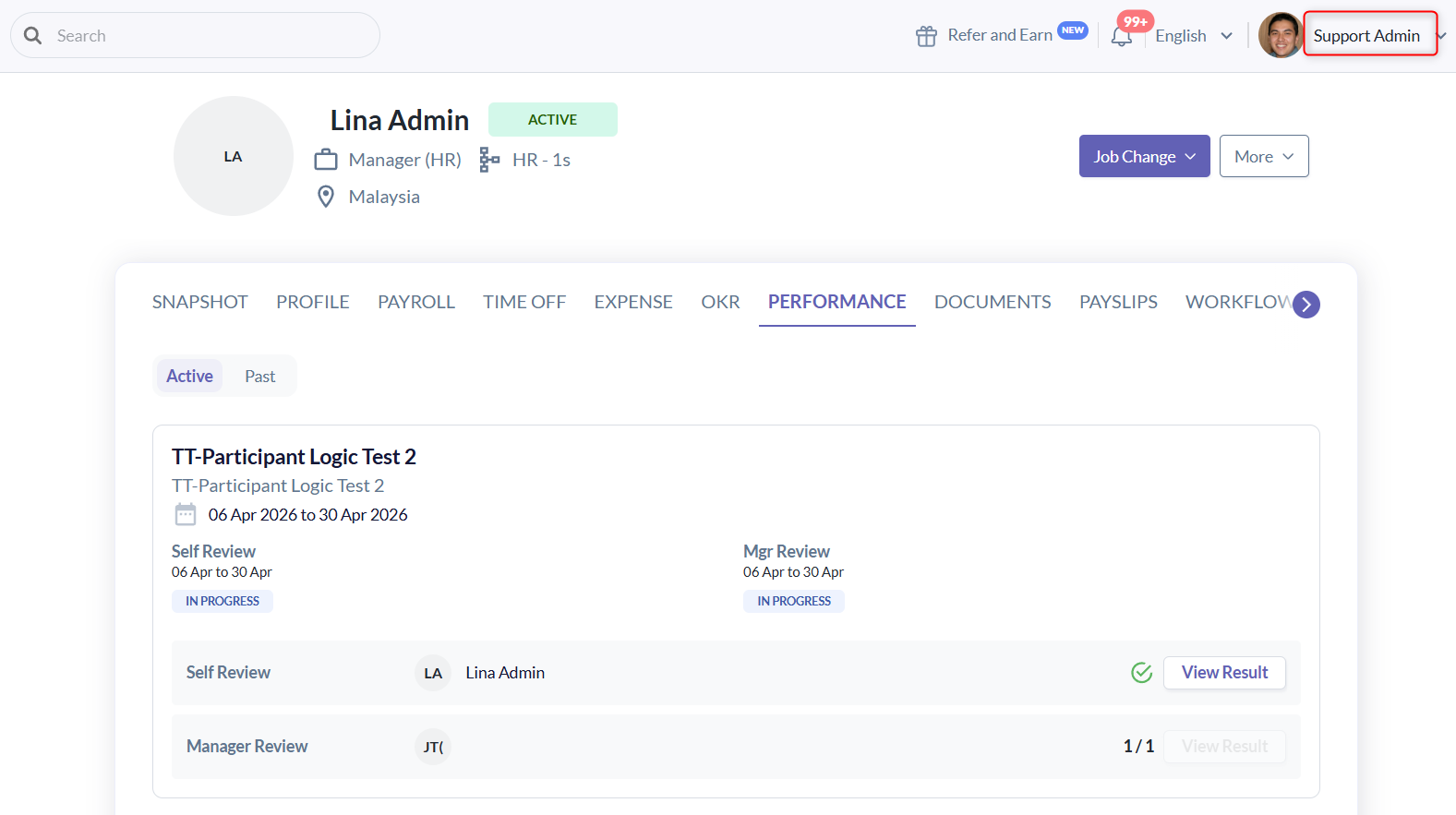
- They can view all performance results, provided they have:
Summary
| User | Role | Participants | Access |
| Sarah | Employee | Reviewee | Can view own results |
| Alex | Manager | Reviewee & Reviewer | Can view own results and Sarah’s review |
| Lina | Admin | Reviewee | Can view own results only |
| Support | Admin | Non-participants | Can view all results based on access rights and visibility rules |
Still Need Help?
Reach out to our support team should you need further assistance.
Was this article helpful?
That’s Great!
Thank you for your feedback
Sorry! We couldn't be helpful
Thank you for your feedback
Feedback sent
We appreciate your effort and will try to fix the article