Overview:
If the weightage configuration is enabled for a performance cycle, you can review the setup even after the cycle has been launched.
How to check the weightage setting
Follow the steps below to view the weightage configuration after the performance cycle has been launched:
1. Go to Performance > Select the performance cycle you would like to review.
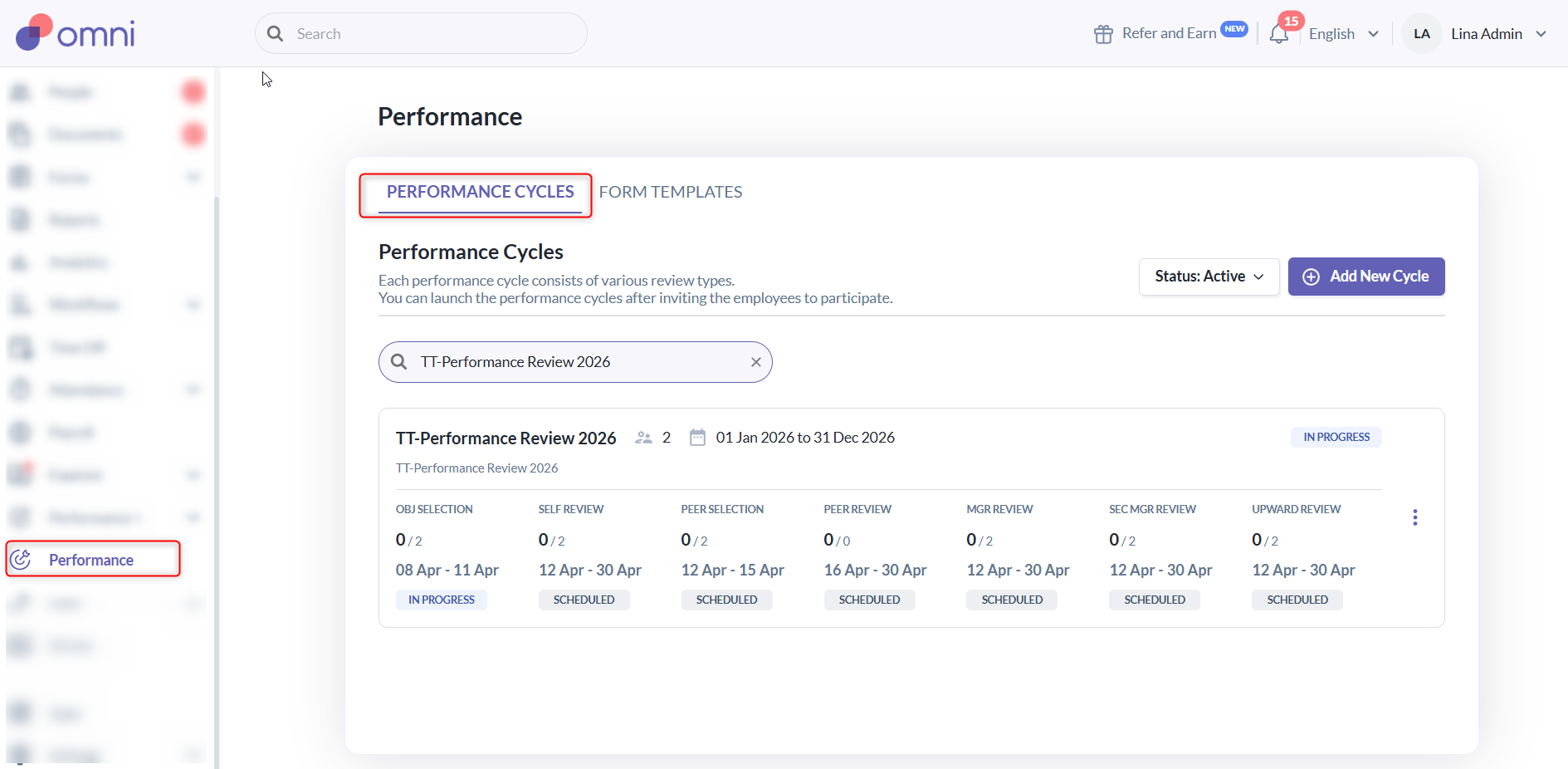
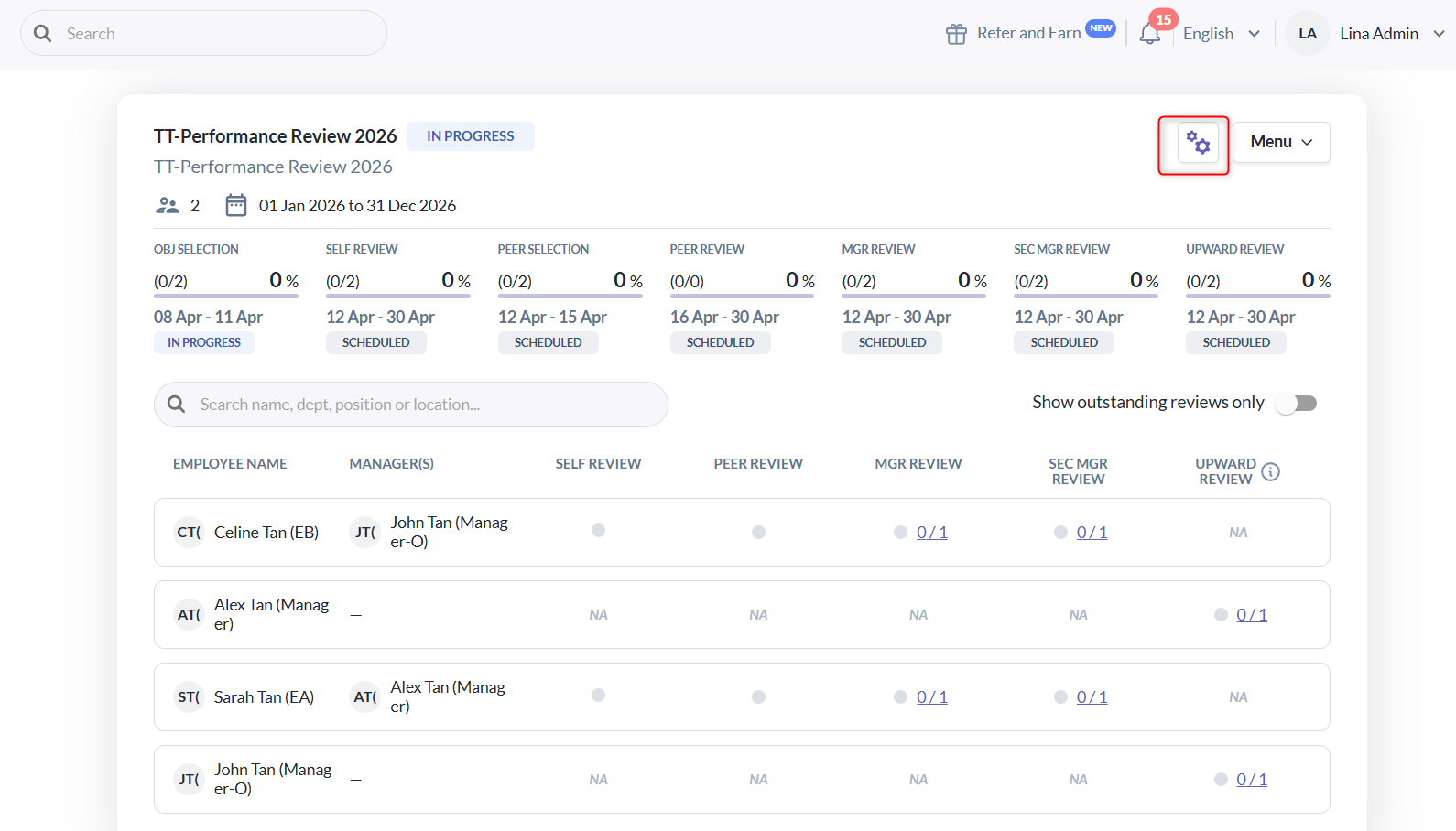
2. Click on the View Configuration icon.
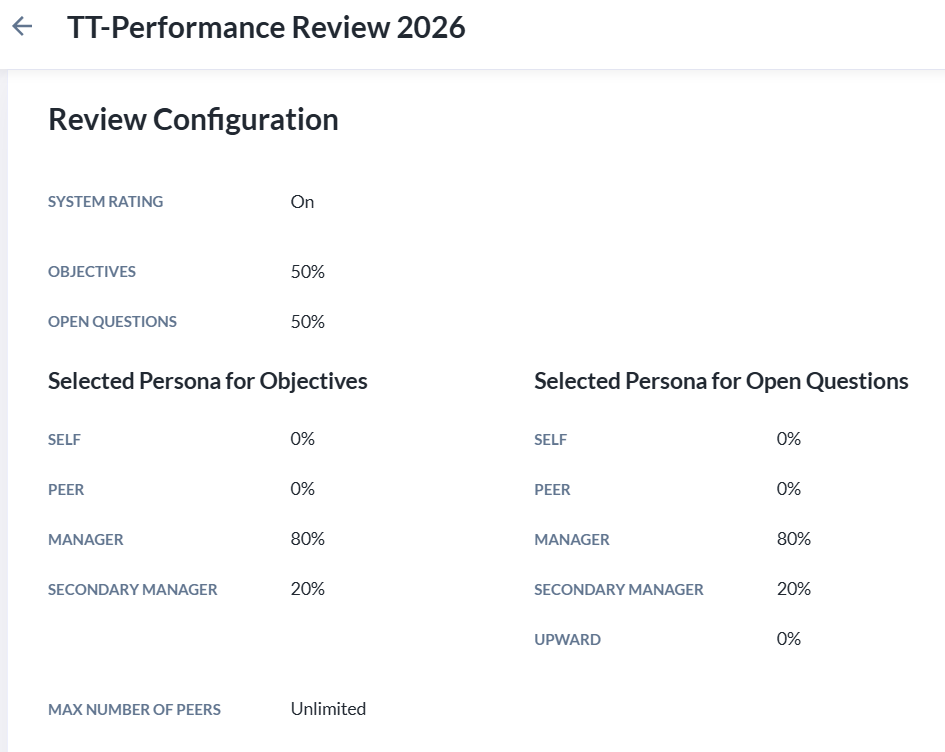
3. If the system rating is enabled, it will be shown as “On”, along with the weightage for the Objectives and Open Questions sections. You will be able to see the weightage assigned to each section as well as for each persona.
4. If customized weightage is set for individual questions, the weightage for each persona’s review will be displayed for each question.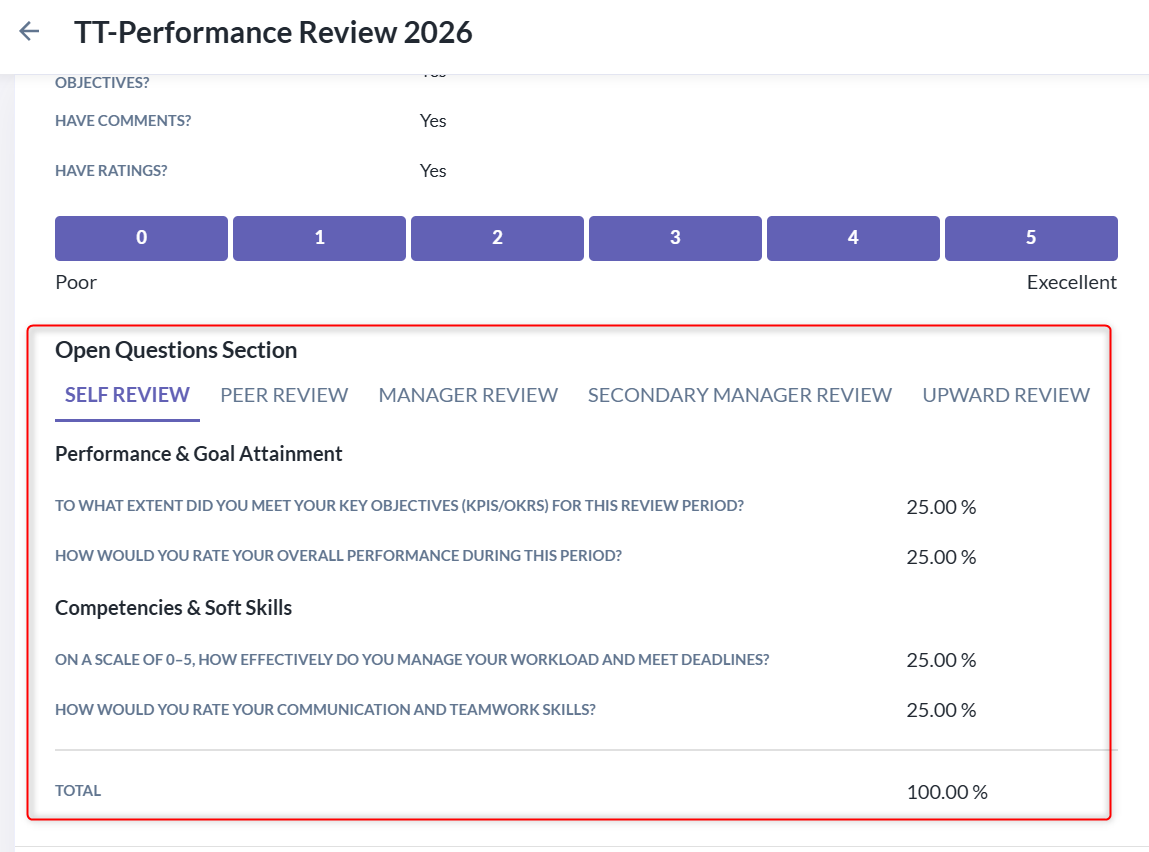
Note: The displayed weightage may vary depending on the persona configured for the performance cycle.
Still Need Help?
Reach out to our support team should you need further assistance.
Was this article helpful?
That’s Great!
Thank you for your feedback
Sorry! We couldn't be helpful
Thank you for your feedback
Feedback sent
We appreciate your effort and will try to fix the article