Last Updated: January 12, 2026
Overview:
Recruitment roles determine what actions users can perform within the Recruit platform. Permissions affect access to jobs, candidates, interviews, and settings.
TABLE OF CONTENTS
Recruitment roles
There are three recruitment roles available.
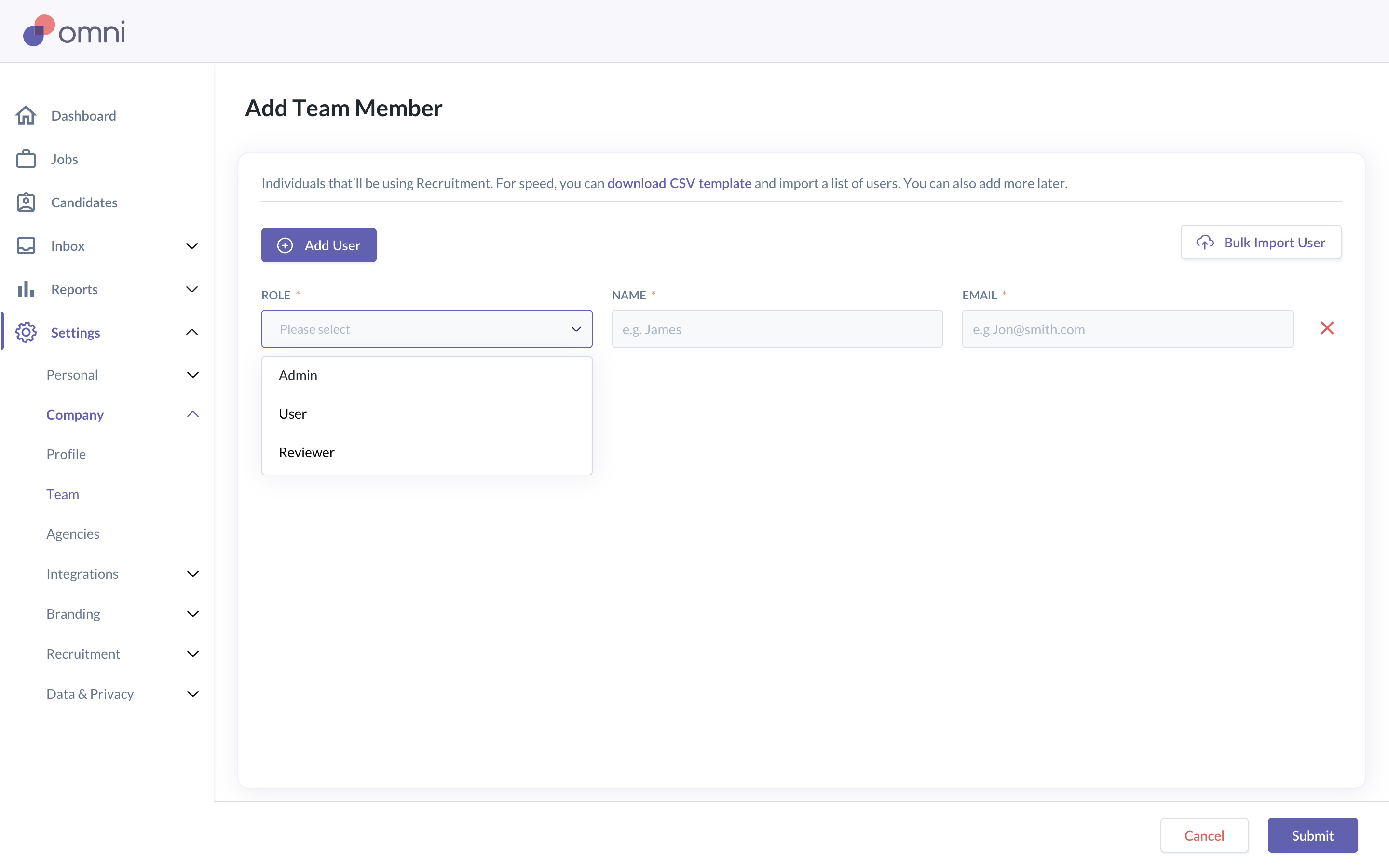
Admin
Admins have full access to recruitment features. This role can:
- Manage recruitment settings
- Add and manage users
- Configure integrations and templates
- Access all jobs and candidates
User
Users can manage jobs they are involved in. This role can:
- Create and manage jobs they own
- Review and move candidates for those jobs
- Schedule interviews
- Complete and view scorecards
- Create and edit personal templates
Note: Users cannot manage recruitment settings.
Reviewer
Reviewers have limited access. This role can:
- View jobs they are assigned to
- Participate in interviews
- Complete scorecards
- Leave feedback on candidates
Note: Reviewers cannot create jobs or manage recruitment settings.
Job-level roles
In addition to overall recruitment roles in the platform, users can have different roles at the job level.
Job Owner
The Job Owner is responsible for managing the job. This role:
- Is required for every job
- Has full access to the job and its candidates
- Receives job-related notifications
Hiring Manager
The Hiring Manager receives notifications related to the job. This role:
- Is optional
- Is commonly used for visibility
- Does not manage job settings
Approver
Approvers are required to approve a job before it goes live. This role:
Can include one or more users
Can be configured to require one, multiple, or all approvals
Must approve the job before the job is published
How permissions affect access
Access to jobs and candidates depends on:
The user’s recruitment role
Their involvement in the job
Admins can access all jobs and candidates. Other users can only access jobs they are assigned to.
Was this article helpful?
That’s Great!
Thank you for your feedback
Sorry! We couldn't be helpful
Thank you for your feedback
Feedback sent
We appreciate your effort and will try to fix the article