Overview:
To preserve payroll audit integrity, unpaid time off requests cannot be edited once they have been submitted for payroll processing. This restriction ensures that all payroll-related records remain accurate, traceable, and consistent with the data already processed. In this article, we'll explain what employees and admins can do if an unpaid time off request needs to be updated or cancelled after it has been submitted for payroll.
TABLE OF CONTENTS
- What to do if unpaid leave was deducted in error?
- What can an employee do if they need to cancel their time off requests?
- What can admins do if an employee needs to cancel a time off request?
- Recommendation Unpaid Time Type Setup
What to do if unpaid leave was deducted in error?
If unpaid leave was deducted in error, the following two actions should be taken:
- Refund the time off balance back to the employee → User can submit cancellation request, on approval of the request, time off balance is returned to employee.
- Refund the salary deducted to the employee → Include an adjustment in the employee's next month's payroll to compensate for the incorrect deduction.
What can an employee do if they need to cancel their time off requests?
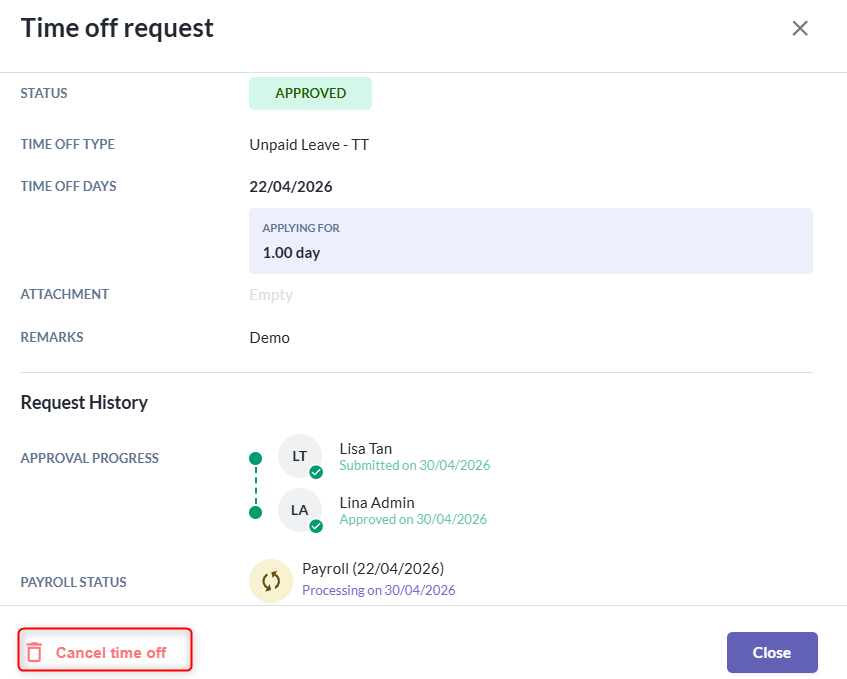
- Employee can submits cancellation request for processed unpaid leave by clicking “Cancel Time Off”.
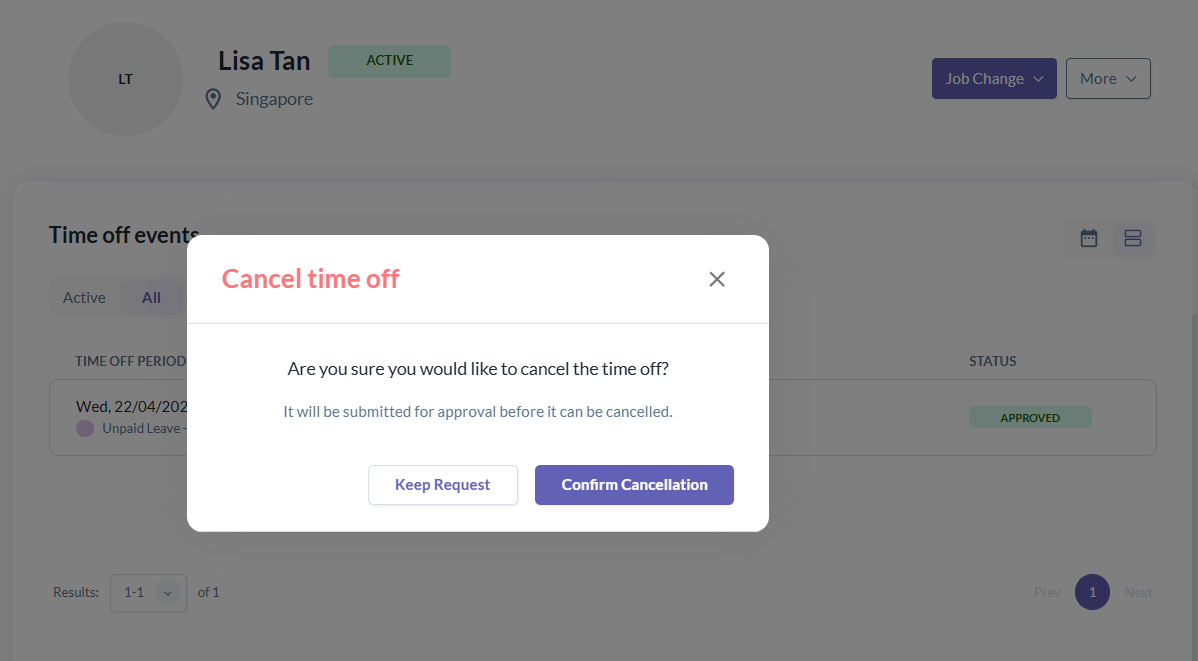
- A cancellation confirmation prompt will appear, and the request will be submitted for approval.
What can admins do if an employee needs to cancel a time off request?
- Manager or Admin have to review the time off cancellation request and they can either approves or rejects the cancellation request.
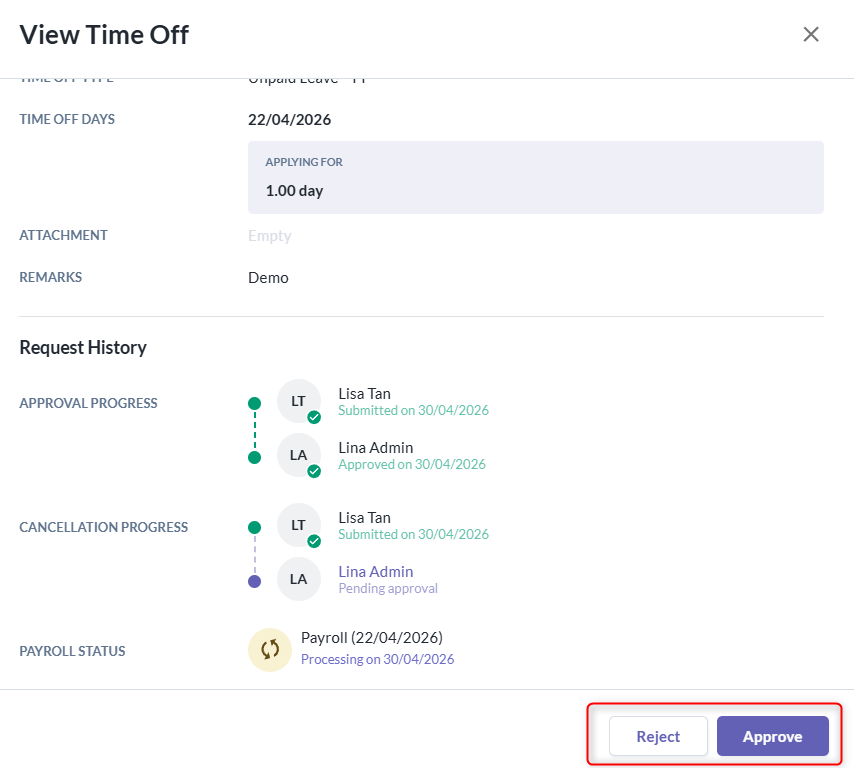
- Once the request is approved, the time off balance will be refunded back to the employee.
- Example: Before unpaid time off approved:
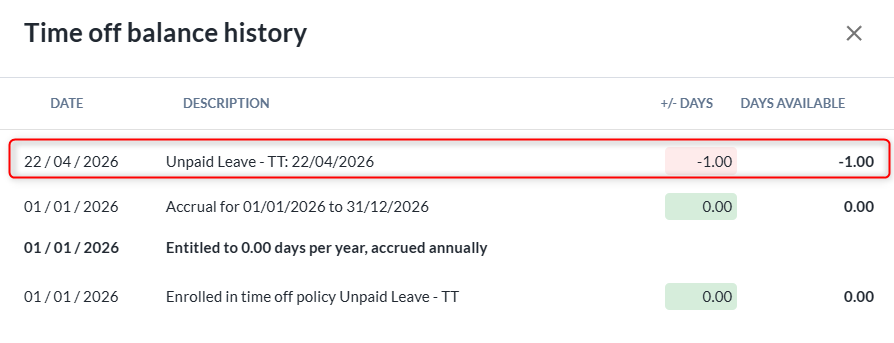
- After unpaid time off cancelled:
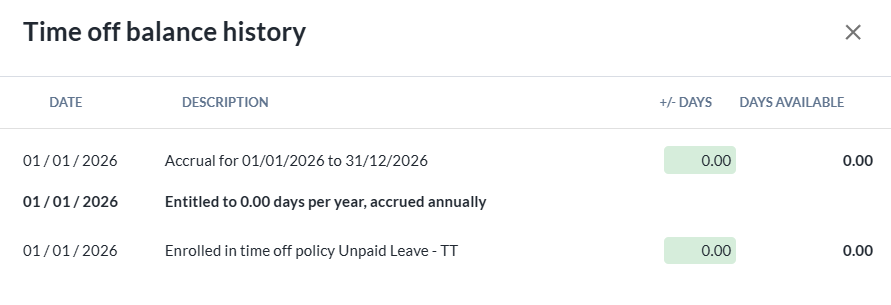
- Example: Before unpaid time off approved:
- In the next payroll cycle, the admin should include a payroll adjustment to compensate the incorrect unpaid time off deduction, as the unpaid time off has already been refunded in the system.
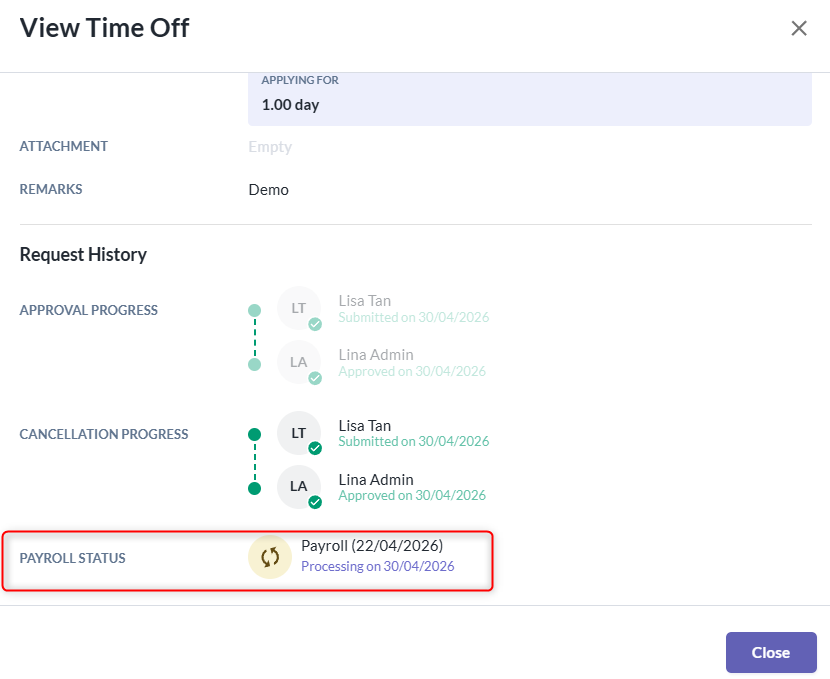
- After time off is cancelled, the original time off request will remain marked as Processed/Processing. This is for audit purposes, as it indicates that a deduction had already been applied.
Recommendation Unpaid Time Type Setup
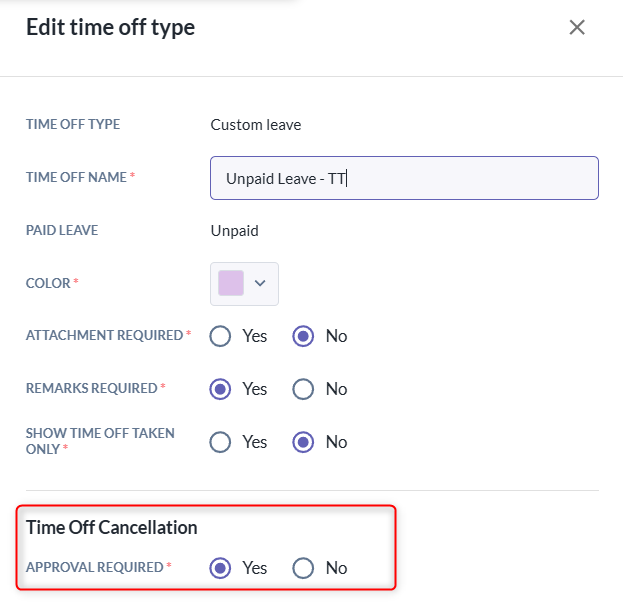
- We strongly recommend enabling the "Cancellation Requests Require Approval" option in the time off type settings. This helps ensure proper governance and control over changes made after payroll processing.
Still Need Help?:
Reach out to our support team should you need further assistance.
Was this article helpful?
That’s Great!
Thank you for your feedback
Sorry! We couldn't be helpful
Thank you for your feedback
Feedback sent
We appreciate your effort and will try to fix the article