⚠️ Important
Employers using an Indeed Free account may be subject to job posting restrictions based on Indeed's policies. As a result, some jobs may not be published or may receive limited visibility, even if the job is successfully synced from Omni HR.
These restrictions are determined solely by Indeed and cannot be overridden by Omni HR. If your job is affected, you may need to sponsor the job or meet Indeed's eligibility requirements.
For more information, please refer to Indeed's official Employer Support documentation.
Overview
Indeed for Employer integration allows you to post jobs for free on Indeed.
Prerequisite: The user will need to have Admin access within the Recruit module to be able to access Company Integrations and make the necessary connections.
TABLE OF CONTENTS
- Indeed for Employer Integration: How to?
- How to post jobs to Indeed for Employer
- Important Note: One time XML feed authorization
Indeed for Employer Integration: How to?
1. From the OmniHR recruit page, go to Settings > Company Integration and find for Indeed for Employer. Click Connect.
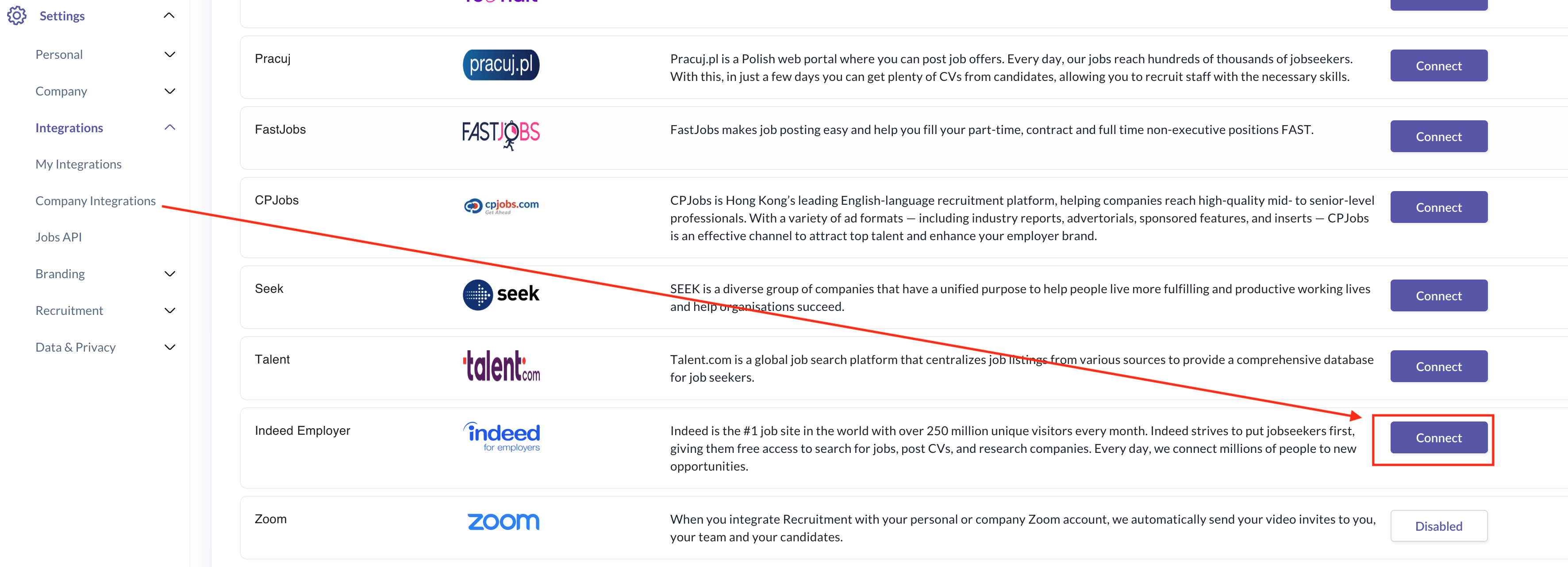
2. You will be prompted with the screen below. Please follow the on-screen instructions.
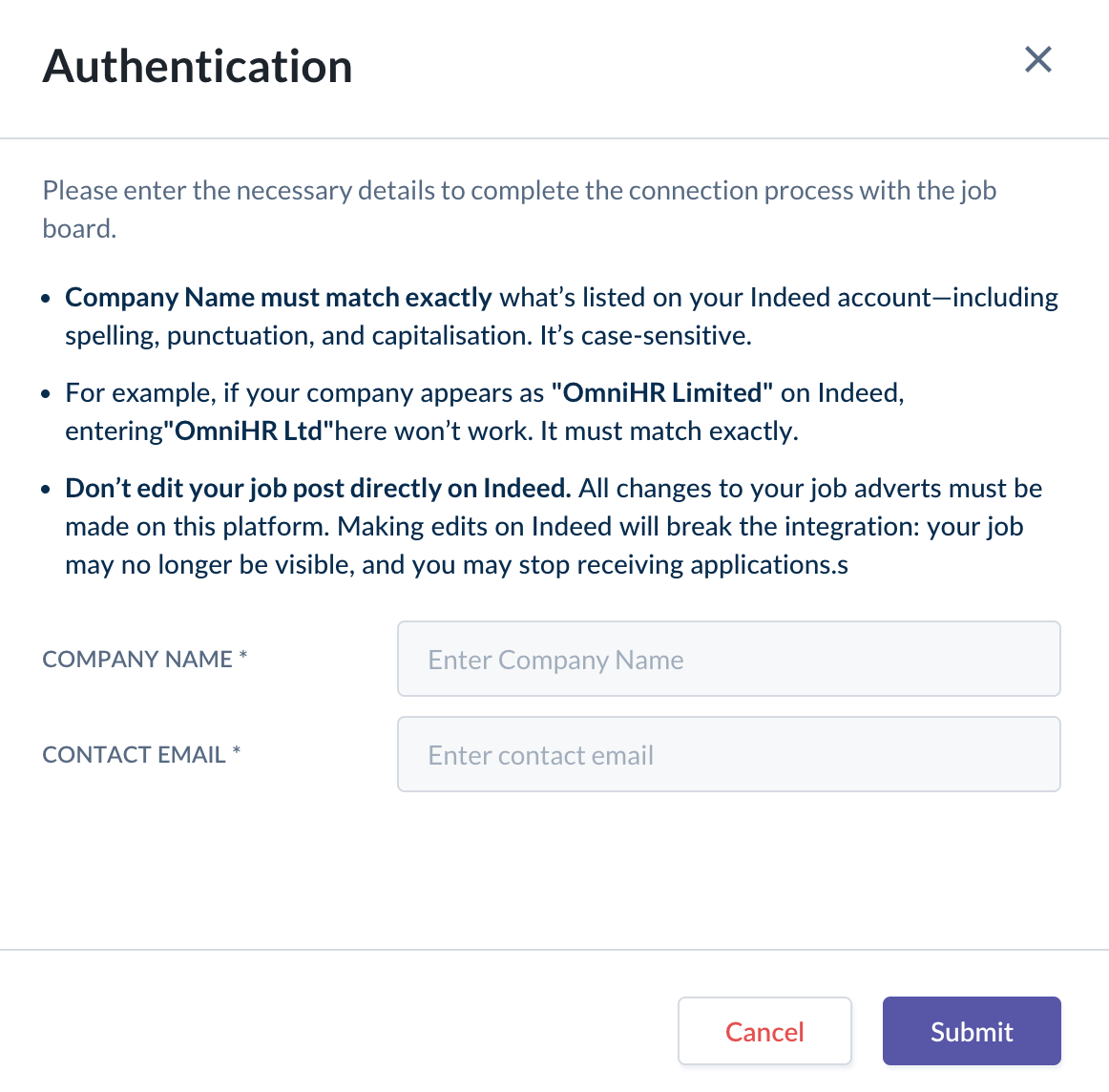
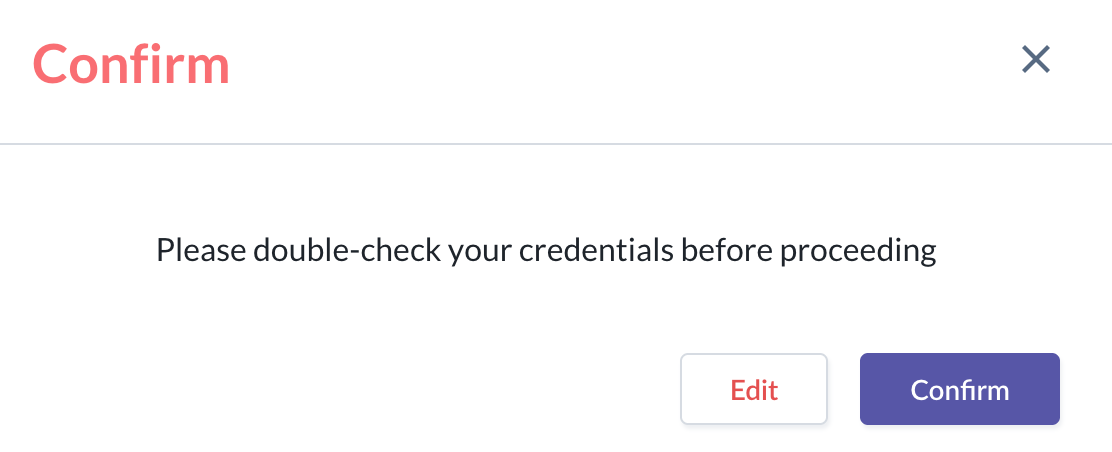
3. Once you click Submit , the system will prompt you to confirm the submission by clicking Confirm.
- If you want to edit your submission, click Edit
4. The connection is successful if the connect button switches to Disconnect

How to post jobs to Indeed for Employer
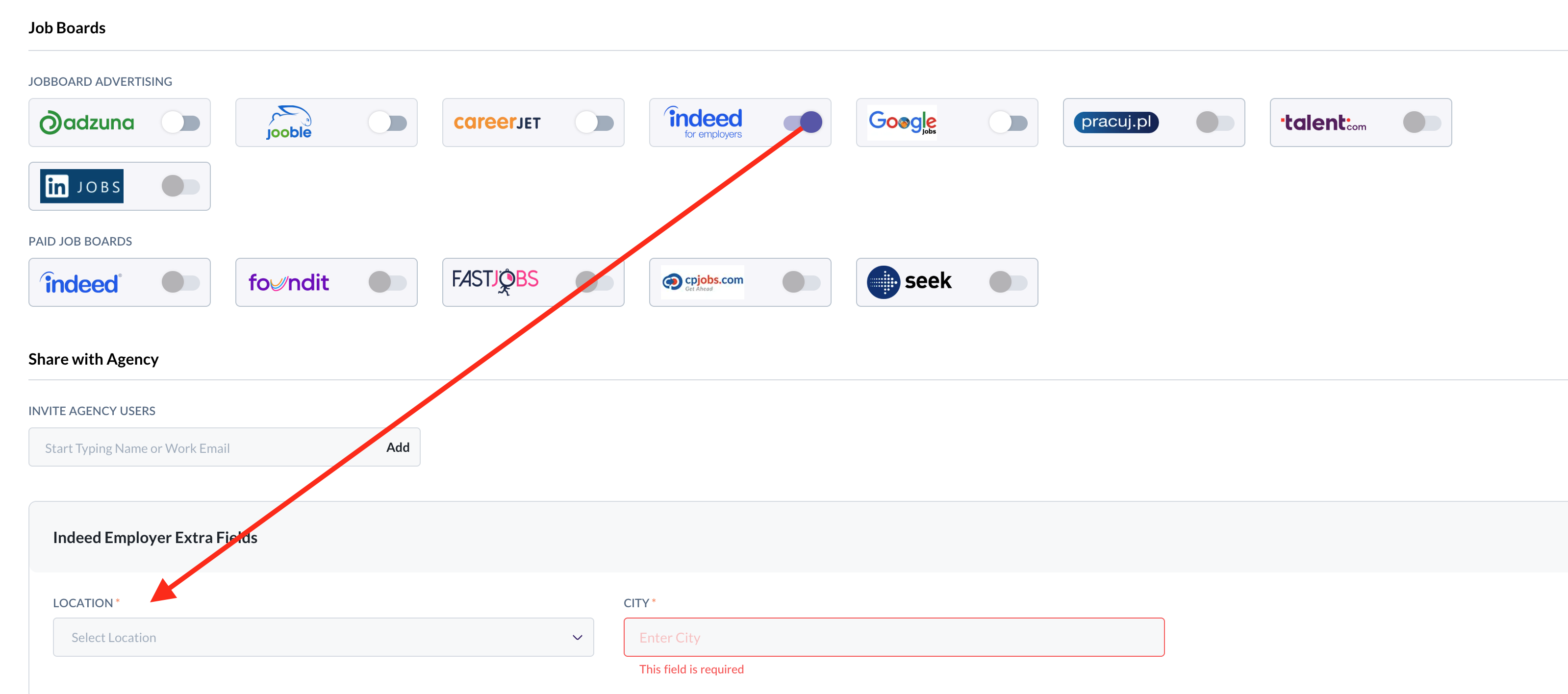
- When creating a new job post, you can publish the job to the Indeed Employer job board by toggling the option next to it.
- An additional location field will appear for you to complete before finalising the posting.
Important Note: One time XML feed authorization
Before your job can be published on Indeed, the Indeed team must first approve your XML feed.
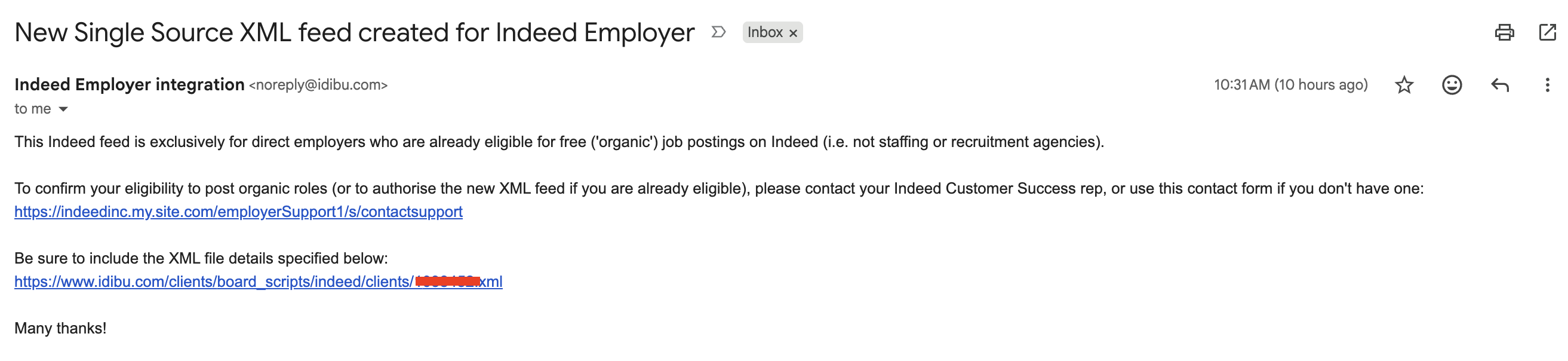
After you create a job and share it to Indeed for Employer, an email will be sent to the registered email inside your Indeed account. Follow the instructions in that email to complete the authorization process.
Sample email:
Once all the above steps are completed, you will receive a confirmation from Indeed acknowledging the authorization. Please forward this confirmation to support@omnihr.co so we can verify your job posting details.
Still Need Help?
Reach out to our support team should you need further assistance
Was this article helpful?
That’s Great!
Thank you for your feedback
Sorry! We couldn't be helpful
Thank you for your feedback
Feedback sent
We appreciate your effort and will try to fix the article