Overview:
Admins can now view the full form and weightage setup for any review phase directly from the Review Phase Tracker. This gives admins a quick reference to check how the review form is structured, what rating scale is in use, and how weightages are distributed across sections, questions, and personas — without needing to re-enter the review phase setup flow.
TABLE OF CONTENTS
- What's New
- How to find this View Form & Weightage option?
- Tab 1: Weightage Configuration
- Tab 2: Questions
- Important Notes
What's New
- A View Form & Weightage option is now accessible from the review phase options menu in the Review Phase Tracker.
- This function is always visible to admins regardless of review phase status.
- The function has two tabs: Weightage Configuration and Questions
How to find this View Form & Weightage option?
- Go to Performance+ > Review Cycles > Click into specific review cycle > Active Review Phase > Actions
- Click on View Form & Weightage option
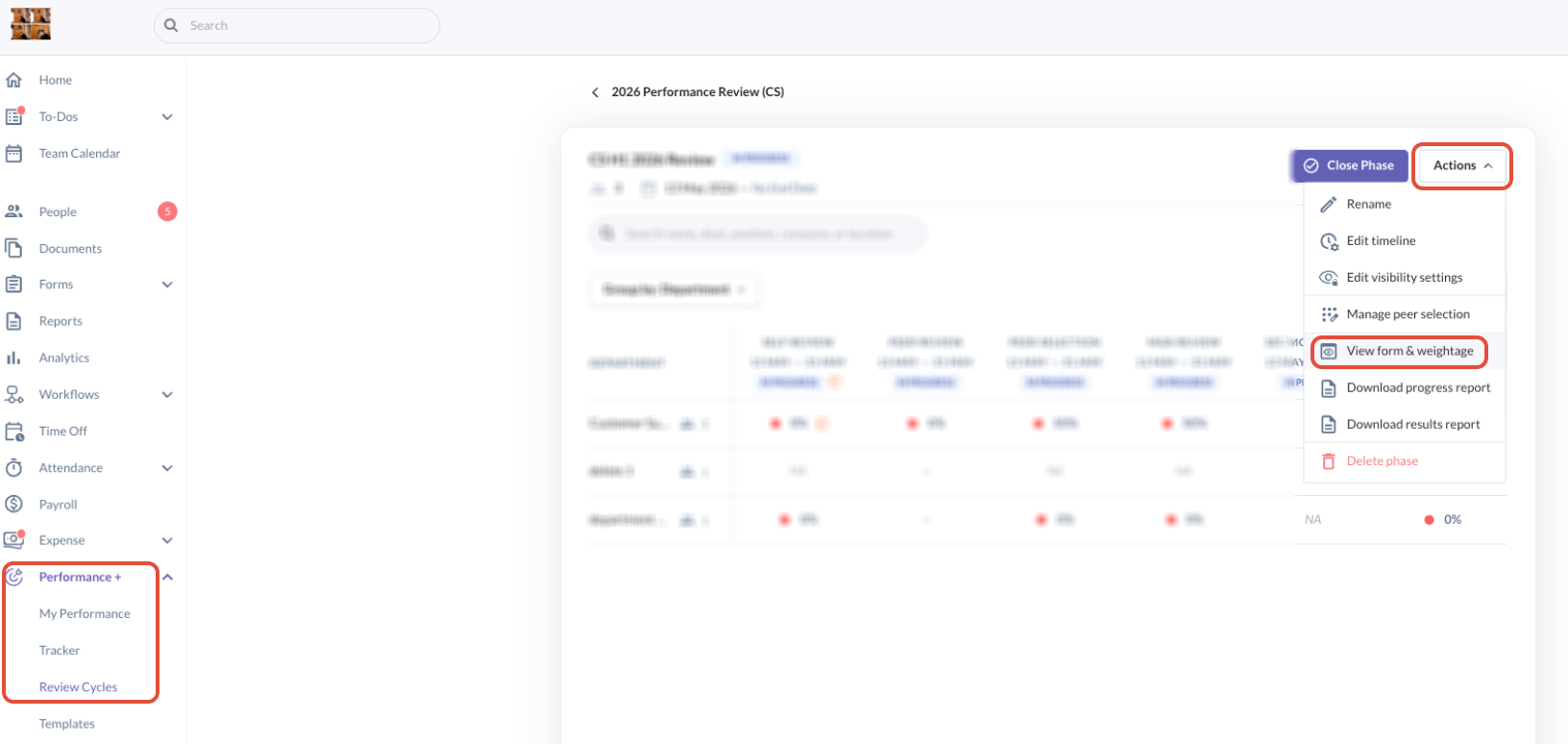
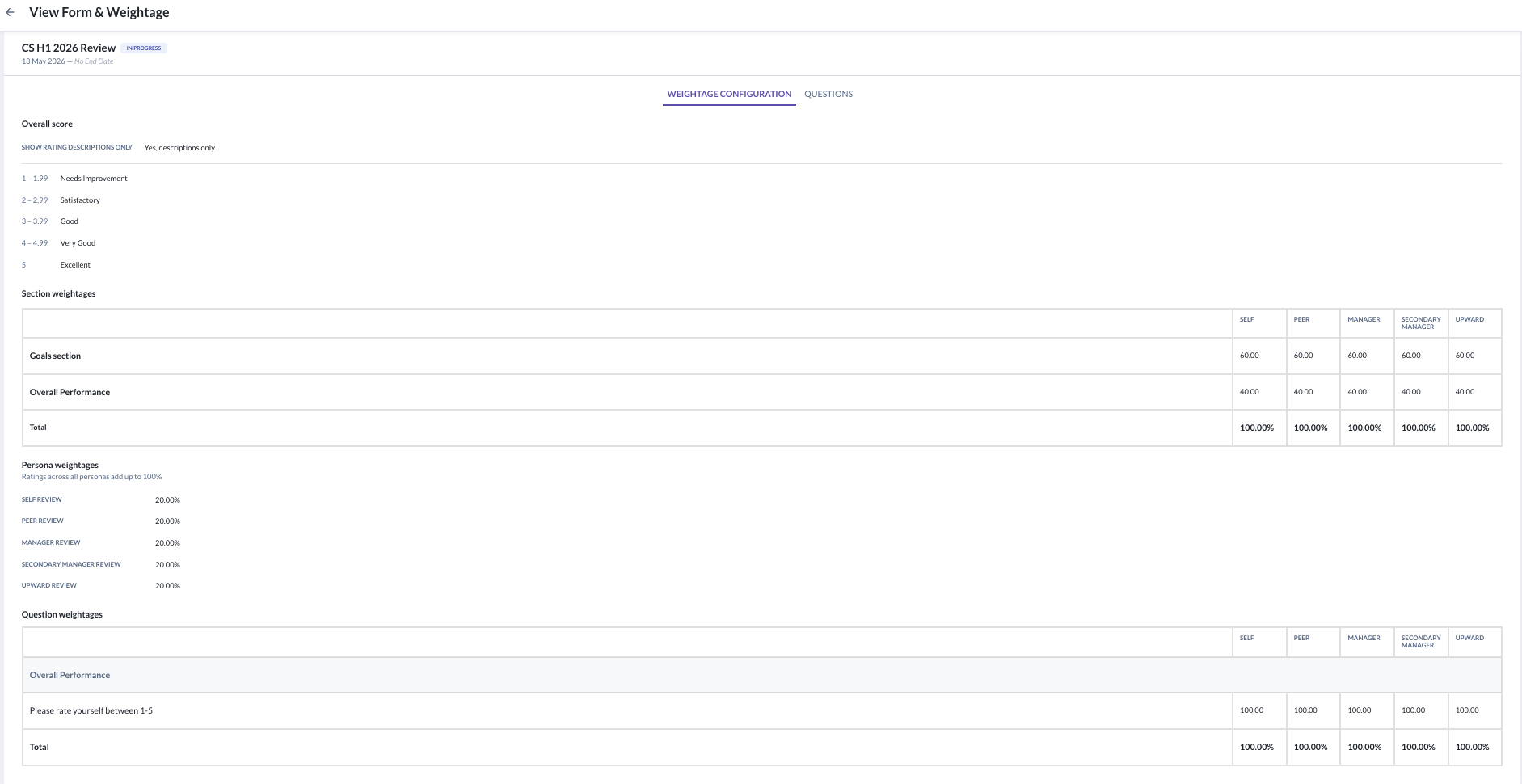
- You will see two tabs that hold the different configuration settings to review: Weightage Configuration and Questions
Tab 1: Weightage Configuration
This tab is read-only and reflects the configuration set when the review phase was launched.
It contains four sections.
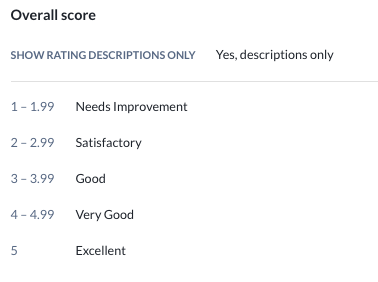
(1) Overall Score
- Shows how the overall score is presented to participants, including the rating display setting and the label mapped to each score range. For example:
(2) Section Weightages
- A table will be showing the weightage (%) assigned to each form section per review persona.
- Columns represent the active review personas (Self, Manager, Peer, Upward).
- Sections that do not apply to a persona or do not have any weighted rating questions show (—)
- For example:
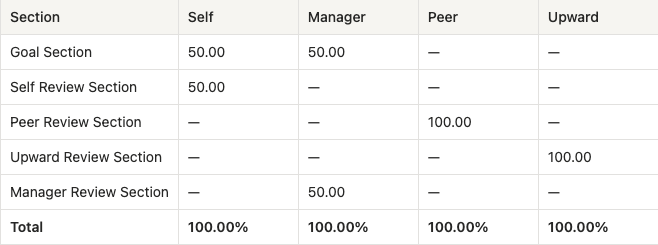
- The total row confirms that section weightages sum to 100% for each active persona.
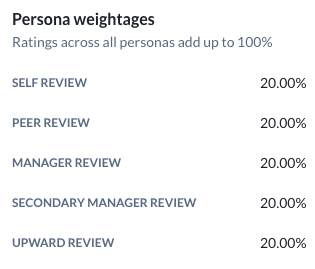
(3) Persona Weightages
- Shows the overall percentage contribution of each persona to the final score, as configured at launch.
- Persona weightages always sum to 100%.
- For example:
(4) Question Weightages
- Shows the weightage assigned to each individual question within a section, per review persona.
- This reflects the question-level weightage variation configured at launch, where different questions within the same section can carry different weightages.
- For example:

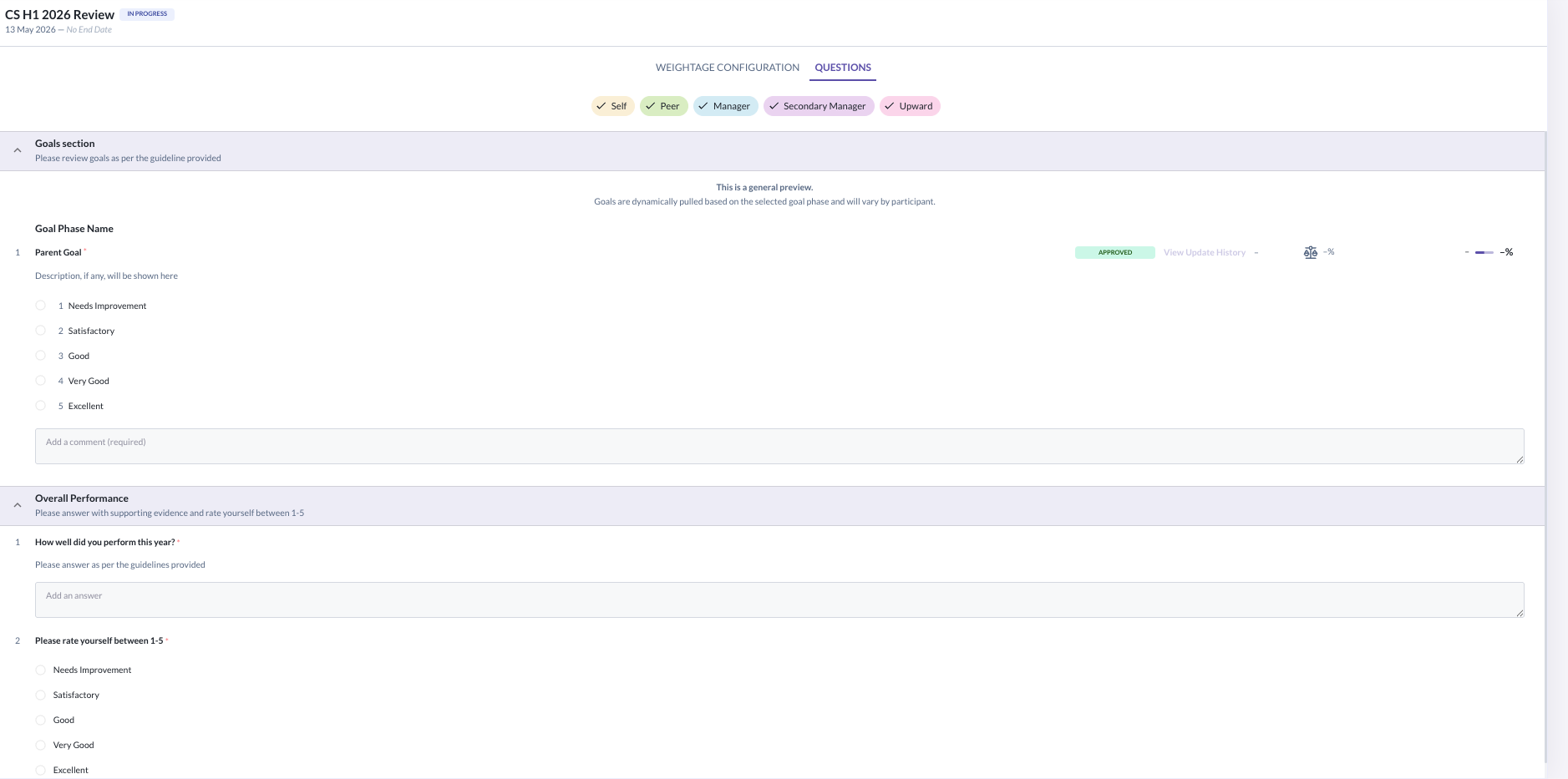
Tab 2: Questions
- This tab displays the full review form structure as configured at launch, including the Goal Section and all question sections per review type.
- You can use review type chips to filter which forms are shown.

- For example:
Important Notes
- The entire function is read-only. All configuration shown here — weightages, rating scales, and questions — was set during review phase launch and cannot be edited from this view.
- The function is always accessible to admins regardless of whether the review phase is Scheduled, In Progress, or Closed.
Still Need Help?
Reach out to our support team should you need further assistance.
Was this article helpful?
That’s Great!
Thank you for your feedback
Sorry! We couldn't be helpful
Thank you for your feedback
Feedback sent
We appreciate your effort and will try to fix the article