Overview
Foreign employees with a valid work pass working in Malaysia are generally required to contribute to EPF, but that requirement stops shortly before their work pass expires. Omni HR system now captures a Work Permit Expiry Date for foreign employees, so our payroll system can automatically work out when this exemption window starts and stop applying EPF deductions at the right time.
TABLE OF CONTENTS
Background
EPF is mandatory for foreign employees
Since October 2025, non-Malaysian employees holding a valid work pass are subject to statutory EPF contributions at a fixed rate, 2% from the employer and 2% from the employee, for a combined 4% of monthly wages.
The exemption window near work pass expiry
KWSP allows this contribution obligation to stop shortly before a work pass runs out. Specifically, the exemption applies for the two calendar months before the month in which their work pass expires — it isn't calculated as a rolling 60 days counted backward from the exact expiry date.
Example: if a work pass expires on 15 June 2026, the exemption applies as follows.
| Payroll month | Exemption applies? |
| April 2026 | No — EPF deducted as normal |
| May 2026 | Yes — one month before the expiry month |
| June 2026 | Yes — the expiry month itself |
| July 2026 (if available) | Yes — exemption still apply if payroll is processed for the employee |
Setting this up in Omni HR
Where to enter the expiry date
Go to the employee's profile → Payroll tab, and look for the Work Permit Expiry Date field.
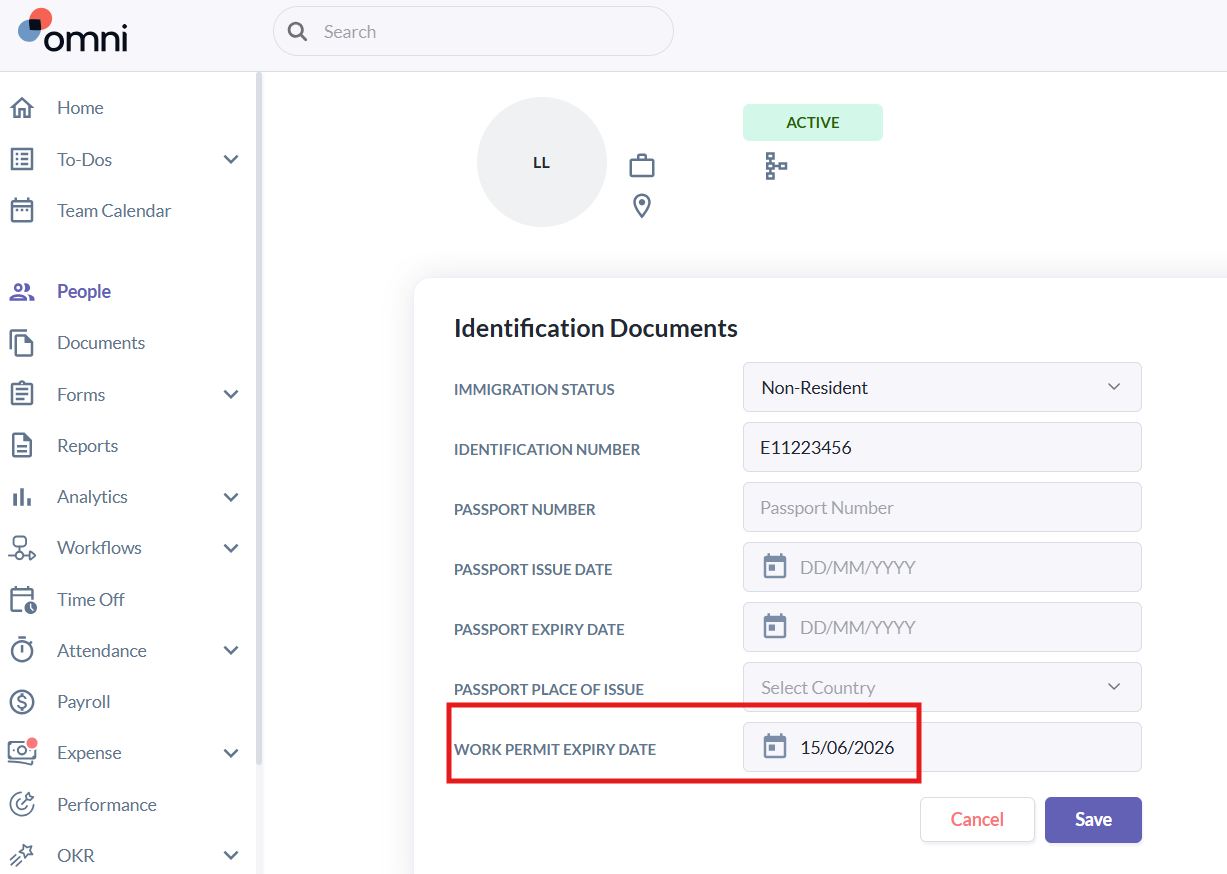
This field only appears for employees whose Immigration Status is set to one of the following:
- Resident (Non-Malaysian)
- Resident (Non-Malaysian) (Reg. after Aug 1998)
- Non-Resident
- Knowledge Worker (IRDA)
It won't show up for other statuses, such as Malaysian citizens or Permanent Residents, since the exemption doesn't apply to them.
How the field behaves
- It's optional. Leaving it blank means no date is set, and EPF will simply continue to be deducted as normal — nothing changes for that employee.
- Once a date is entered, our payroll system uses it to work out the exemption window automatically and will stop applying EPF for the relevant payroll months.
Don't forget: nationality also needs to be set correctly
The exemption logic also relies on the employee's Nationality field under the tab. It only kicks in when the nationality on file is non-Malaysian.
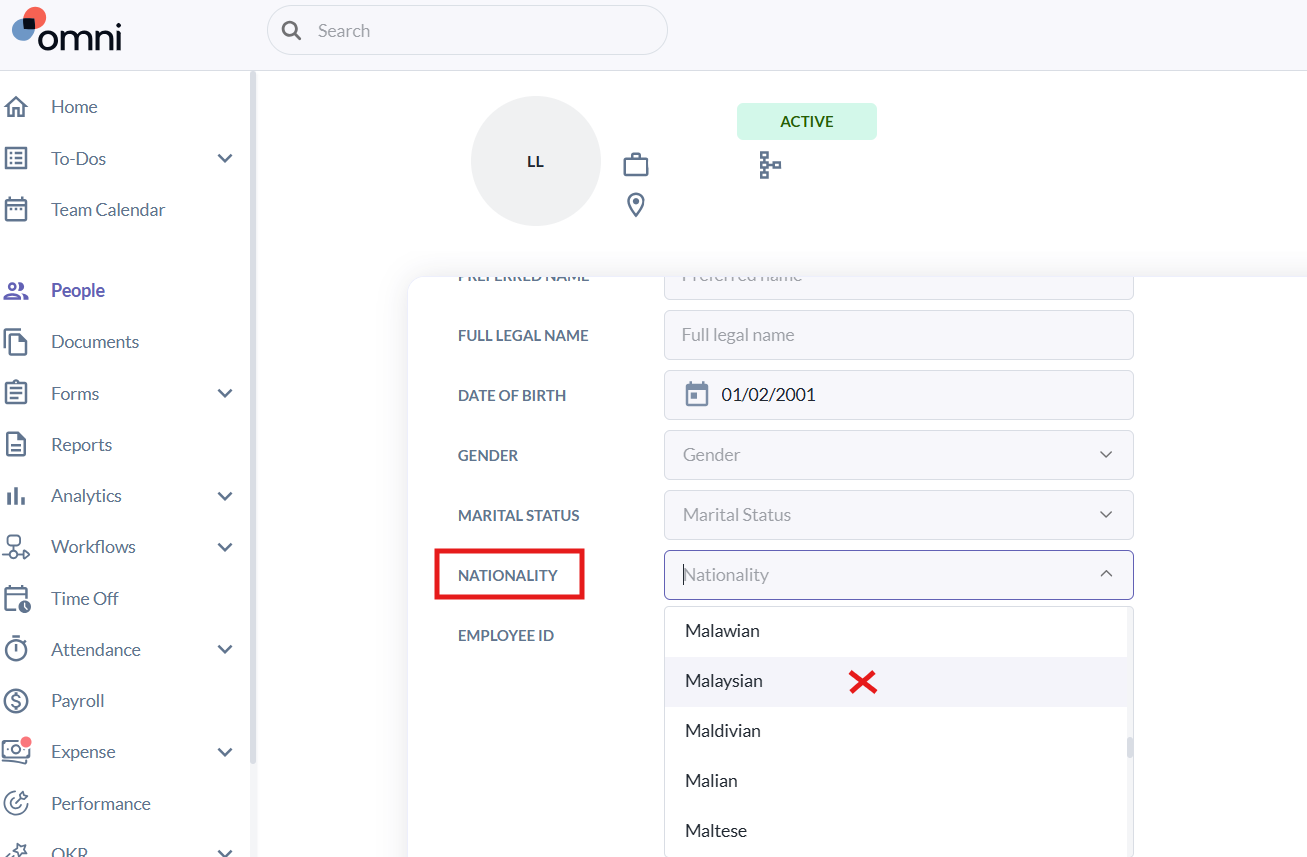
If a foreign employee's nationality is accidentally set to "Malaysian", the exemption won't apply — even if a valid Work Permit Expiry Date has been entered correctly. Both fields need to be accurate for this to work as expected.
Resources:
Contribution For Non-Malaysian Citizen Employees
Still Need Help?:
Reach out to our support team should you need further assistance.
Was this article helpful?
That’s Great!
Thank you for your feedback
Sorry! We couldn't be helpful
Thank you for your feedback
Feedback sent
We appreciate your effort and will try to fix the article