Overview
PCB (Potongan Cukai Bulanan), also known as MTD (Monthly Tax Deduction), is calculated automatically each payroll run, following LHDN's official computation method. If you'd like to see exactly how a particular employee's PCB amount was worked out, you can download a PCB/MTD report that breaks down the calculation in detail.
TABLE OF CONTENTS
Background
Why the amount might look different from your own calculation
It's common for the PCB amount shown in payroll to look different from a manual estimate, especially if that estimate was based on a simplified formula or an online calculator that doesn't account for every factor LHDN's method considers (such as relief categories, EPF contributions or previous months' cumulative income). This doesn't necessarily mean the amount is wrong and it usually just means the underlying computation differs from what was used for comparison.
The PCB/MTD report exists precisely so you don't have to take the calculated figure on faith. It lays out the actual computation used for that employee, so you can verify it line by line against LHDN's formula.
Steps to download the PCB/MTD report
- In the payroll system, go to Payroll -> Month Total for the relevant payroll month.

- Look for the PCB/MTD section and double click the PCB/MTD amount for the employee you'd like to check.
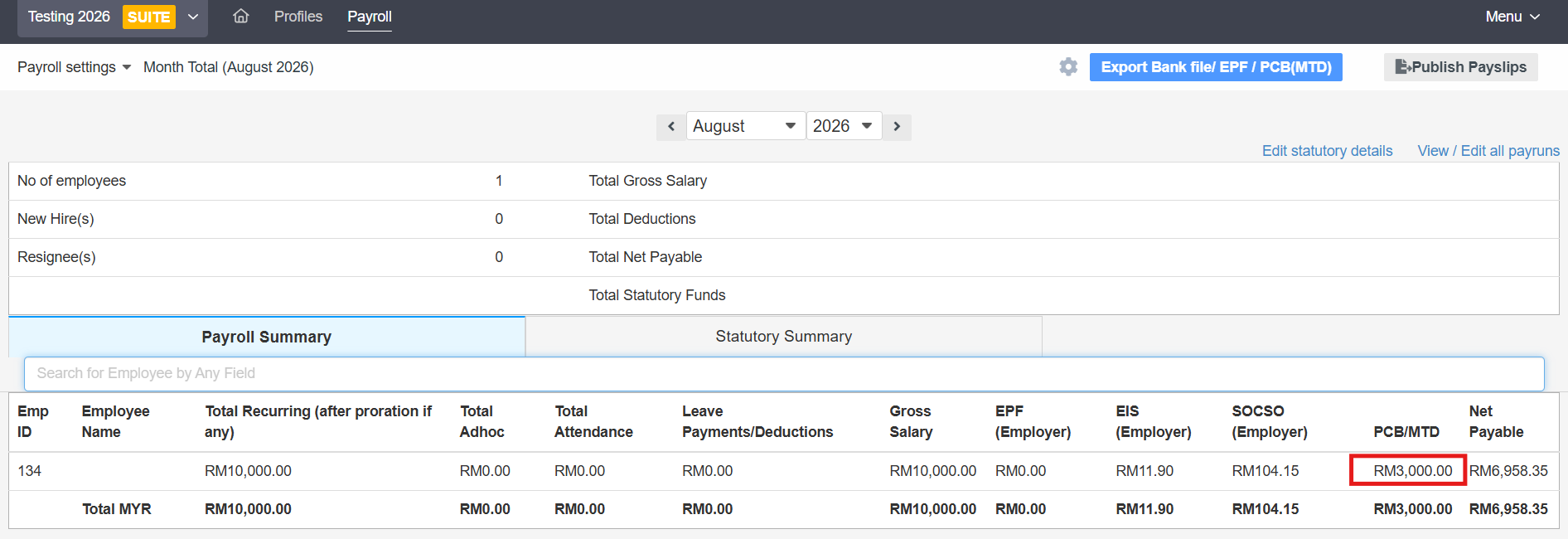
- A PDF report will be generated.
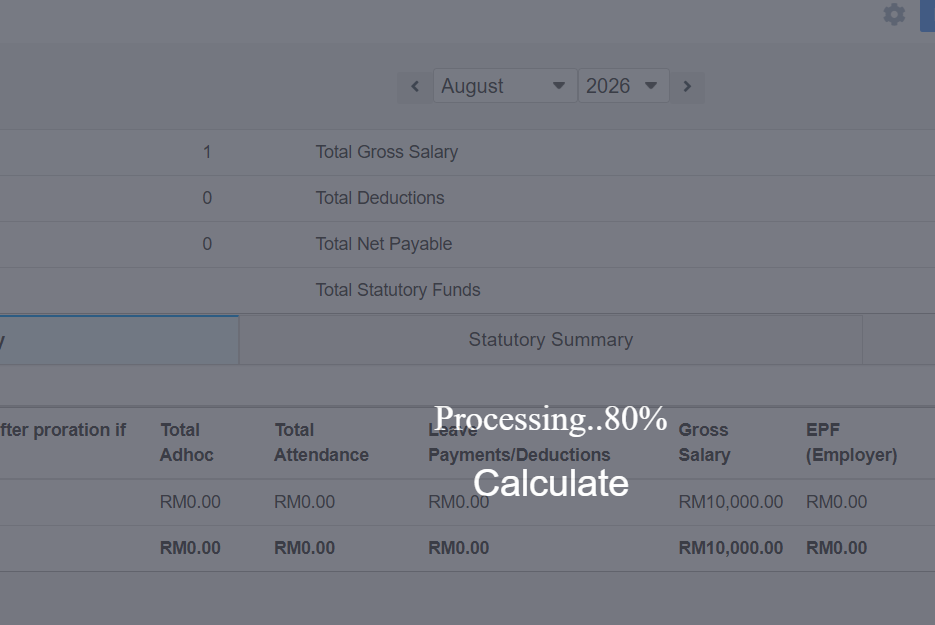
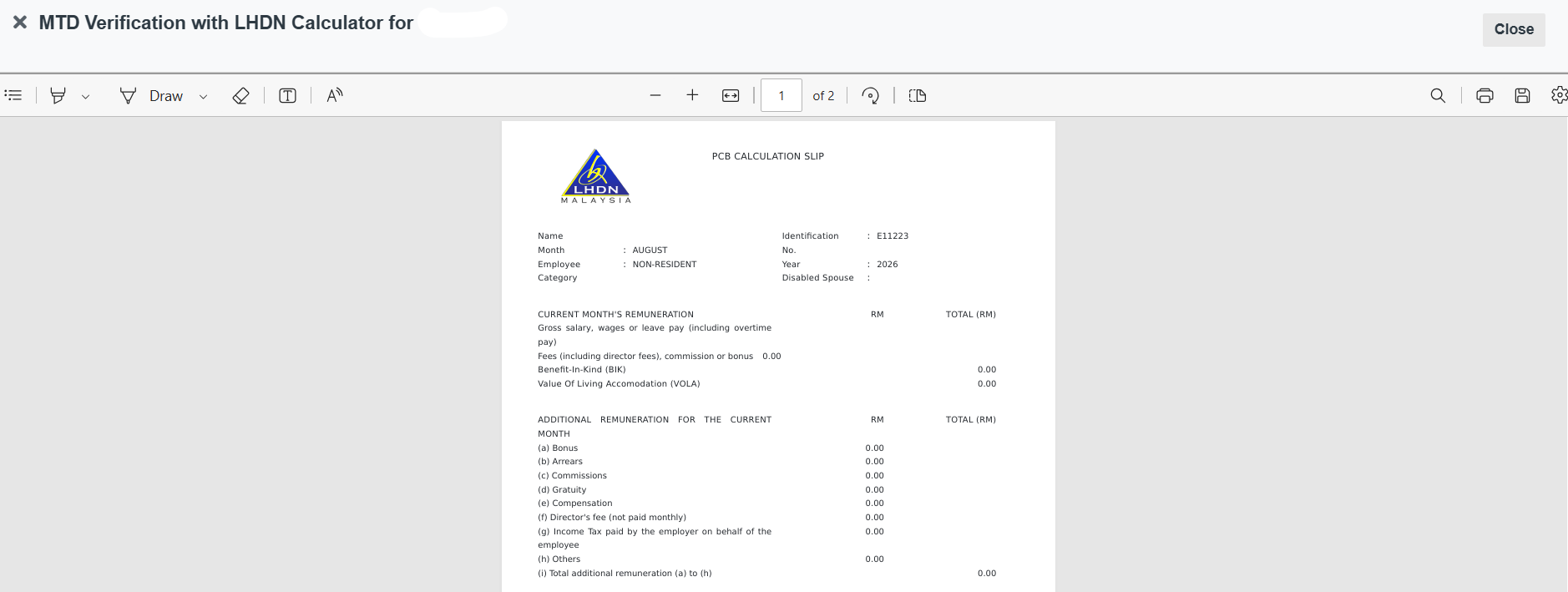
The downloaded report shows the detailed calculation behind that employee's PCB/MTD figure for the month.
Still Need Help?:
Reach out to our support team should you need further assistance.
Was this article helpful?
That’s Great!
Thank you for your feedback
Sorry! We couldn't be helpful
Thank you for your feedback
Feedback sent
We appreciate your effort and will try to fix the article