Overview:
This guide aims to share the step-by-step process on processing AWS payments for employees. This guide will cover how to bulk upload the AWS records for employees and then subsequently run a pay run for AWS disbursements.
TABLE OF CONTENTS
- Buk Upload AWS Calculations to Ad-Hoc Payroll Items
- Create pay run for AWS disbursements
- Step 1: Ensure the pay type created is mapped to the pay item in the payroll system via Payroll > Payroll Company > Field Mapping
- Step 2: Sync the payroll data and validate the sync was successful
- Step 3: Create pay run & select ad-hoc payments only
- Step 4: Review again within the payroll system that only AWS ad-hoc items are included
- Step 5: Process payroll and proceed with bank file generation.
Buk Upload AWS Calculations to Ad-Hoc Payroll Items
Step 1: Please write in to support@omnihr.co to request for the template to bulk upload AWS records under the Ad-hoc payroll section.

Step 2: Populate the template based on the guide here: Bulk Uploading Ad Hoc Payroll Items

Important notes:
- For Column B – Payout Month, if you intend for the AWS payout to be processed in December 2025, please enter 12/2025.
- For Column C - Pay type, ensure that the pay type you'll use has been created in the payroll tab first before inputting here. You can do so by going to any Employee profile > Payroll tab > Adhoc payments > New ad hoc payment > Pay type dropdown > Add New Pay Type
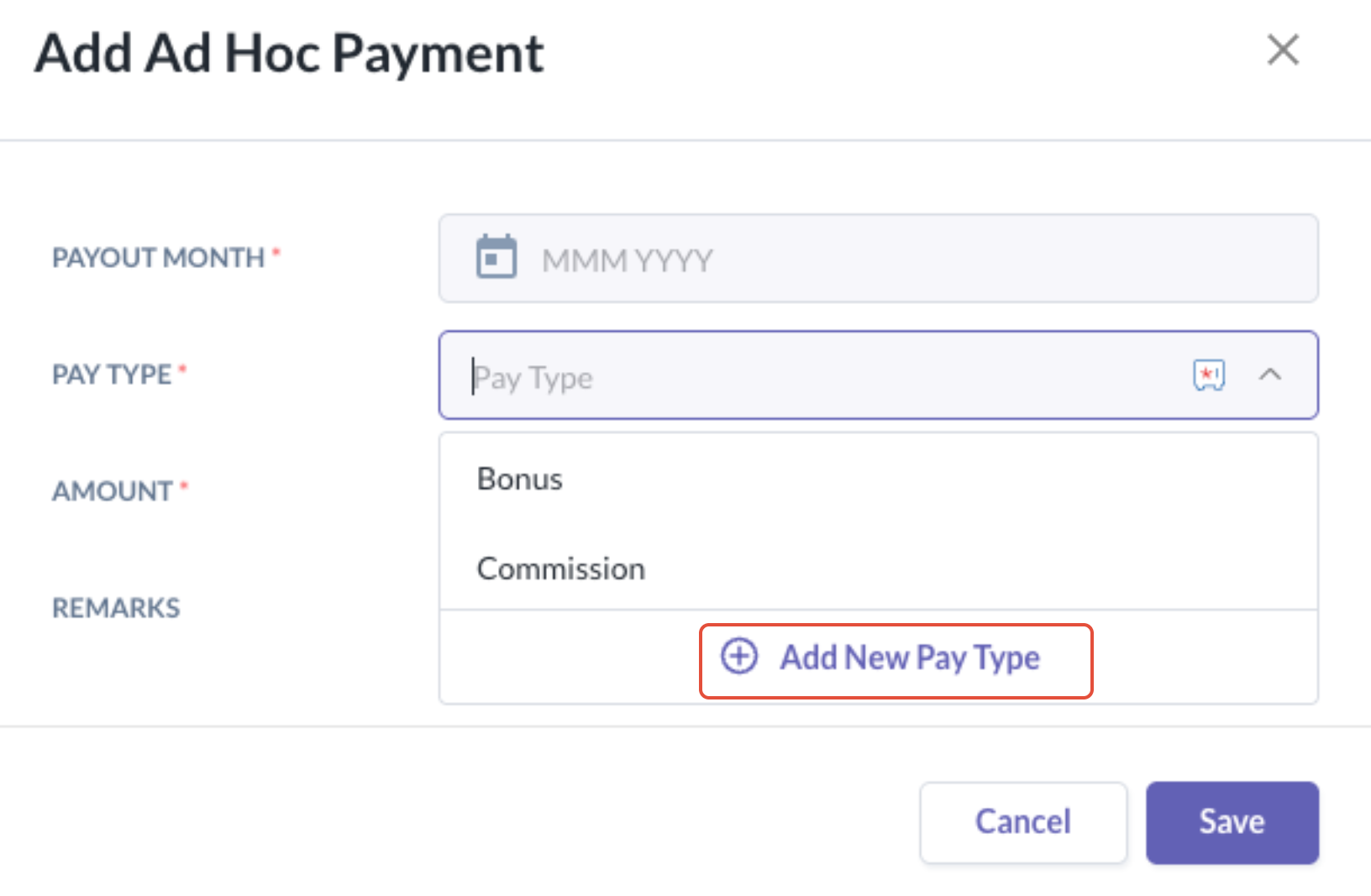
Step 3: Bulk import the template by following the steps here
Best Practices:
- Test upload for 1 or 2 employees first to ensure that the template upload works as intended before proceeding with the rest.
Create pay run for AWS disbursements
Step 1: Ensure the pay type created is mapped to the pay item in the payroll system via Payroll > Payroll Company > Field Mapping
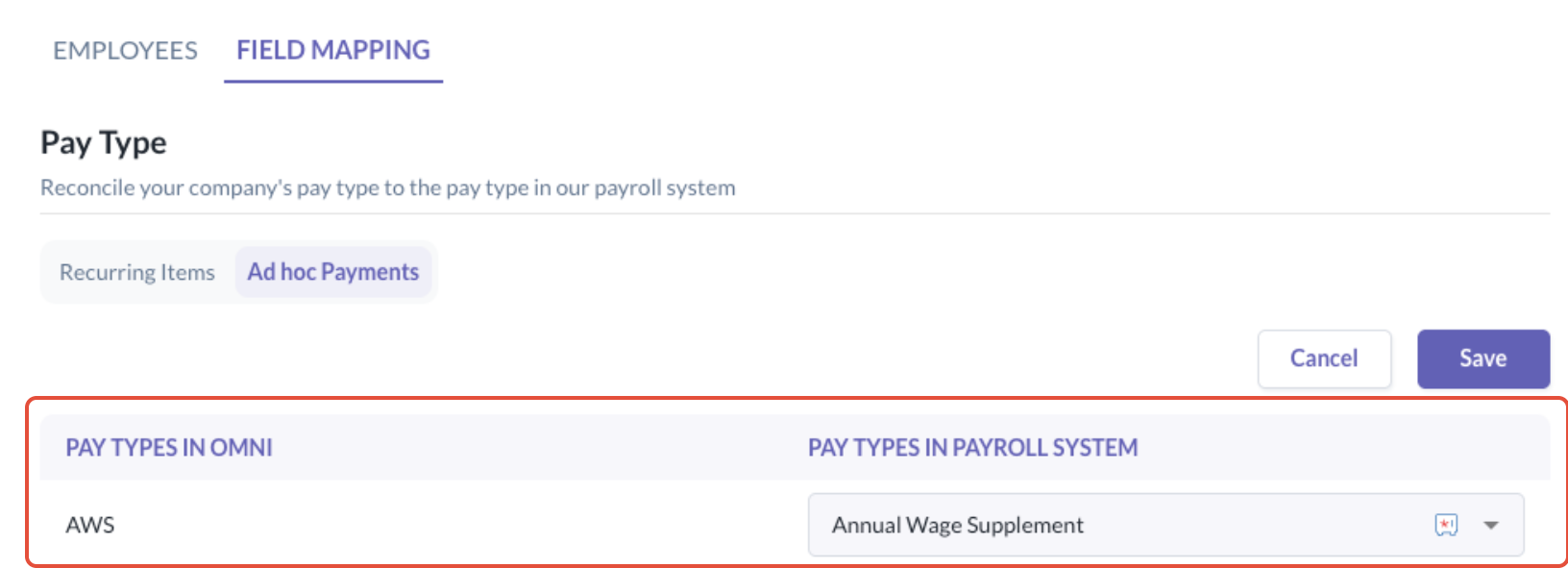
Step 2: Sync the payroll data and validate the sync was successful
Step 3: Create pay run & select ad-hoc payments only
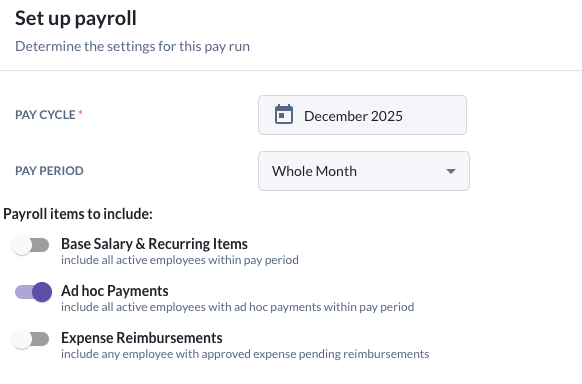
Step 4: On the Create Pay Run > Select adhoc payments make sure the summary will show only AWS related
items for employees.

Step 5: Proceed to Create Pay Run, finalize the payroll and proceed with bank file generation.
Still Need Help?
Reach out to our support team should you need further assistance.
Was this article helpful?
That’s Great!
Thank you for your feedback
Sorry! We couldn't be helpful
Thank you for your feedback
Feedback sent
We appreciate your effort and will try to fix the article