Overview:
This article explains how admins can maintain their existing rating scales. Once a rating scale has been created, you can edit, duplicate, or delete it at any time, regardless of whether it is currently linked to any review cycles.
TABLE OF CONTENTS
Edit Rating Scales
- Go to Performance+ > Templates > Rating Scale Templates
- Click into the template you wish to edit
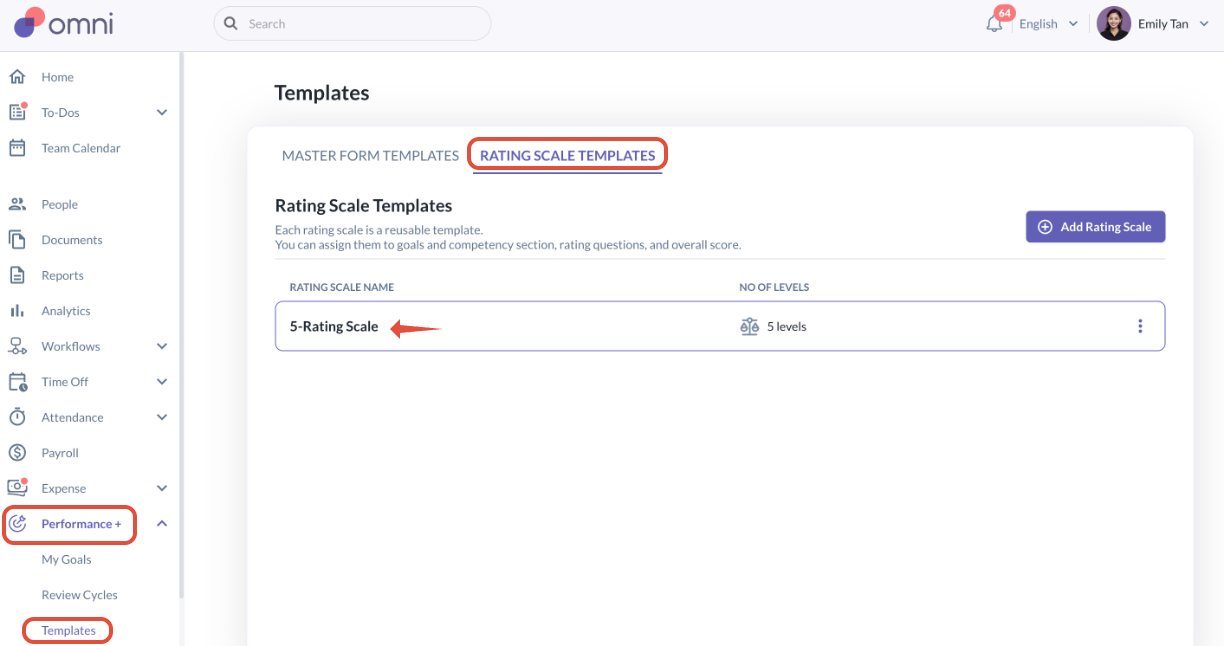
- You may edit the rating scale name, labels, and rating scales as needed.
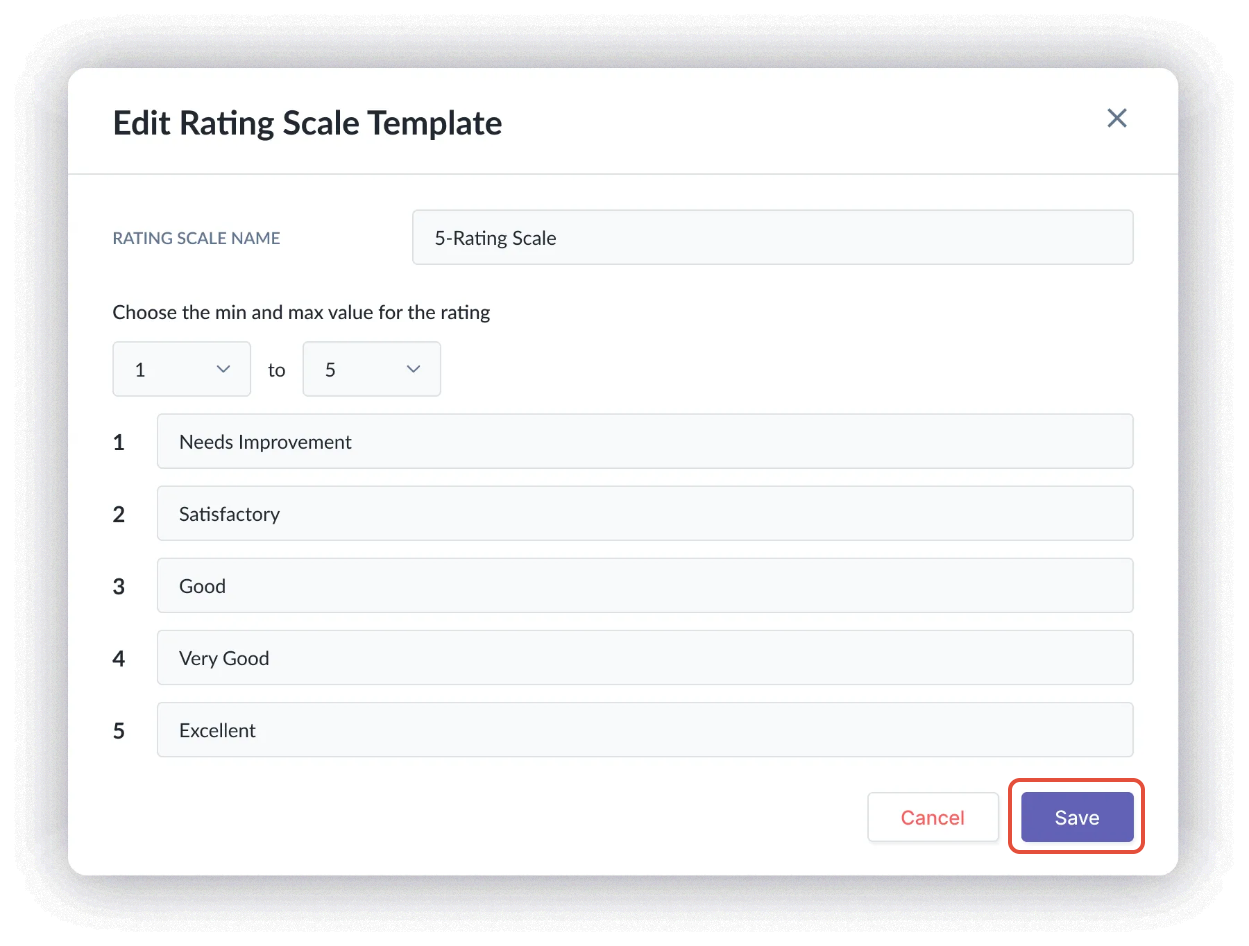
- Once done, click Save.
- If the rating scale template is already used in a form, a popup will warn that changes may affect associated forms.
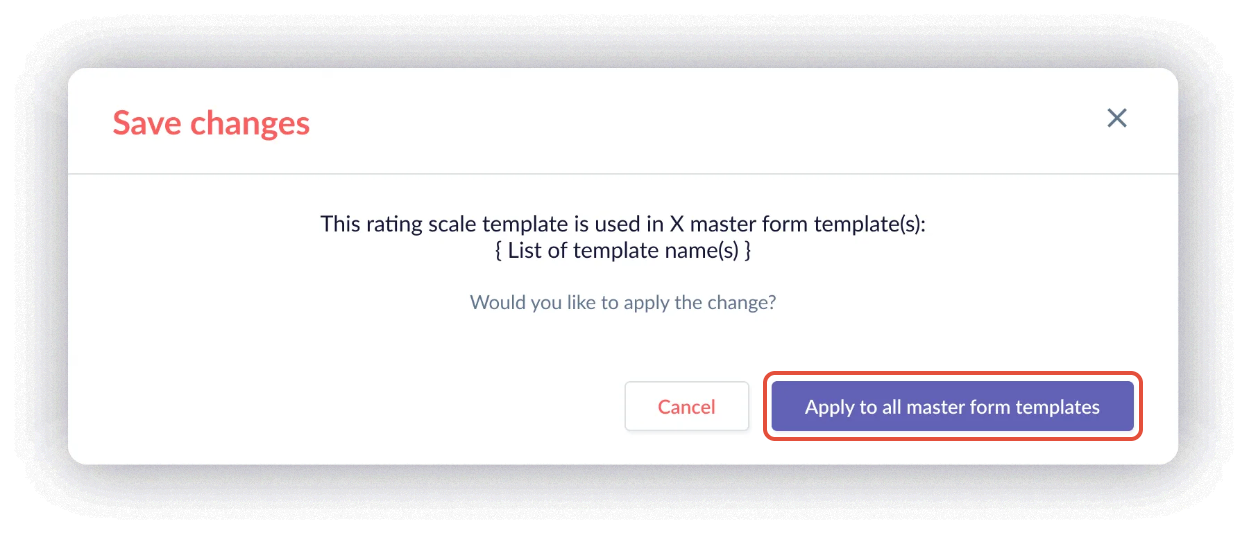
- Once you select “Apply to all master form templates”, the rating scale will be updated immediately across all master form templates where it is used.
Duplicate Rating Scale Templates
- If you need to create a copy of an existing rating scale for further modification, go to the rating scale template, click on the three dot menu on the right, then select Duplicate
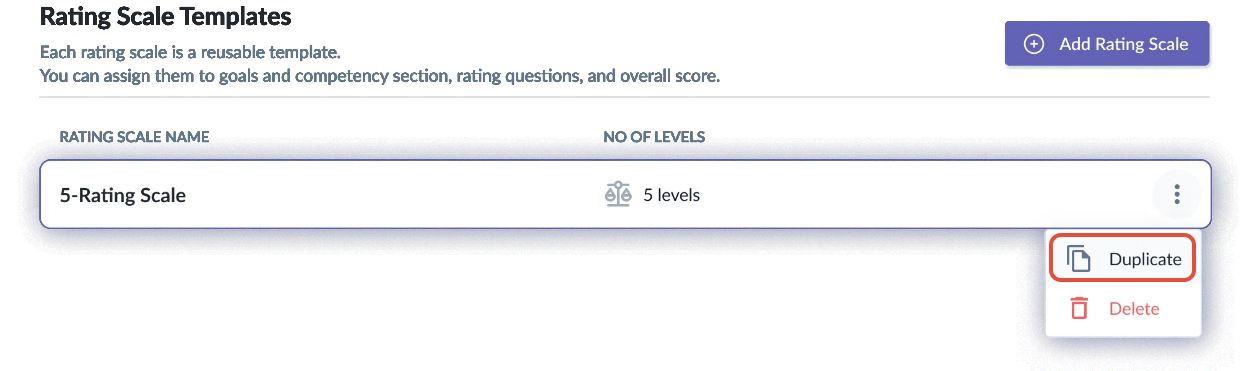
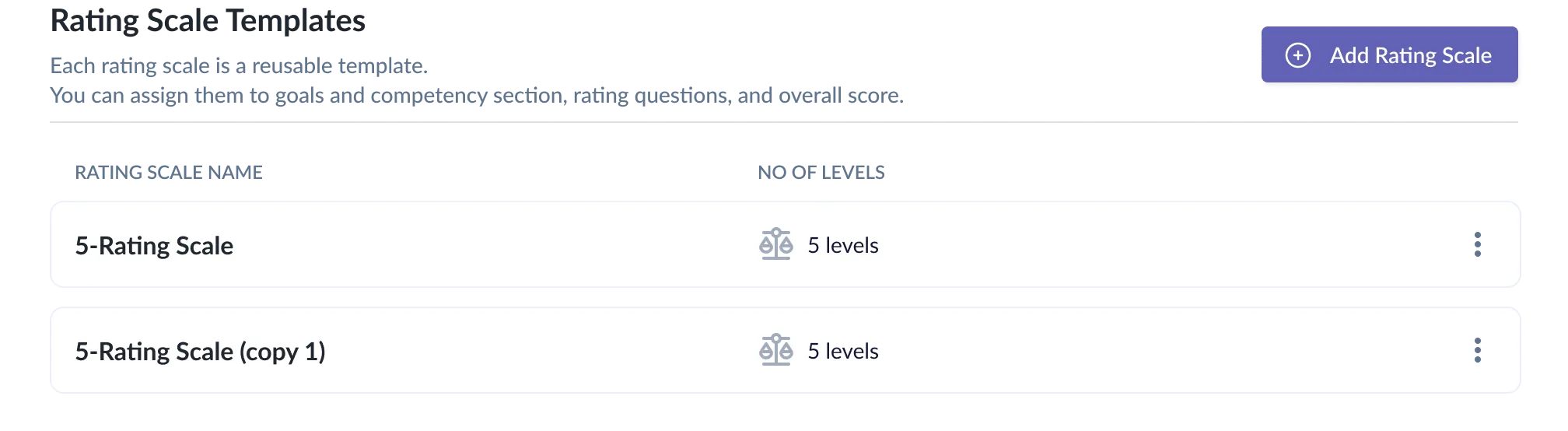
- The duplicated rating scale will be created automatically, and its name will be appended with “copy 1”, “copy 2”, and so on.
Delete Rating Scale Templates
IMPORTANT:
Templates can only be deleted when not in use within any form templates.
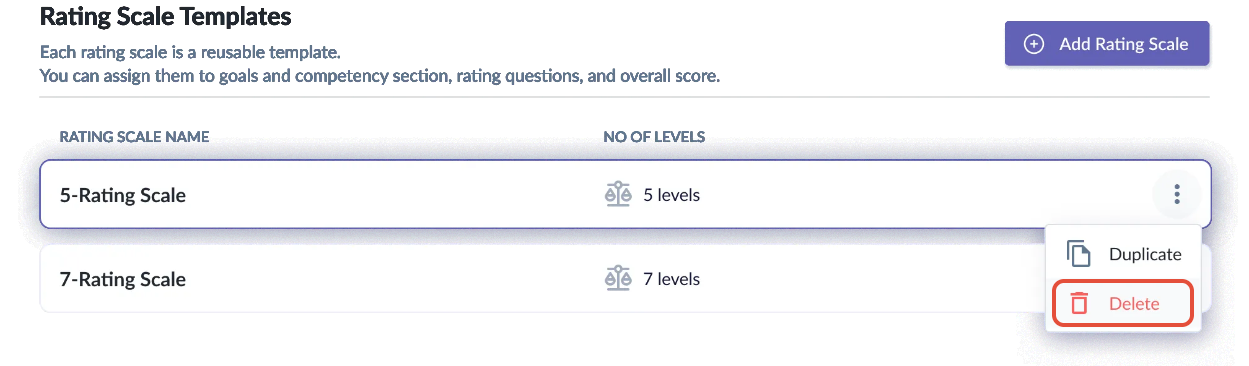
Rating scale templates that are deleted cannot be recovered.- If you require deleting an existing rating scale template, click on the three dot menu on the right, then select Delete
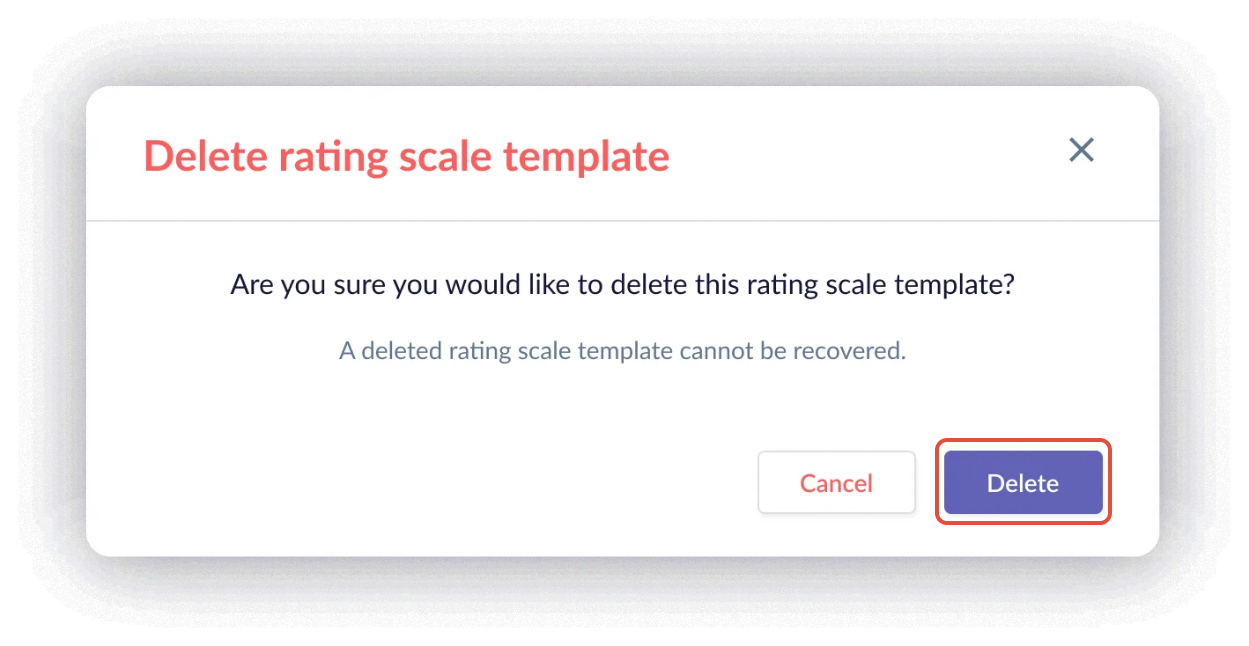
- A confirmation pop up will appear and you may click Delete
Still Need Help?:
Reach out to our support team should you need further assistance.
Was this article helpful?
That’s Great!
Thank you for your feedback
Sorry! We couldn't be helpful
Thank you for your feedback
Feedback sent
We appreciate your effort and will try to fix the article