Overview:
Admins can now close a Review Phase manually, at any time, ending all active review activity and locking goal data in place for reporting. When a phase ends — whether you close it manually, it hits its end date, or a timeline gets edited — the system takes a snapshot of all goal and review data at that moment. This keeps your historical reporting accurate and consistent, even if goals change later.
TABLE OF CONTENTS
- How to Close a Review Phase
- What Happens When a Review Phase Closes
- What Happens When a Review Phase Is Extended
- Important Notes
How to Close a Review Phase
There are three ways a Review Phase can close:
A. Manual Closure
When the "Close Phase" Button Appears
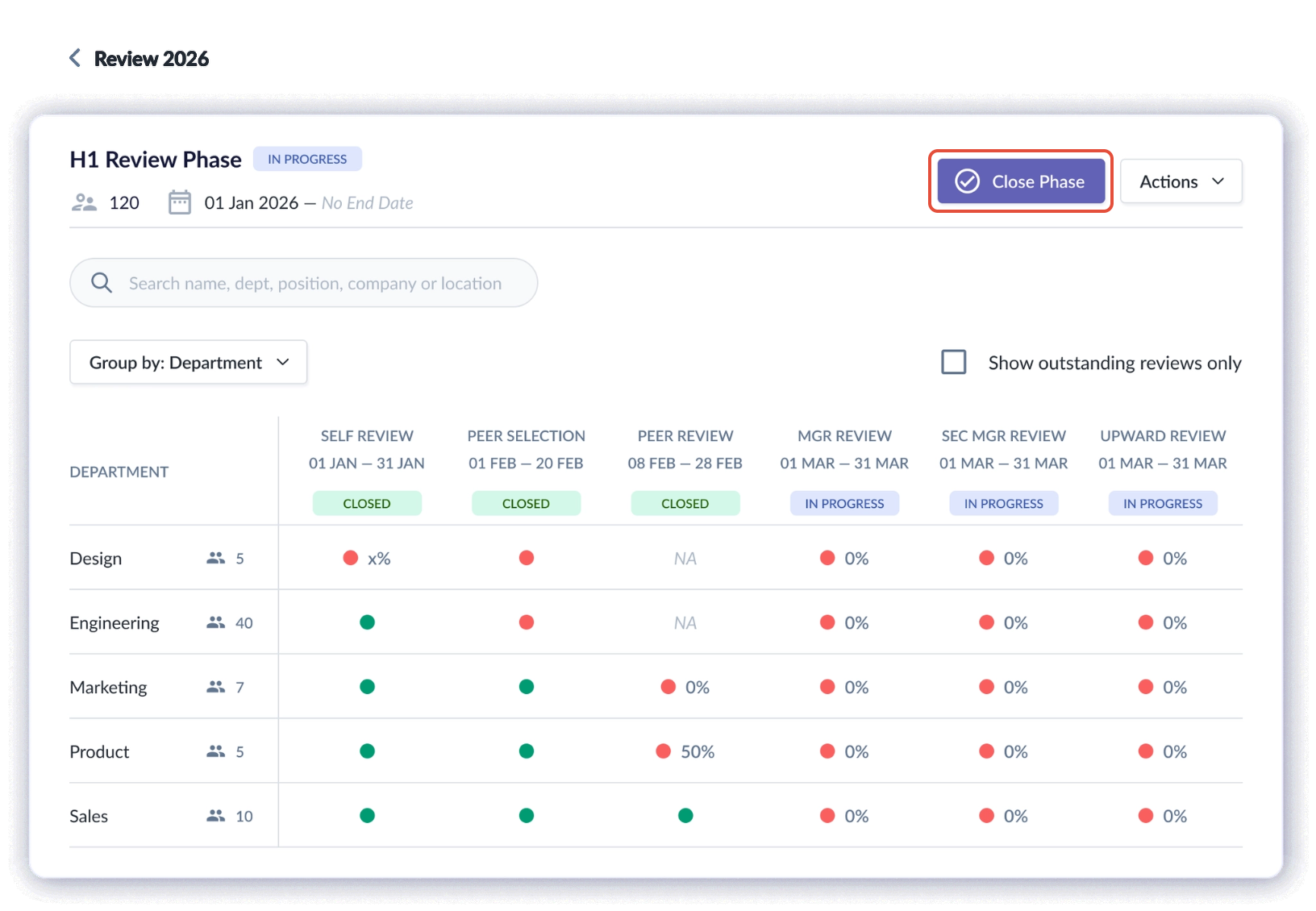
You'll only see the Close Phase button when the phase is In Progress and every sub-review phase has started (none are still Scheduled).

If a sub-review phase hasn't started yet, you won't be able to close the phase manually.
- Go to Performance+ > Review Cycle > [Review Phase] and click Close Phase.
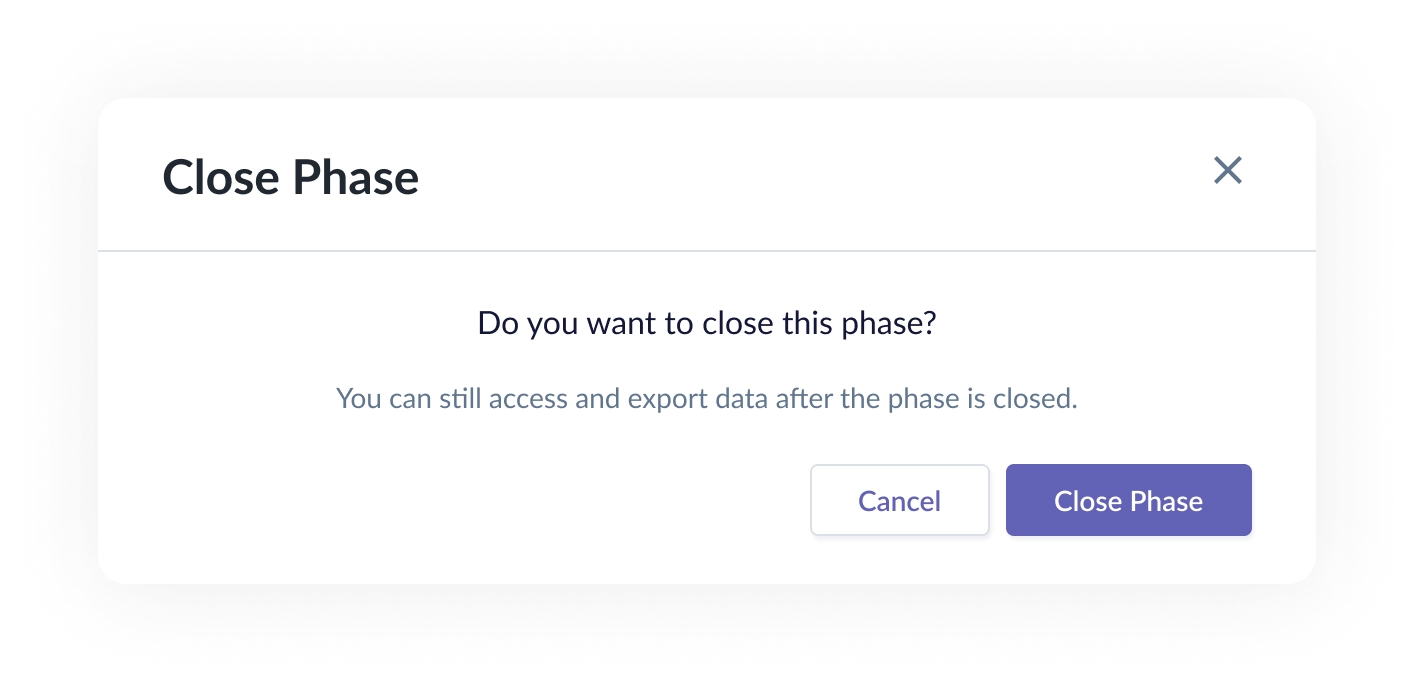
- Confirm the closure. The phase end date/time updates to the current timestamp, the status changes to Closed, and you'll see a confirmation message: "Review phase is now closed."
- Once closed, the Close Phase button disappears — but you can still view data and export reports from the Actions dropdown.
B. Automatic End Date
- If the phase was set up with an automatic closure date, it closes on its own at 23:59 SGT on that date. You can still close it earlier using Close Phase if needed.
C. Editing the Timeline
- If you edit the phase timeline to an earlier or different end date, the phase will close as soon as that new date has passed.
What Happens When a Review Phase Closes
- When a Review Phase ends, the system takes a single snapshot that locks in:
- Goals and sub-goals
- Progress and metrics
- Weightage
- Goal history and progress data
- Review responses
- All goal-related data tied to the review
- Once this snapshot is taken, nothing else affects the closed phase — even if the Goal Phase is reopened or goals are edited afterward, the snapshot stays put as the official record.
What Happens When a Review Phase Is Extended
| Scenario | What happens |
|---|---|
| Extending the phase for everyone | The existing snapshot is discarded, live data syncing picks back up, and a new snapshot is taken once the new end date arrives. |
| Extending the phase for one participant | No new snapshot is taken. That participant's goal data still reflects the original phase-level snapshot, same as everyone else. |
| Reopening the Goal Phase after a snapshot was taken | Any edits made afterward don't sync back to the closed Review Phase — the snapshot remains the authoritative record. |
Important Notes
- A Review Phase can only be closed manually once every sub-review phase has started.
- Closing a phase is immediate — the end date/time is set to the moment you confirm.
- Reports and data exports remain accessible after closure via the Actions dropdown.
- Extending a phase for everyone resets the snapshot; extending it for a single participant does not.
Still Need Help?:
Reach out to our support team should you need further assistance.
Was this article helpful?
That’s Great!
Thank you for your feedback
Sorry! We couldn't be helpful
Thank you for your feedback
Feedback sent
We appreciate your effort and will try to fix the article