Overview
After creating an employee's profile in the Omni HR platform, you can enroll them into any legal entity that has already been set up under Payroll. Enrolling an employee links their profile to that entity so they can be included in payroll processing going forward.
TABLE OF CONTENTS
Steps to Enroll Employee into Payroll
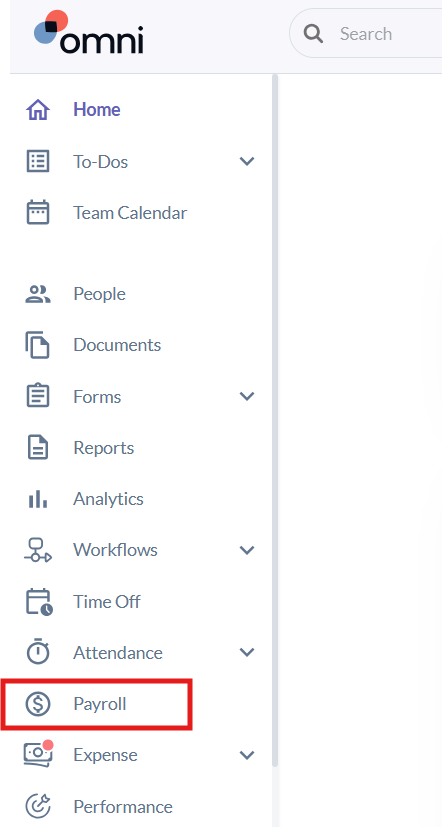
- Select the Payroll tab from the left-hand side panel.
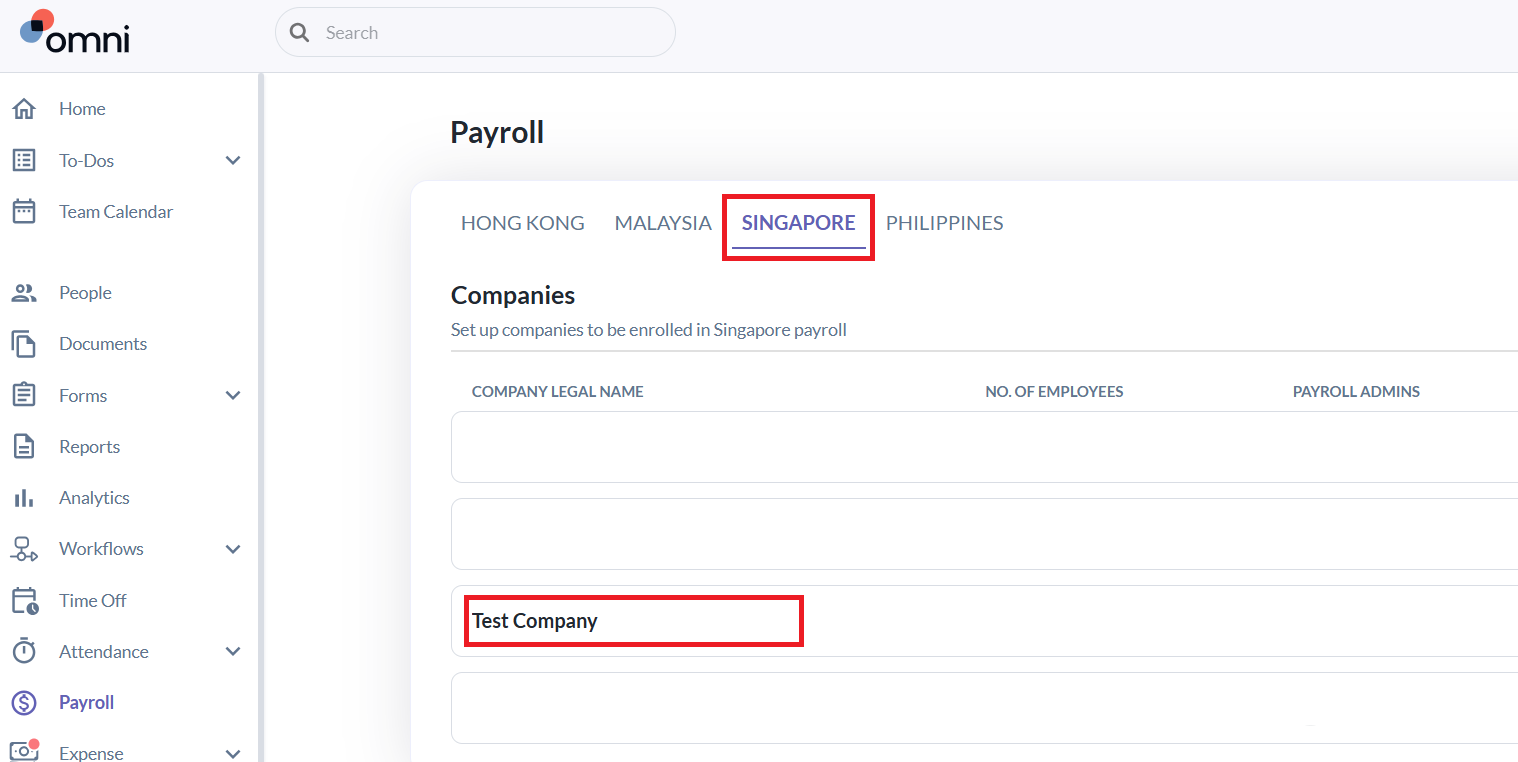
- Under the relevant country, select the entity you want to enroll the employee into.
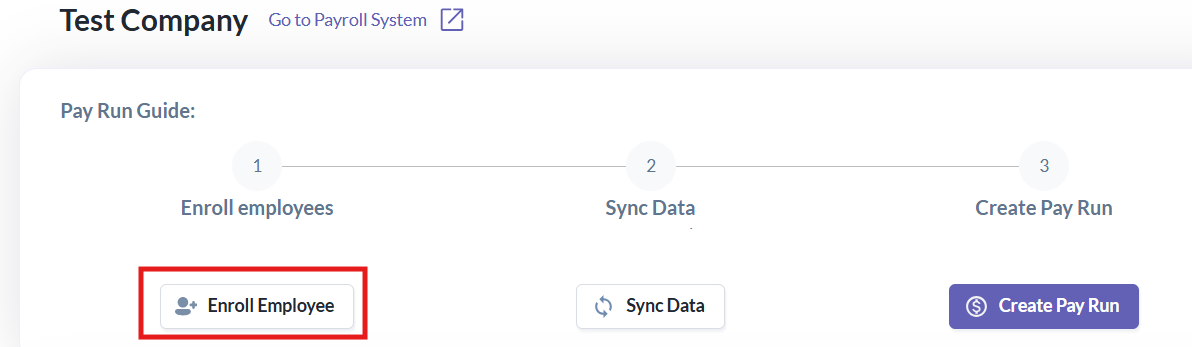
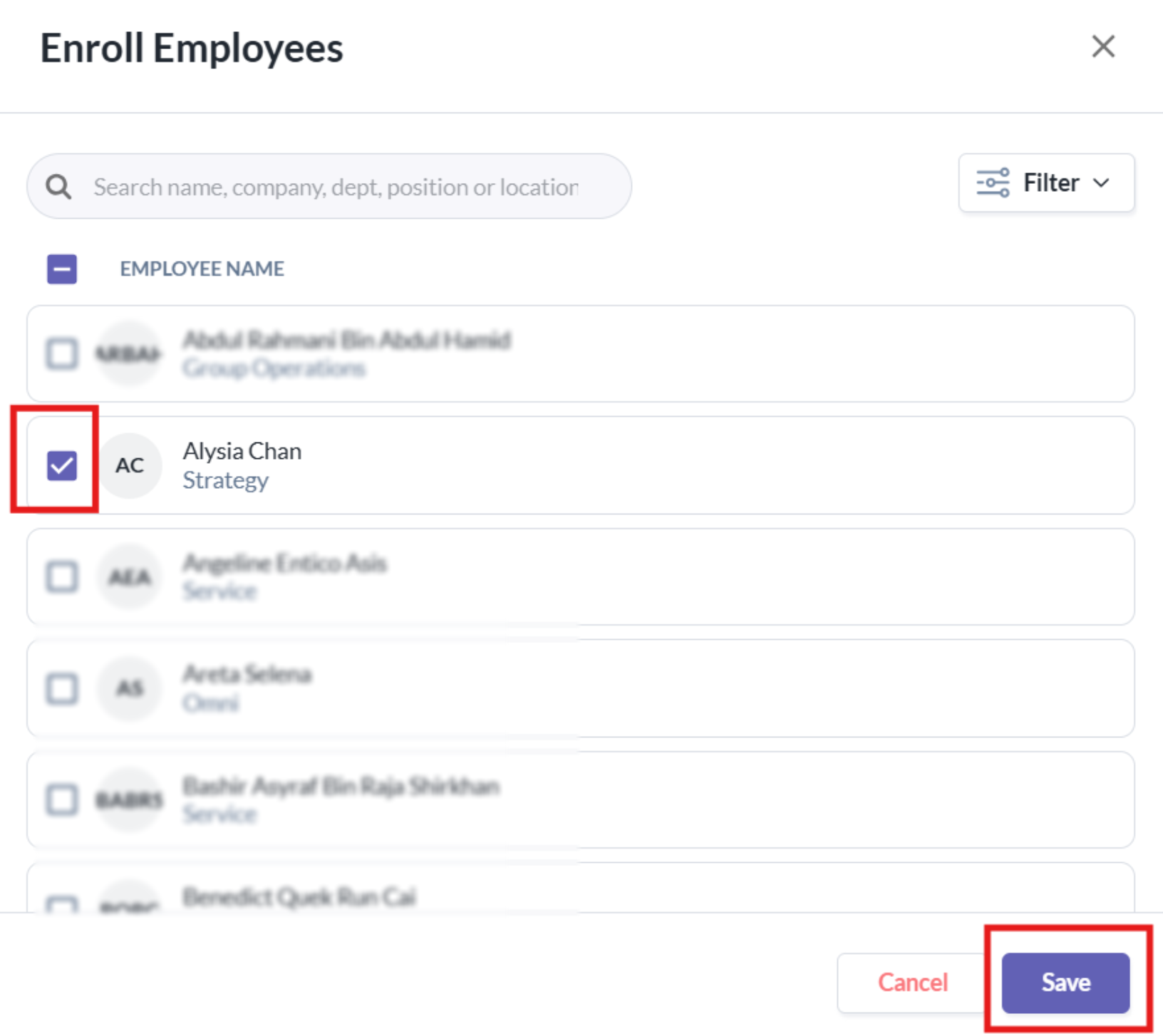
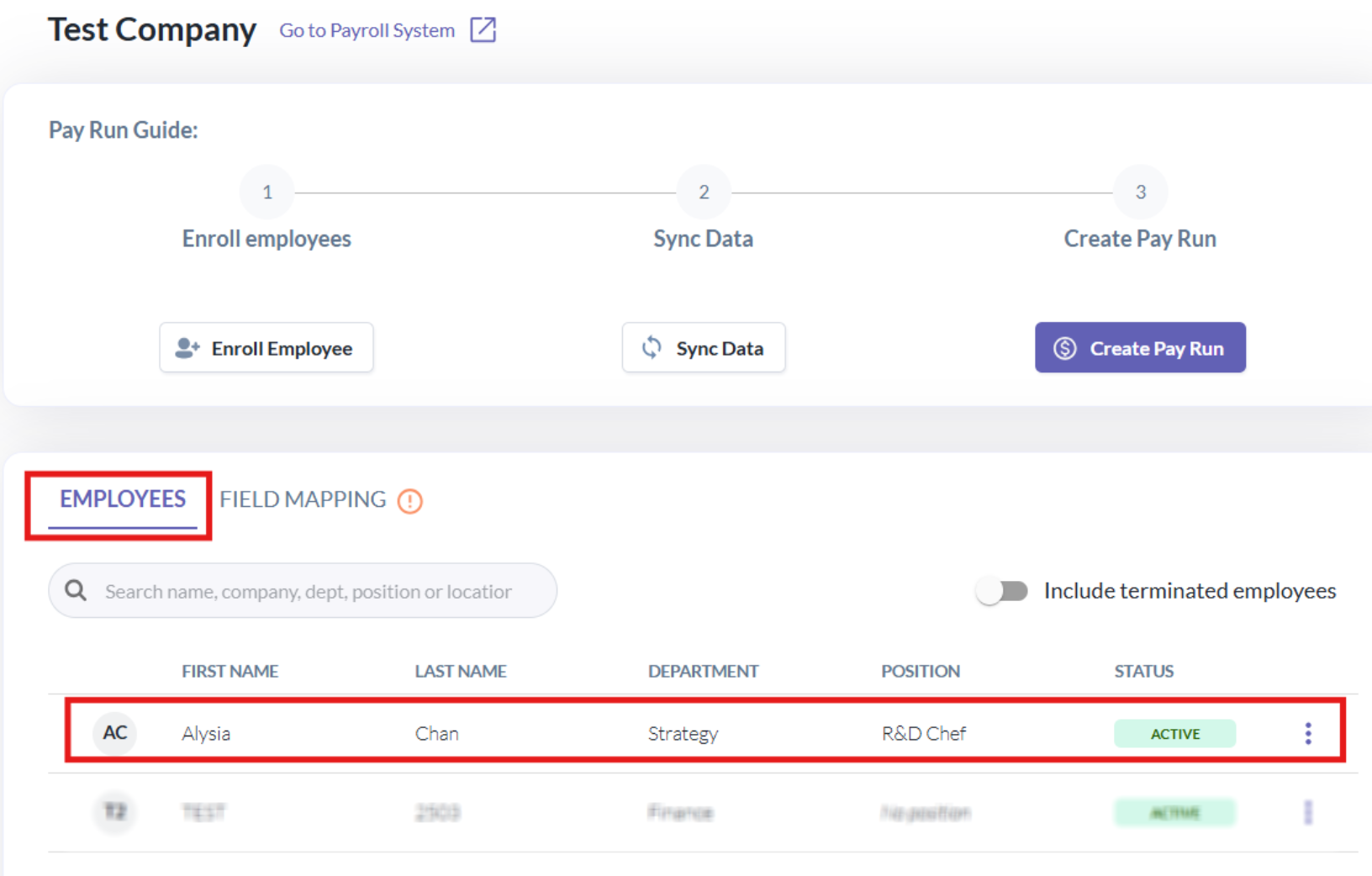
- Click Enroll Employee, select the employee, then click Save.
- The employee's name will now appear in the list of employees under that entity.
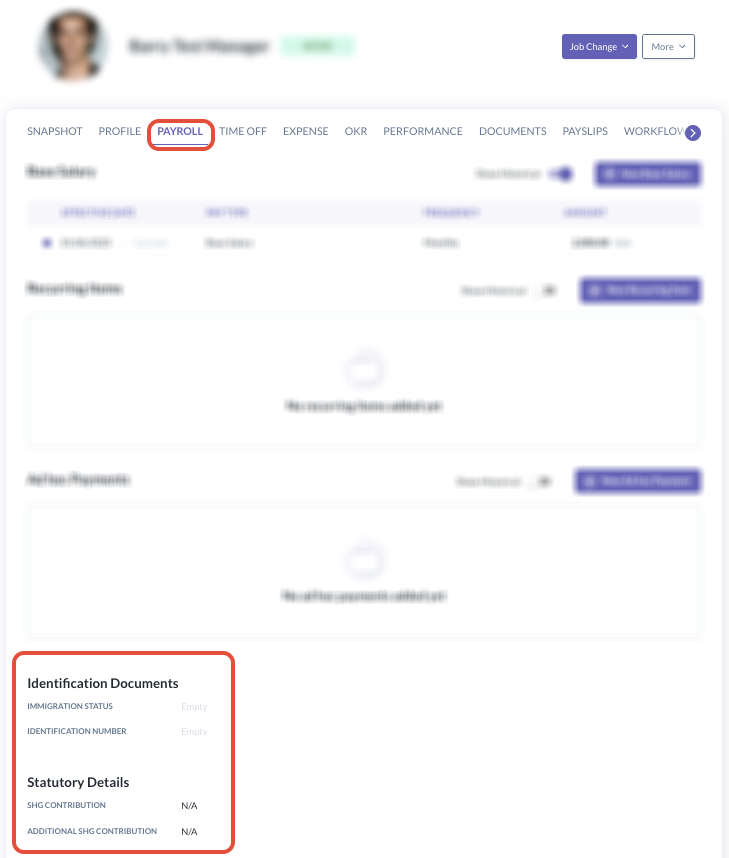
- Once the employee is enrolled into the legal entity, you can head to their employee profile > payroll tab to complete their country specific identification documents & statutory details.
What Happens Next
Once the employee is enrolled into the legal entity, their payroll statutory details are complete, and the data sync completes successfully:
- Every payrun from that point onward will pay the employee's salary from this entity.
- When you create a payrun, the employee will automatically be included in the list for payroll processing as long as they remain Active.
Still Need Help?
Reach out to our support team should you need further assistance.
Was this article helpful?
That’s Great!
Thank you for your feedback
Sorry! We couldn't be helpful
Thank you for your feedback
Feedback sent
We appreciate your effort and will try to fix the article