What is an Upward Review?
An Upward Review is a review process where employees provide feedback about their direct managers.
This helps organizations gather insights on leadership from the employee’s perspective.
TABLE OF CONTENTS
How to View Submitted Upward Reviews
Scenario Example
Manager: Sarah Gibson
Direct Report: Daniel Tan
In this example, Daniel Tan will be reviewing Sarah Gibson during the Upward Review cycle.
Steps to Submit and View an Upward Review
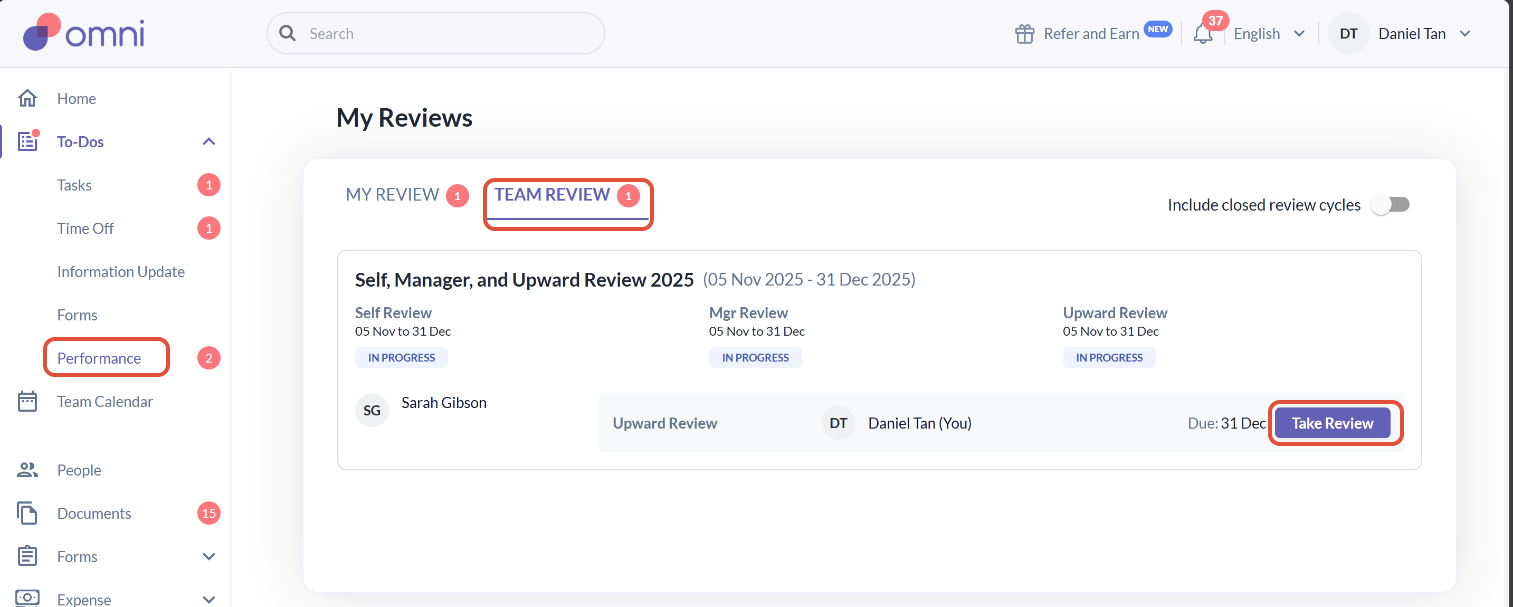
1) Once the Upward Review cycle has been launched, Daniel can start the review by navigating to:
To Dos > Performance > Team Review
2) Click “Take Review” to begin the review.
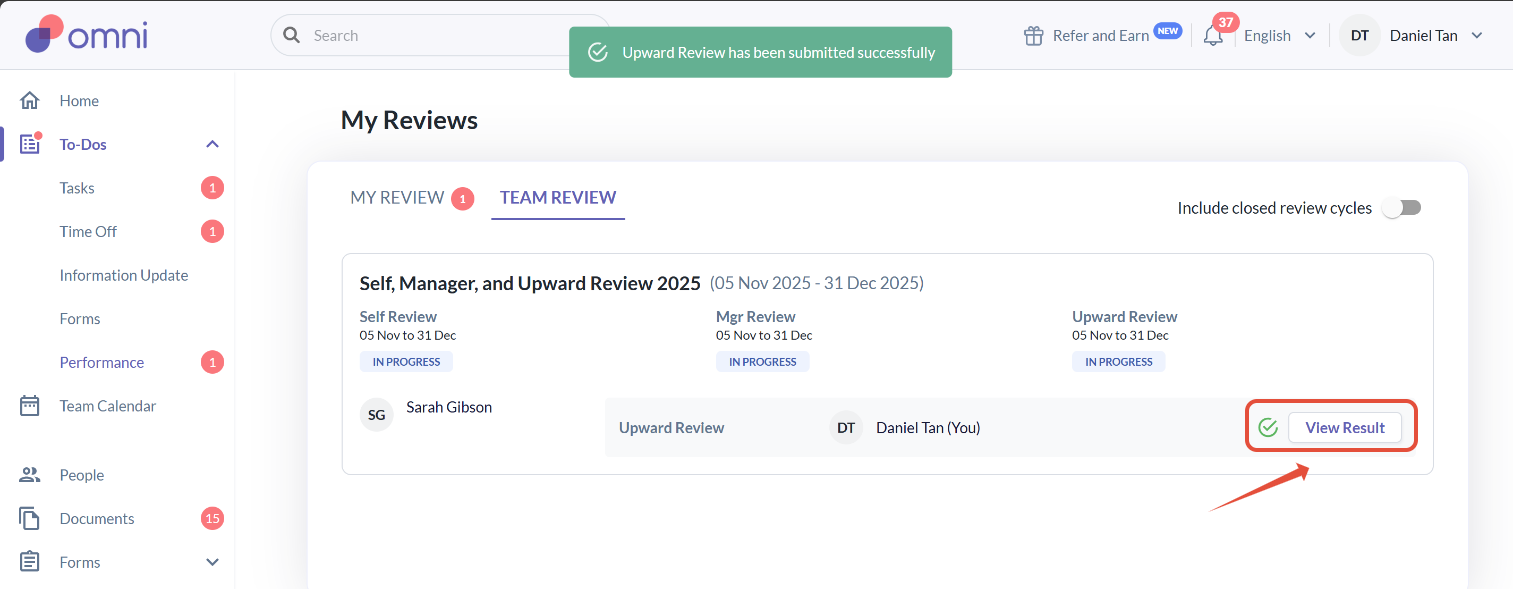
3) After submitting, the “Take Review” button will change to “View Result”, where Daniel can view his submitted responses
Where to Find Submitted Upward Reviews
From the Reviewer’s Perspective (Daniel)
Since the Upward Review is feedback given by Daniel (the reviewer) to Sarah (the manager), Daniel can only view his submitted review under: To Dos > Performance > Team Review
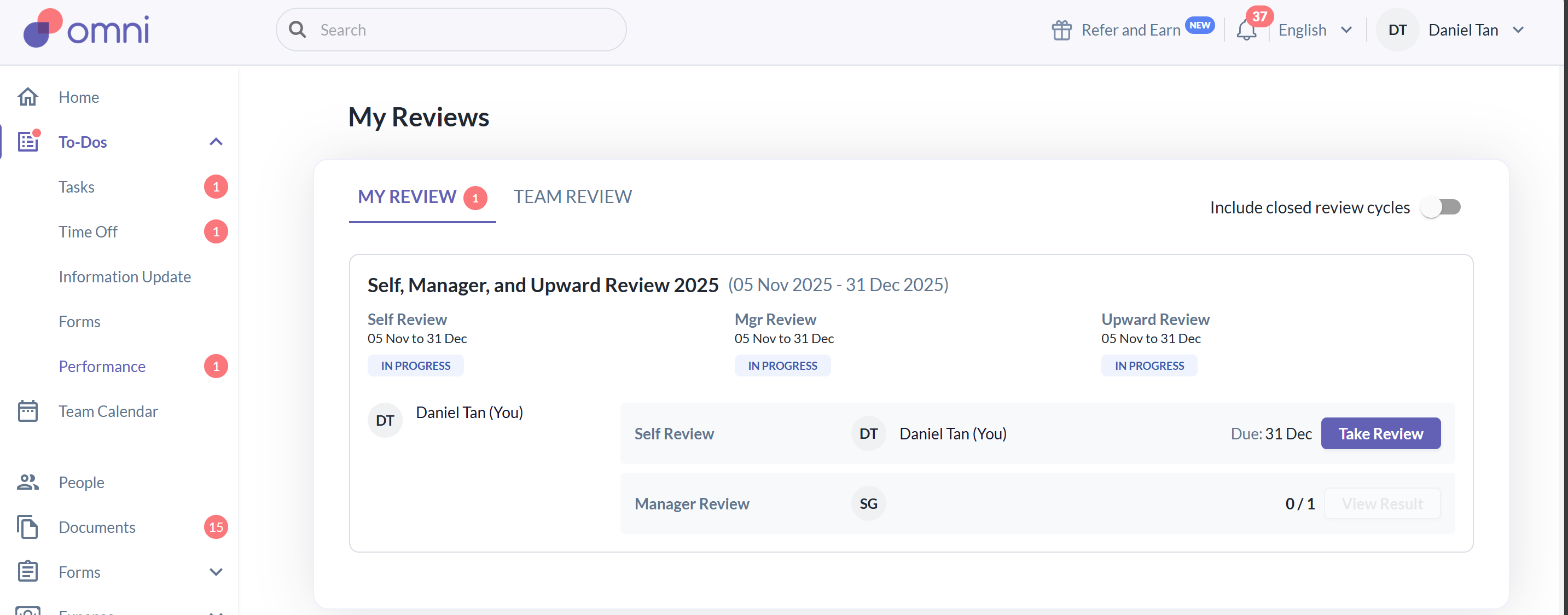
If Daniel checks the My Review tab, the Upward Review section will not appear, as this tab only displays reviews about Daniel (where Daniel is the reviewee).
From the Reviewee’s Perspective (Sarah)
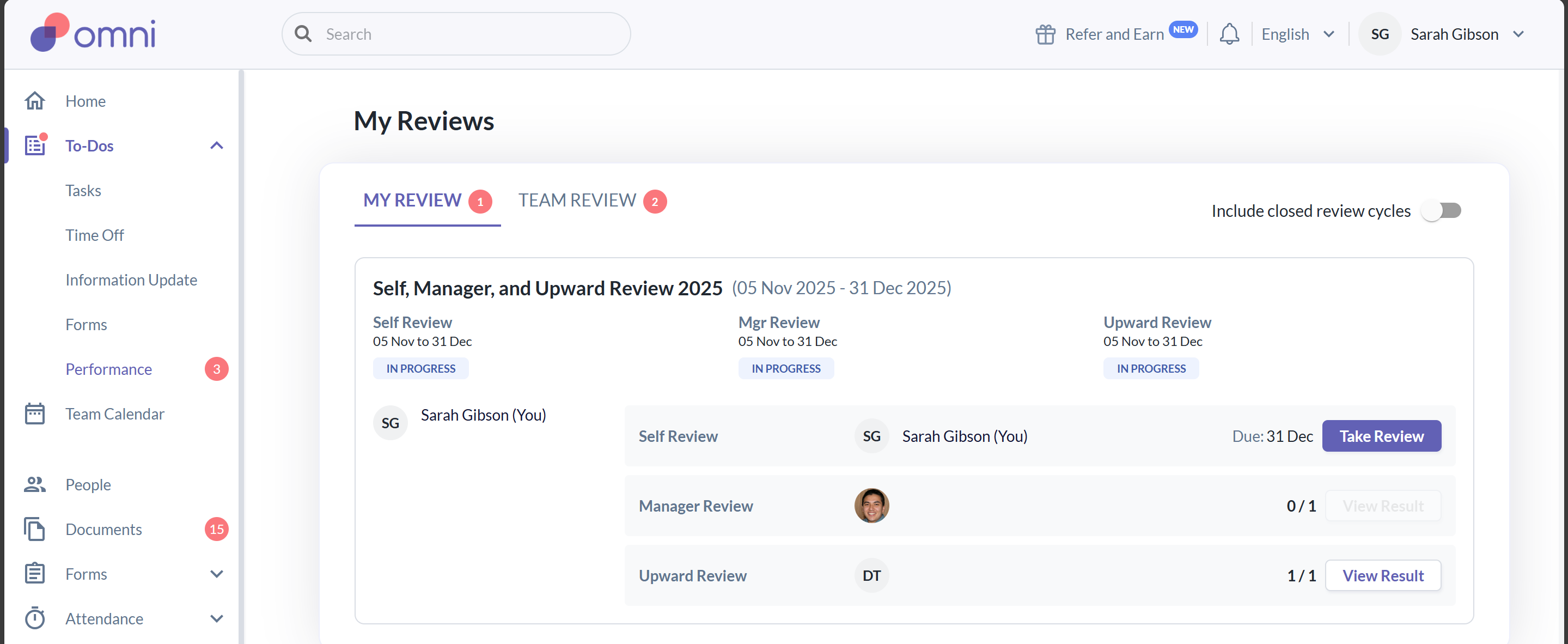
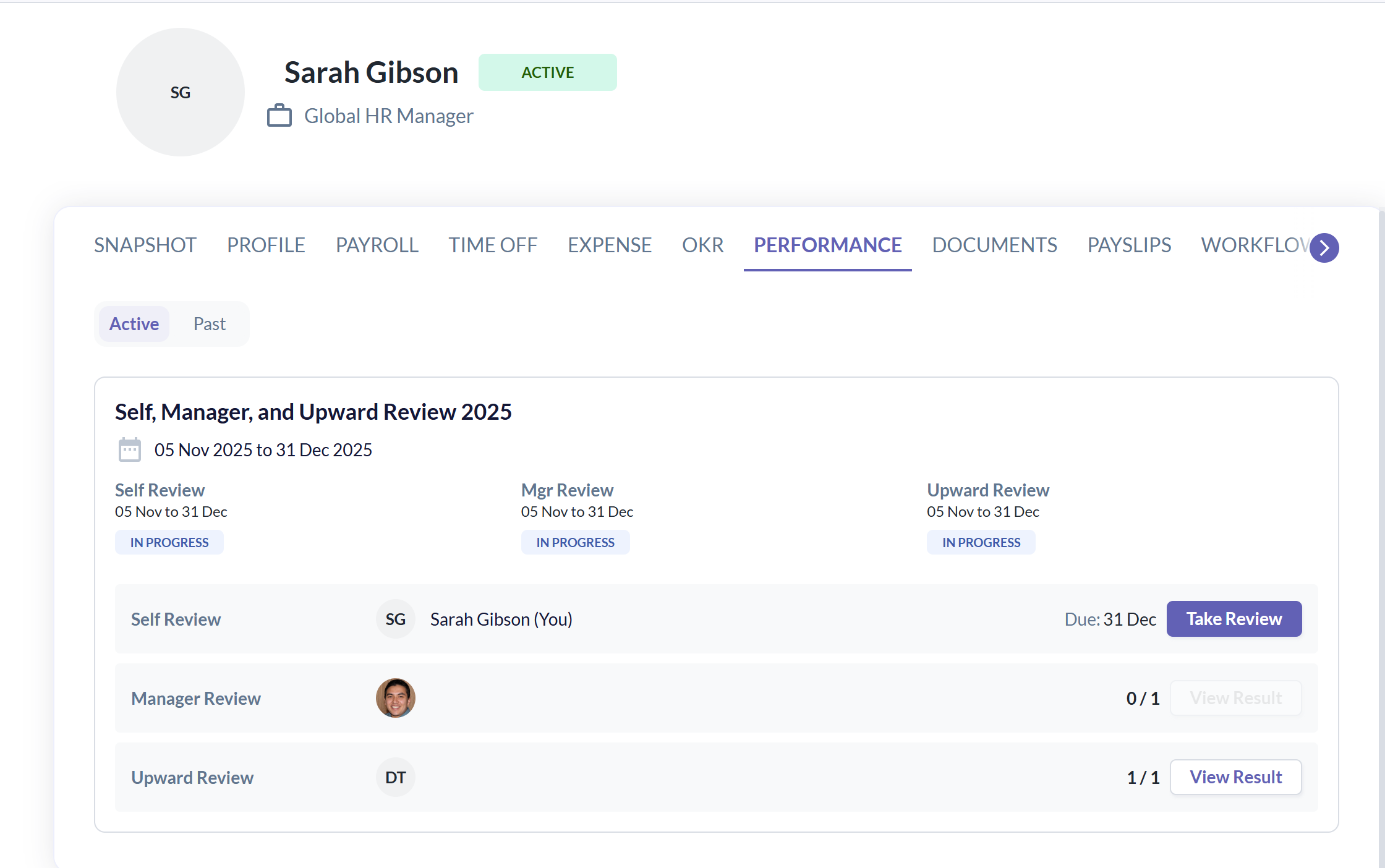
Sarah, as the reviewee (the one receiving the feedback), can view the Upward Review results in either of the following locations:
To Dos > Performance > My Review
Profile > Performance tab
Visibility of Review Results
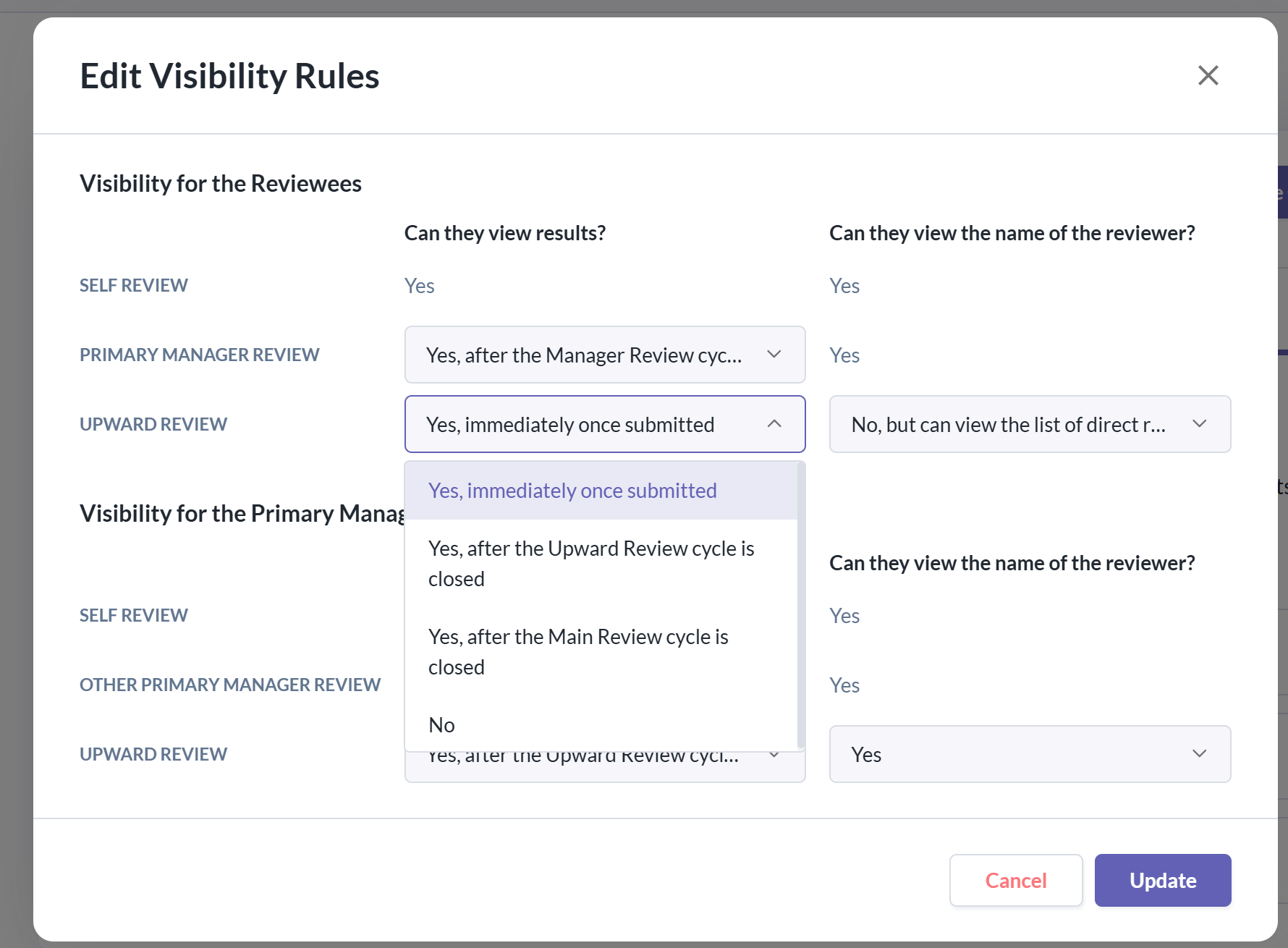
The visibility of Upward Review results for the reviewee (e.g., Sarah) can be configured in:
Performance Cycle > Visibility Rules
This setting determines when the reviewee can view the feedback results provided by their direct reports.
Was this article helpful?
That’s Great!
Thank you for your feedback
Sorry! We couldn't be helpful
Thank you for your feedback
Feedback sent
We appreciate your effort and will try to fix the article