Overview:
Admins can unlock submitted reviews in an ongoing review cycle to allow employees to make edits and resubmit. This feature is available for Self, Peer, and Upward Reviews. However, Manager Reviews do not require unlocking, as managers can edit their reviews even after submission.
Prerequisites
The review cycle must be in progress. Scheduled or closed cycles cannot be unlocked.
Only participating employees who have already submitted their forms can be selected for unlocking.
Unlocking Individual Reviews
- Admins can unlock reviews for specific employees by following these steps:
Navigate to the review cycle in progress.
Locate the Unlock Responses option.
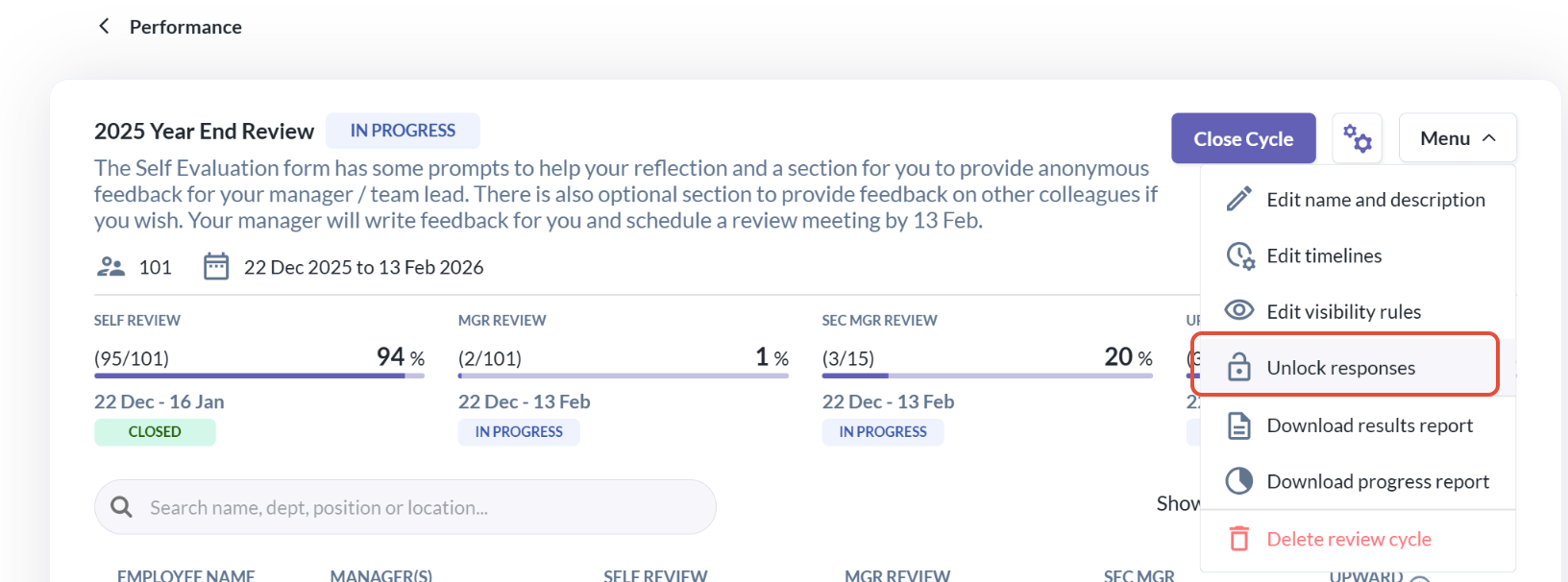
Search and select the employees whose reviews need to be unlocked.
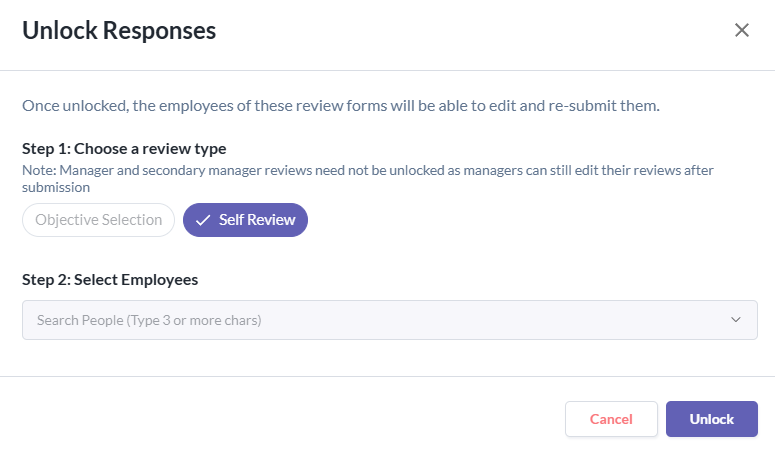
Click Unlock
Once unlocked, the selected employees’ review forms will be reverted to "Draft" status, allowing them to edit and resubmit.
Important Notes
Admins cannot unlock reviews for employees who have not yet submitted their forms.
Once a review is unlocked, employees must resubmit it before the cycle deadline.
Related Article (s):
Still Need Help?:
Reach out to our support team should you need further assistance.
Was this article helpful?
That’s Great!
Thank you for your feedback
Sorry! We couldn't be helpful
Thank you for your feedback
Feedback sent
We appreciate your effort and will try to fix the article