Overview
Cost centres let you group employees for reporting and accounting purposes by department, project, branch or any other structure that matches how your company tracks costs. This article covers why cost centres are useful and how they're set up.
Note: Cost centre assignment is not a field available in the Omni HR system that syncs over to payroll system. It needs to be set up directly in the payroll system.
TABLE OF CONTENTS
Background
Why set up cost centres
Companies typically set up cost centres for three main reasons:
- Categorization: group employees according to whatever structure makes sense for your business, such as department, project or branch.
- Reporting: get an end-of-month cost breakdown by cost centre, viewable in the Payroll Report.
- Accounting integrations: payroll items can be exported by cost centre to connected accounting software (i.e. Xero and Quickbooks), making it easier to map payroll costs into your accounting records without manual re-categorization.
How this is set up
If you need to add a new cost centre, rename one or reassign employees, you can do this directly in the payroll system:
- In the payroll system, select Profiles -> Company Details from the header and click Edit.

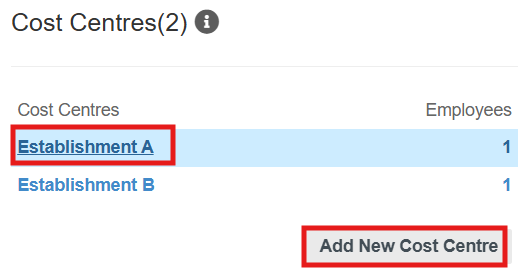
- Scroll to the Cost Centres(0) section, click Add New Cost Centre to create one, or select an existing cost centre to edit it.
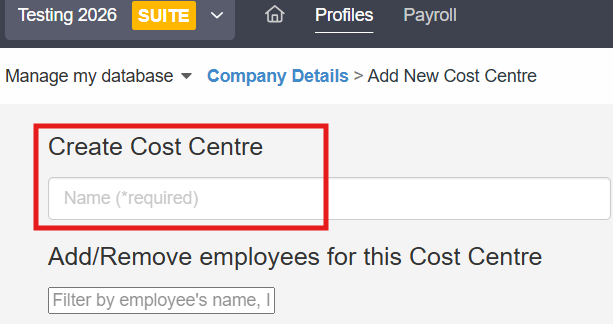
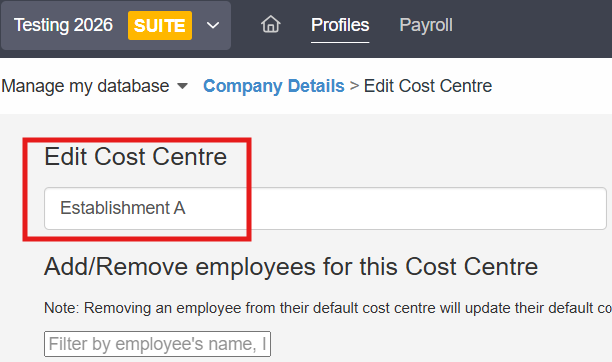
- Enter or update the cost centre name.
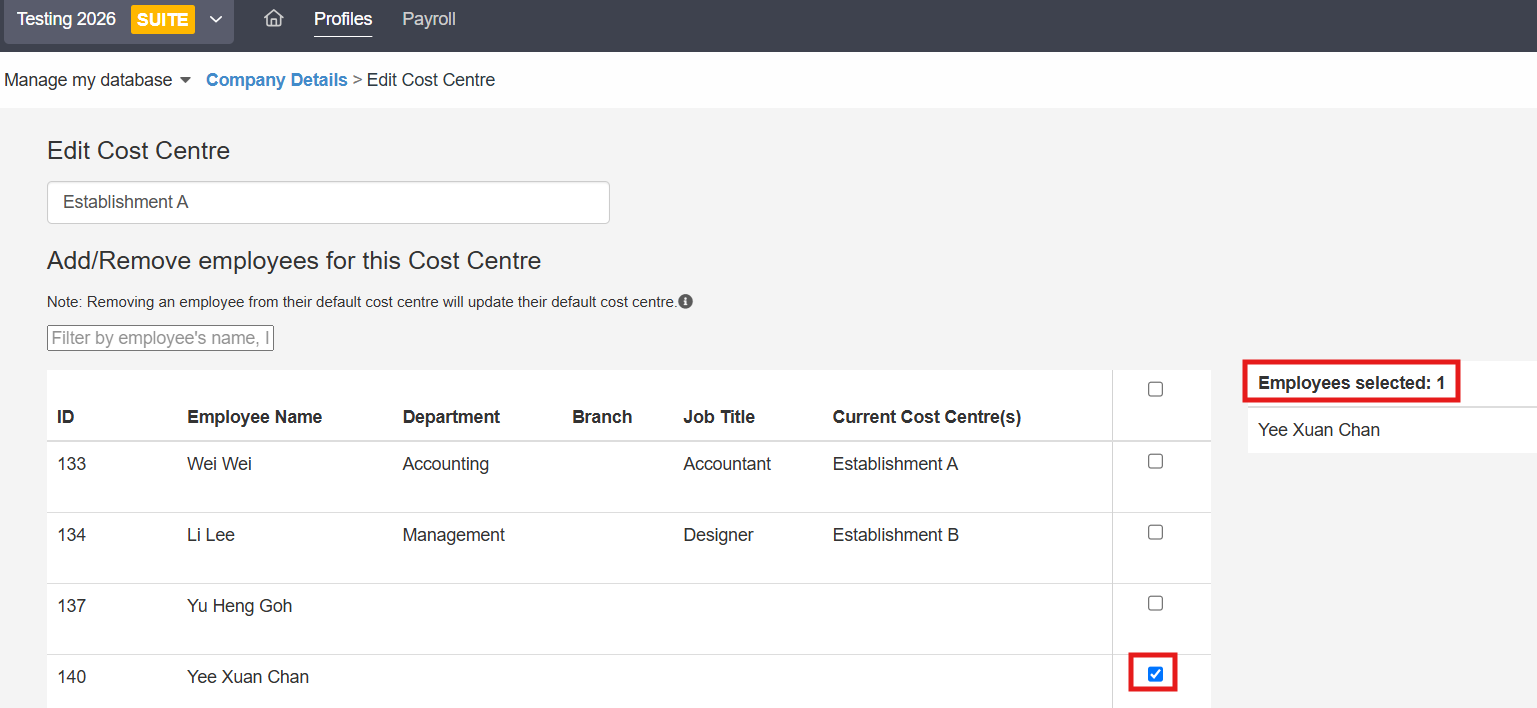
- Assign the relevant employees to the cost centre.
- Save your changes.
Still Need Help?:
Reach out to our support team should you need further assistance.
Was this article helpful?
That’s Great!
Thank you for your feedback
Sorry! We couldn't be helpful
Thank you for your feedback
Feedback sent
We appreciate your effort and will try to fix the article