Overview
You can connect your payroll account to Xero and push processed payroll entries directly into your accounting system, reducing the need for manual data entry and simplifying monthly payroll reconciliation.
With the accounting integration, payroll teams can:
Connect their Xero organisation to the payroll system
Configure how payroll entries should be grouped in Xero
Map payroll items to the appropriate Xero Chart of Accounts (COA) and Contacts
Select which payroll groupings should be exported
Push completed monthly payroll entries directly into Xero
TABLE OF CONTENTS
- Connecting to Xero
- How to configure export settings of payroll entries
- Splitting bills
- Grouping line items
- Custom export date
- Mapping payroll entries to Xero COA and contacts
- Pushing payroll entries to Xero monthly
Connecting to Xero
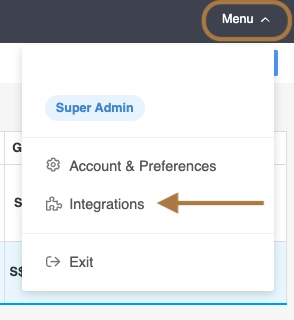
To get started, navigate to: More → Integrations → Xero
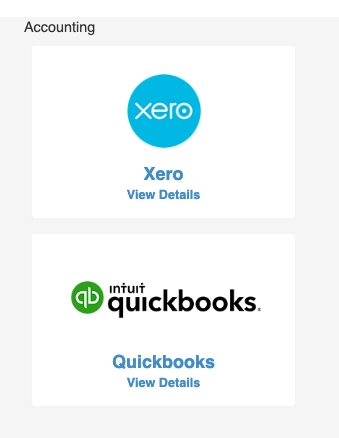
Select Connect to Xero and you will be redirected to Xero to authorise the connection to your company.
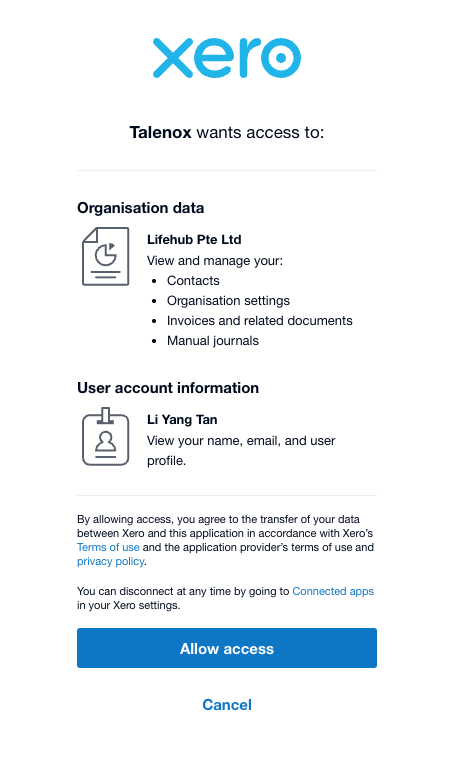
Once the connection has been completed, you can return to the integration settings to configure how your payroll entries should be exported.
How to configure export settings of payroll entries
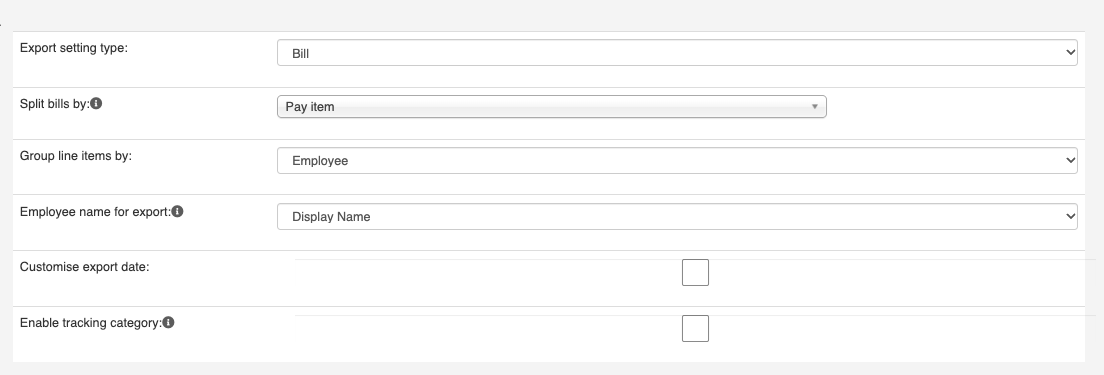
Payroll entries can be exported to Xero as Bills or Manual Journal. You can configure how the individual line items should be grouped based on your organisation's accounting and reporting requirements.
Splitting bills
You can choose to split your bills appearing in Xero according to Pay Item, Employee or Cost Centre.
Grouping line items
You can choose to push the payroll entries as Cost centre (Lump Sum) or Employee (Individual Amounts).
Custom export date
You can choose to push the payroll entries on a specific date in the column titled Export Schedule in the mapping below if this option is enabled.
Mapping payroll entries to Xero COA and contacts
Before exporting payroll, configure the Export Groupings that should be sent to Xero.

For each payroll grouping, you can:
- Enable the Export Grouping: Only enabled payroll groupings will be included when payroll entries are pushed to Xero
- Map the Expense Account: Select the corresponding account from your Xero Chart of Accounts. This determines where the payroll expense will be recorded in Xero.
- Map the Contacts (Optional): Select the corresponding Contact configured in Xero.
Once all relevant payroll groupings have been mapped, save your configuration. These settings will then be used when payroll records are subsequently exported to Xero.
Charts of Accounts and Contacts should first be set up correctly in Xero in accordance to financial and audit guidance.
Pushing payroll entries to Xero monthly
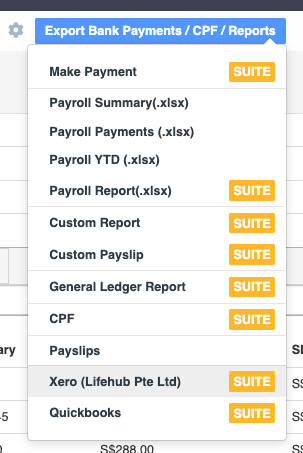
Once payroll for the month has been fully processed:
- Navigate to the payroll Month Total page.
- Select Export Bank Payments / Reports.
- Select Xero.
- The system will push the payroll entries to your connected Xero account.
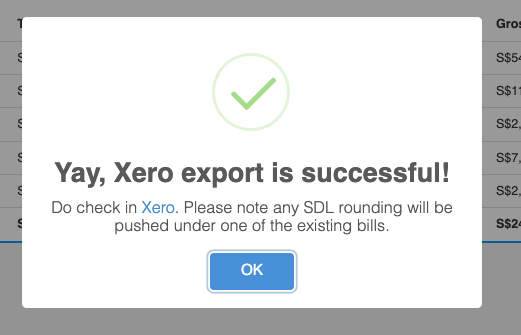
- A confirmation will be displayed once the payroll entries have been successfully sent.
Was this article helpful?
That’s Great!
Thank you for your feedback
Sorry! We couldn't be helpful
Thank you for your feedback
Feedback sent
We appreciate your effort and will try to fix the article