Overview:
You can now create time off policies that don't require manager approval.
Some of the common scenarios/use cases this setting may be useful for are:
- Work-from-home policies that may only require calendar visibility and not permission
- Attendance tracking for hybrid arrangements
- Streamlining workflows for policies where approval is a formality
Setting Up the Approval Flow: Approver not Required
- On your side panel, go to Time Off > Settings > Approval Flows tab
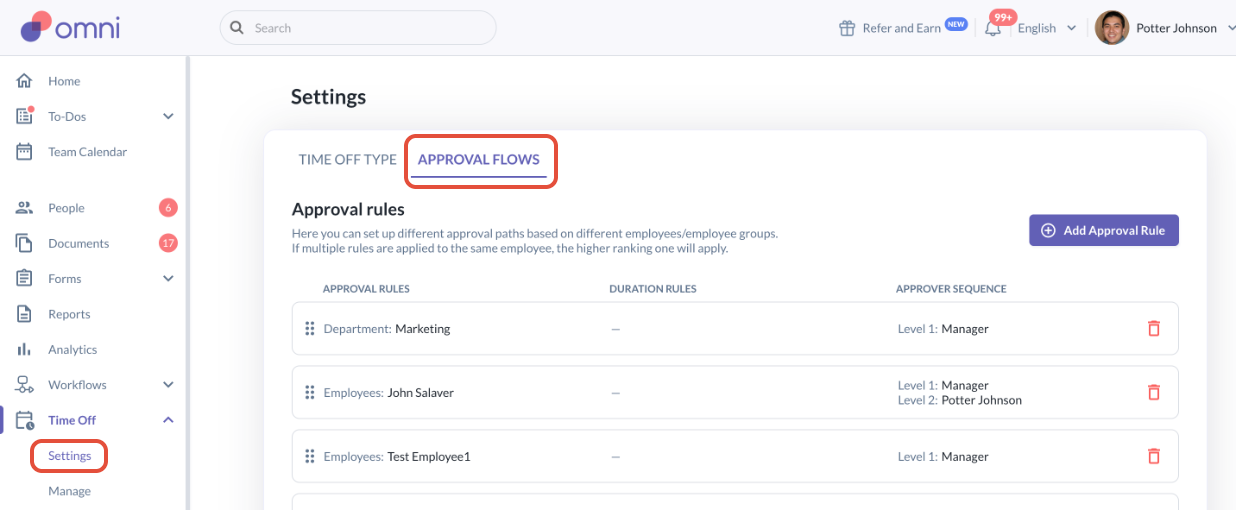
- You may select "Add Approval Rule" or click into an existing approval rule
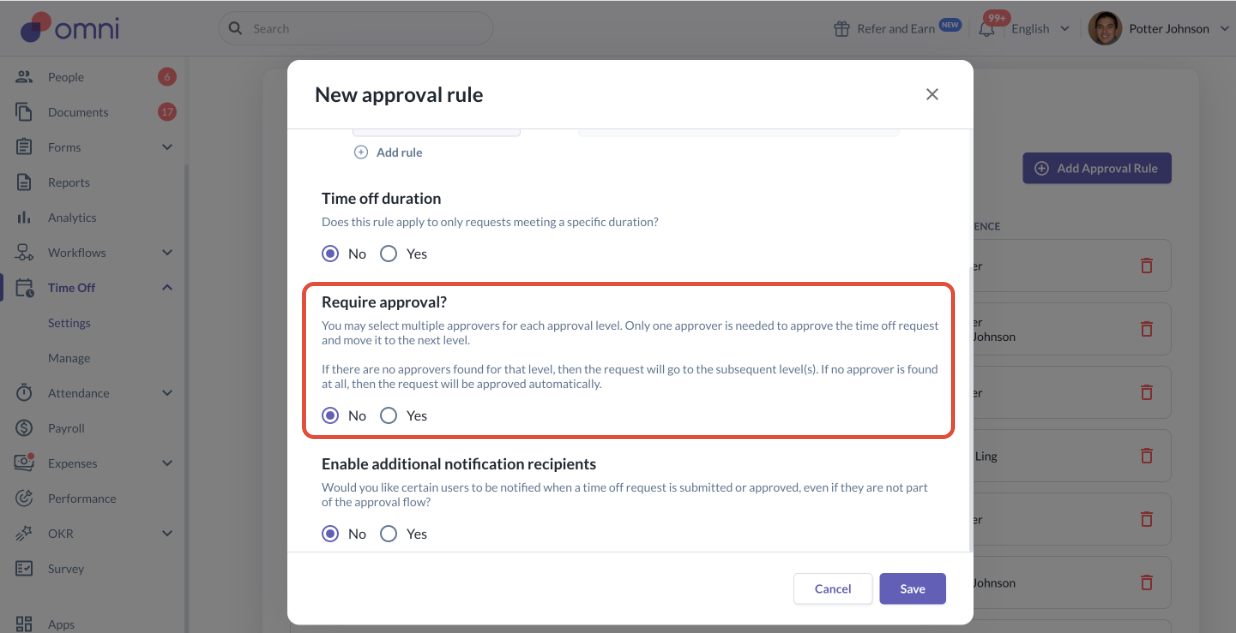
- In the pop up, scroll down to the "Require approval?" section and select the "No" option
- In the next section of "Enable additional notification recipients", you may still choose to configure notifications for direct managers or specific groups of employees if required.
- To configure for direct managers, make sure you select "Yes" and you can choose when to enable the notifications (upon submission or upon approval)
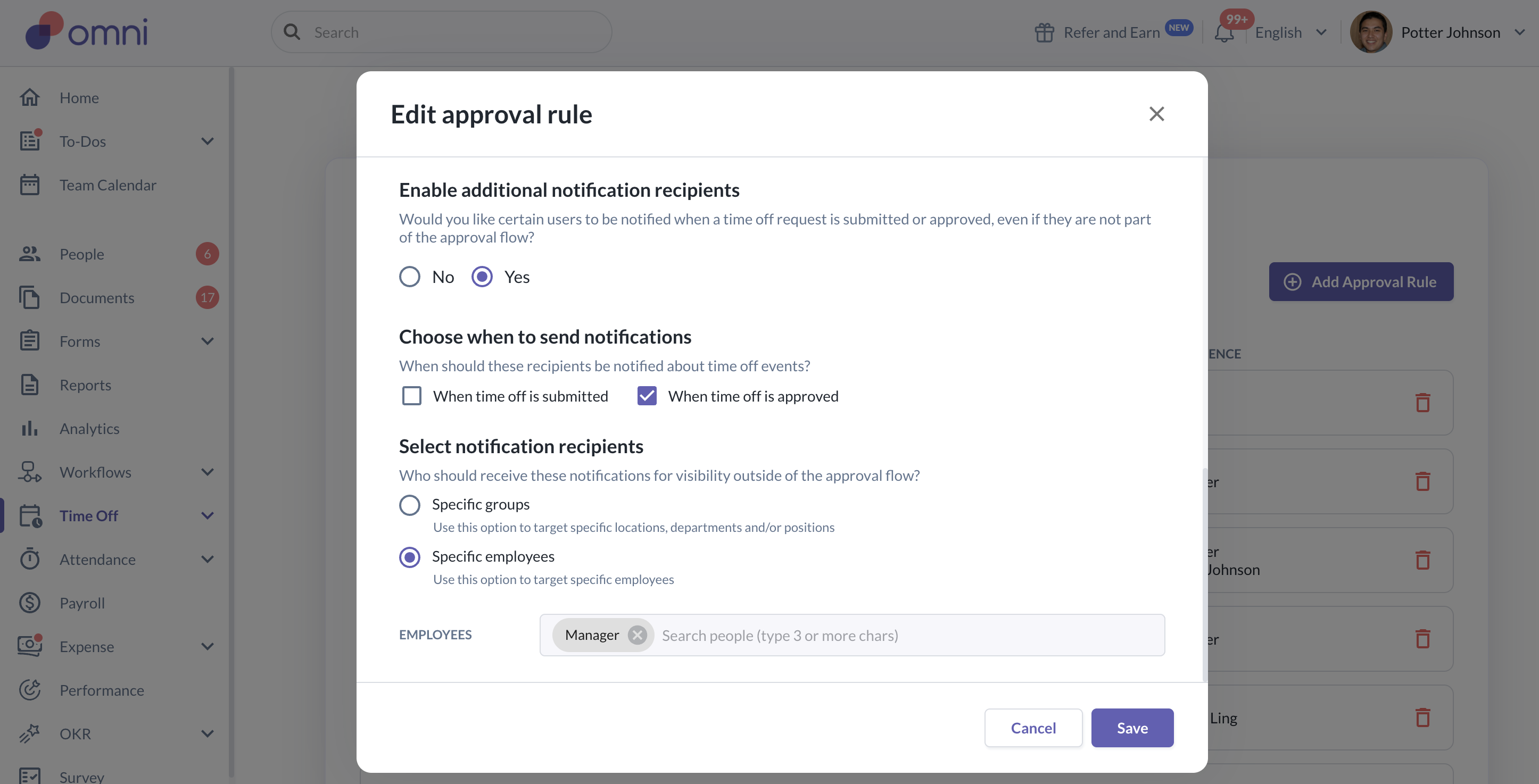
- Under the Select notification recipients, click the "Specific employees" then type in or tick "Manager", then Save
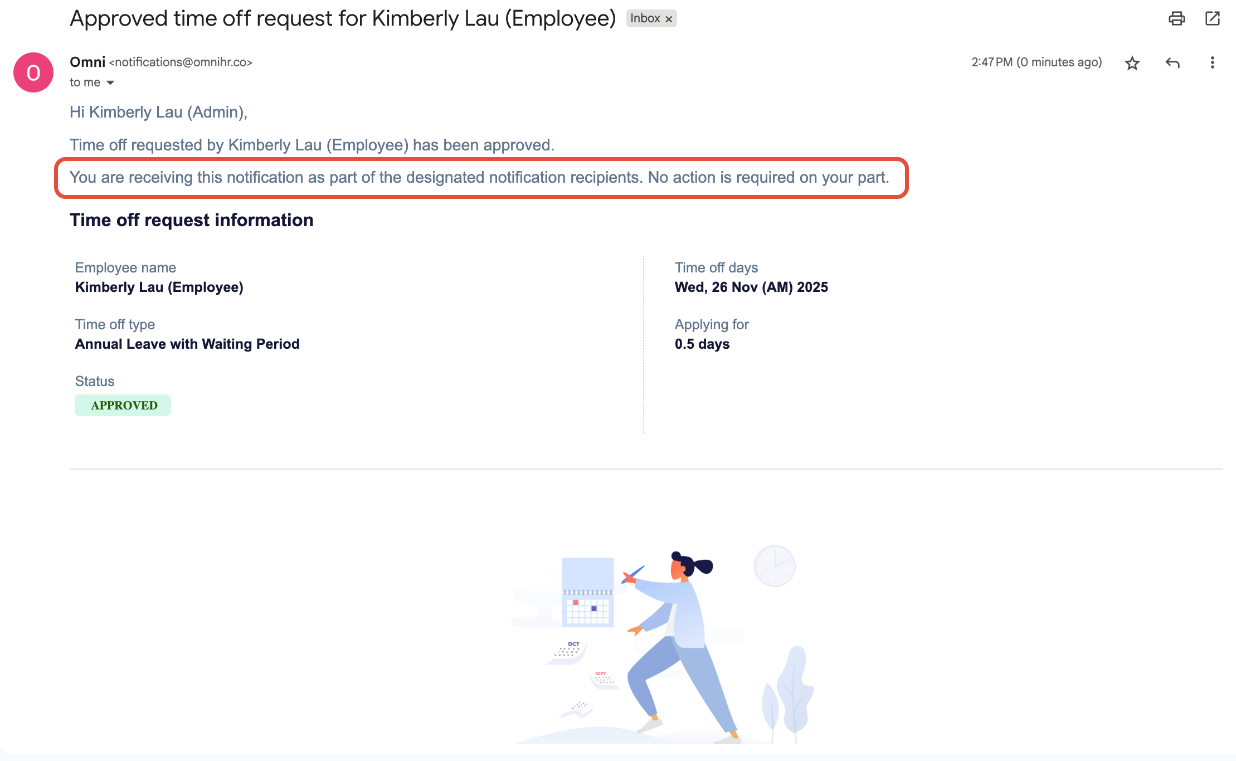
- The notification email received by the manager will be as the below sample. The email will clearly indicate that the notification requires no further action and shows the status as Approved
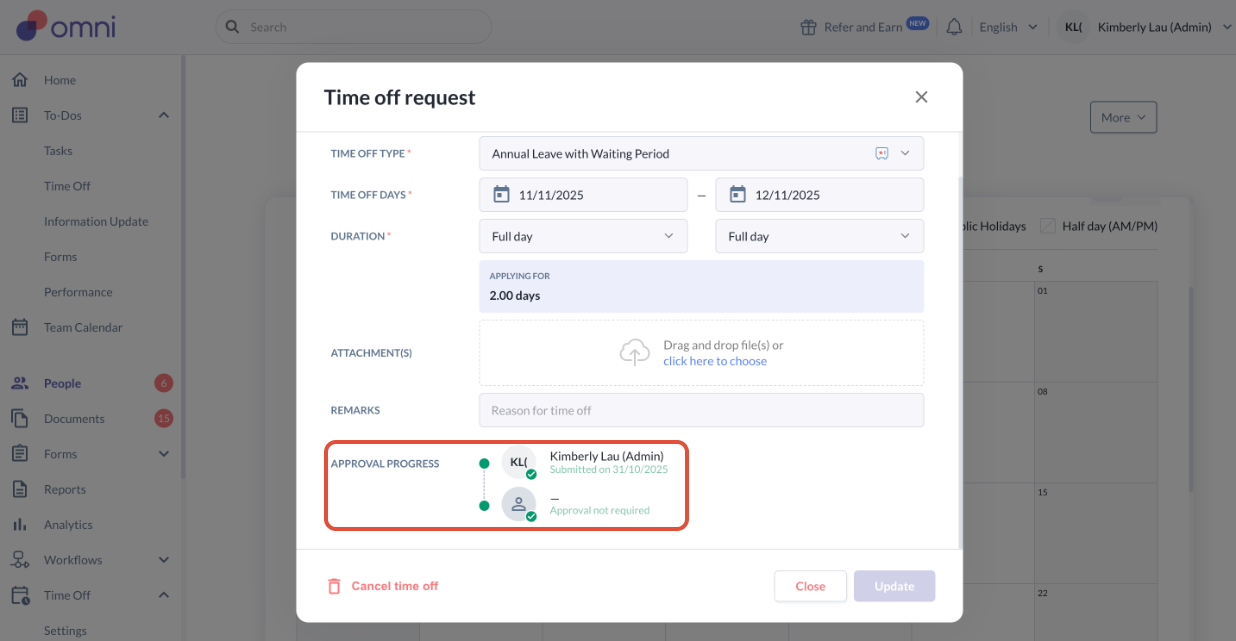
Approval Progress
- Now at the employee profile time off submissions, you can also see the status of the time of request showing "Approval not required" in the approval progress section
Still Need Help?:
Reach out to our support team should you need further assistance.
Was this article helpful?
That’s Great!
Thank you for your feedback
Sorry! We couldn't be helpful
Thank you for your feedback
Feedback sent
We appreciate your effort and will try to fix the article