Last updated: 14 August 2026
Overview
In Singapore, benefits provided to an employee in connection with their employment are generally taxable as Benefits-in-Kind (BIK) unless they are specifically exempt from income tax or covered by an IRAS administrative concession. Examples may include employer-provided accommodation, home leave passages, certain insurance benefits, other non-cash benefits. Where an employee receives reportable BIK, the employer is required to report the relevant taxable value in Appendix 8A, alongside the employee's Form IR8A.
In payroll, pay items that represent Benefits-in-Kind should therefore be tagged to the appropriate Appendix 8A section so that they can be classified and reported correctly during year-end tax filing. Correct tagging helps ensure that the employee's BIK values flow to the correct reporting category and reduces the risk of incorrect or incomplete tax reporting.
Note: This article explains how pay items can be correctly tagged to the Appendix 8A section. Employers should refer to the applicable IRAS tax treatment and valuation rules when determining whether a benefit is taxable and what value should be reported.
TABLE OF CONTENTS
- Overview
- How do I tag a Benefit-in-Kind pay item to the appropriate Appendix 8A section?
- How do I add a BIK pay item into payroll?
- Where do I see the consolidated amount of Benefits in Kind at the end of the year?
How do I tag a Benefit-in-Kind pay item to the appropriate Appendix 8A section?
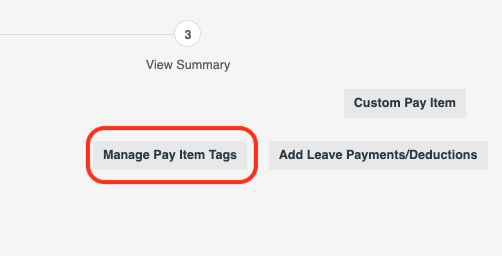
1. When processing pay run, click on Manage Pay Item Tags.
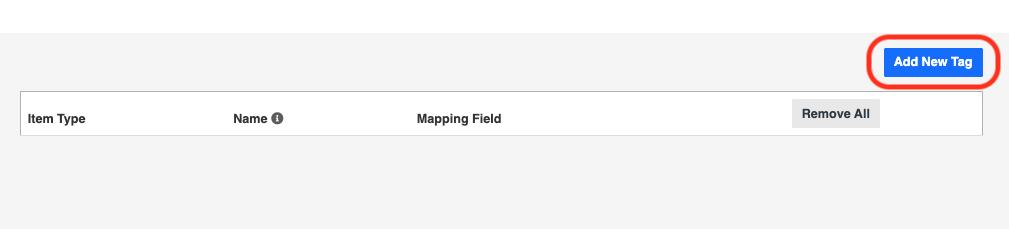
2. Click on Add New Tag.
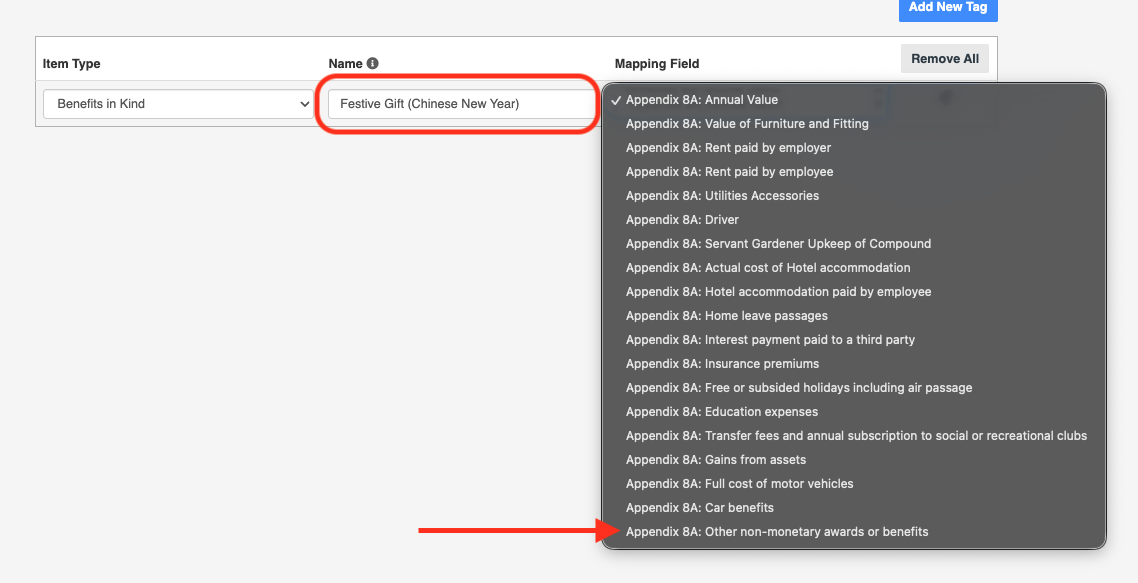
3. Create a Name for the BIK pay item and its appropriate Mapping Field on Appendix 8A to tag to. For example, a Festive Gift for all employees for Chinese New Year should be declared under Other non-monetary awards or benefits.
How do I add a BIK pay item into payroll?
Add a pay item to the appropriate employee with the item type Benefits in Kind. Under Remarks, search and select the BIK pay item that you had just created. This pay item and its value will subsequently be tagged to the chosen Appendix 8A section.

Where do I see the consolidated amount of Benefits in Kind at the end of the year?
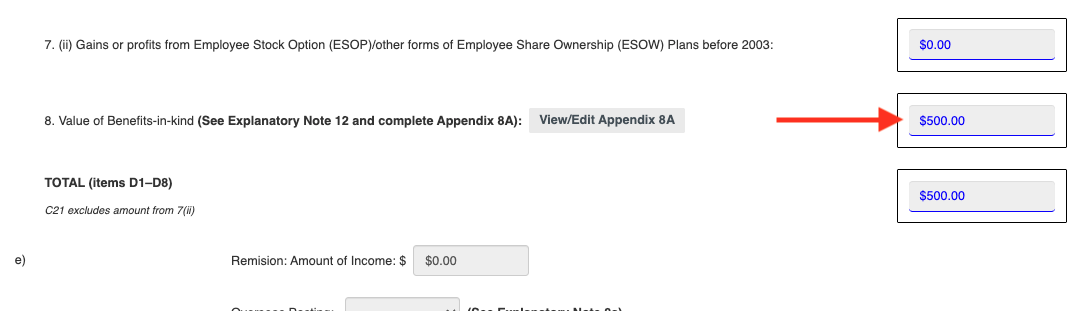
When generating IR8A, employees with BIK paid to them will see consolidated amounts under Section 8. Employers can subsequently generate Appendix 8A from this consolidation to see the exact breakdown into each section.
Was this article helpful?
That’s Great!
Thank you for your feedback
Sorry! We couldn't be helpful
Thank you for your feedback
Feedback sent
We appreciate your effort and will try to fix the article