Overview:
Managers can now view review phase records for their team directly from a new Team Reviews tab — covering both primary and secondary reports. This gives managers a single place to track review progress and access responses written about their reports, without needing to check each review individually.
TABLE OF CONTENTS
Who This Affects
- Primary Managers — can view review records for employees where they're listed as the primary manager.
- Secondary Managers — can view review records for employees where they're listed as the secondary manager.
How to Access
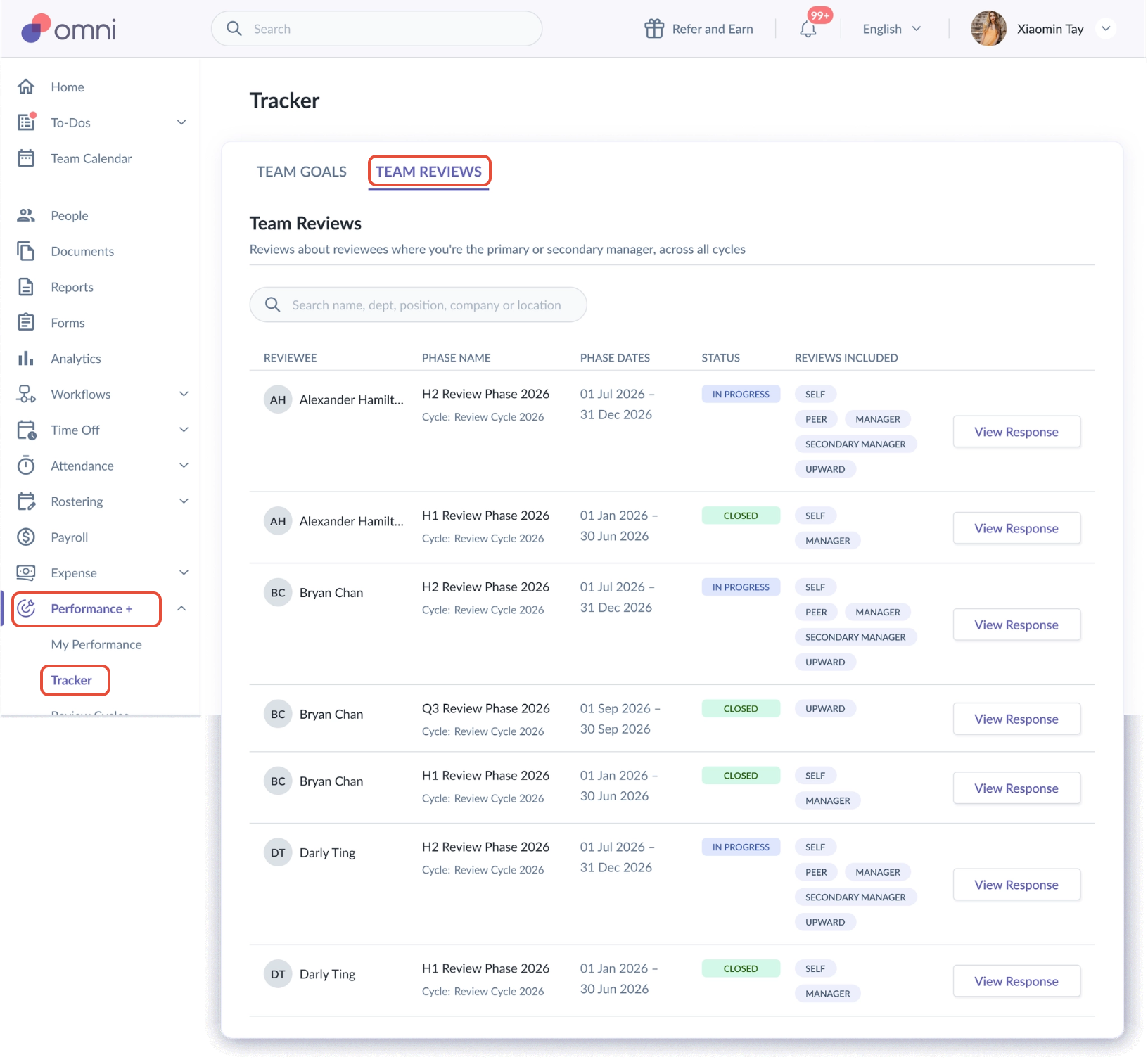
- Go to Performance+ > Tracker > Team Reviews
What You'll See in Team Reviews
The Team Reviews tab shows one row per reviewee who is your primary or secondary report in an eligible review phase — regardless of whether they've submitted anything yet.
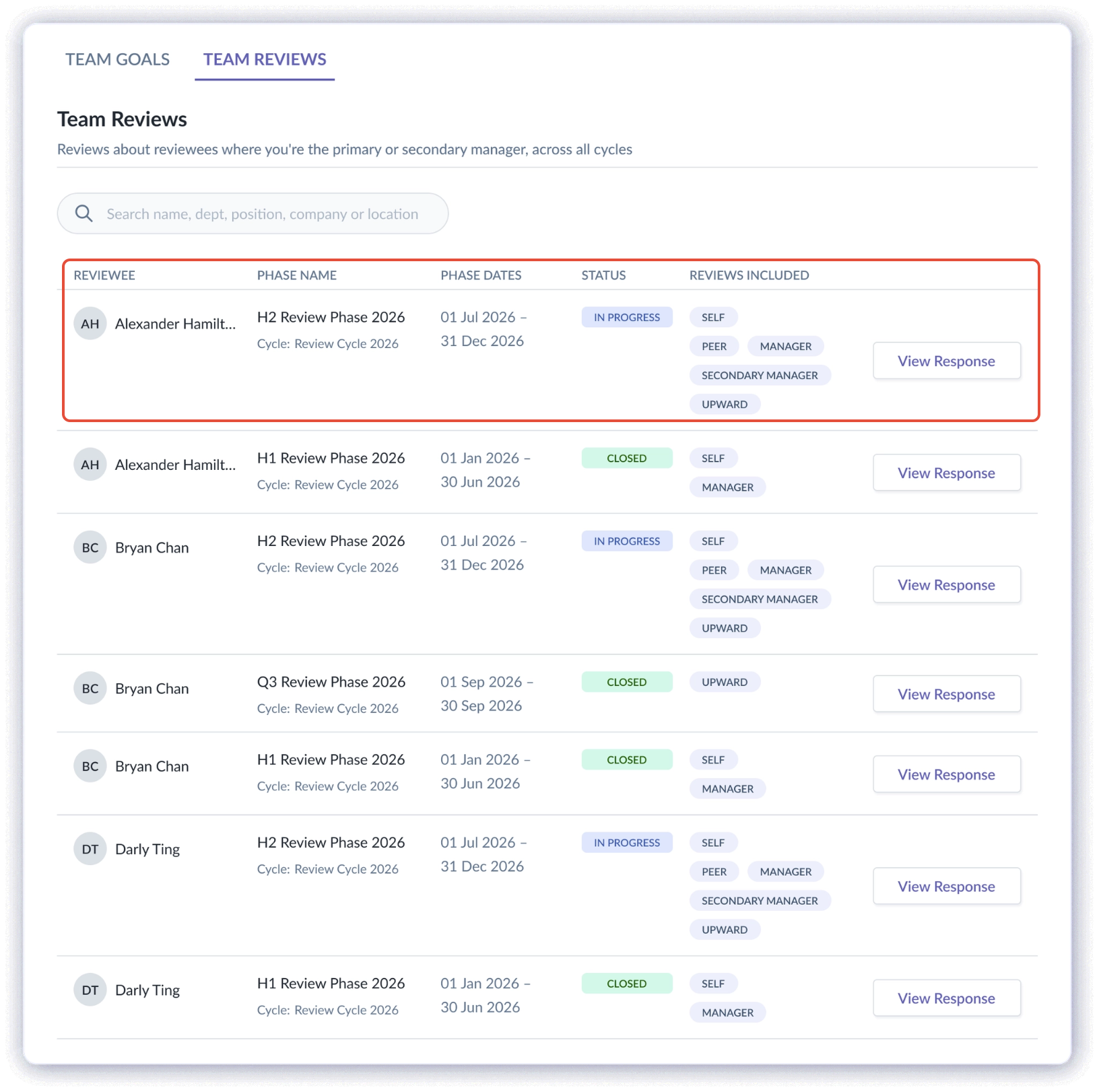
Each row includes:
- Reviewee's name and avatar
- Phase name
- Review cycle name
- Phase dates
- Status
- Reviews included — chips showing which review types apply in that review phase
- View Response action
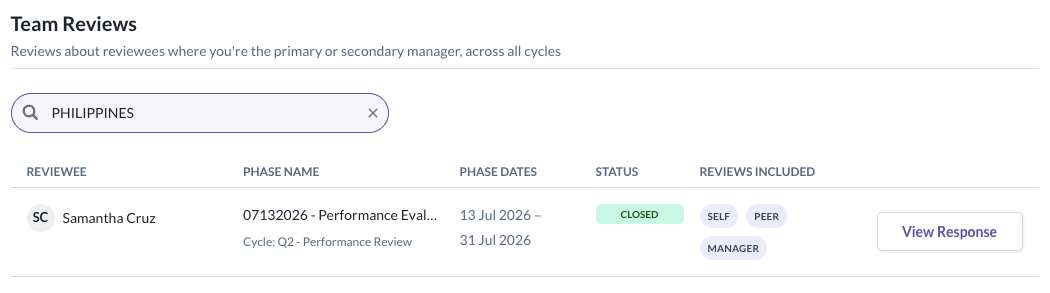
You can use the search bar to find a specific reviewee by name, department, position, company, or location.
Viewing a Response
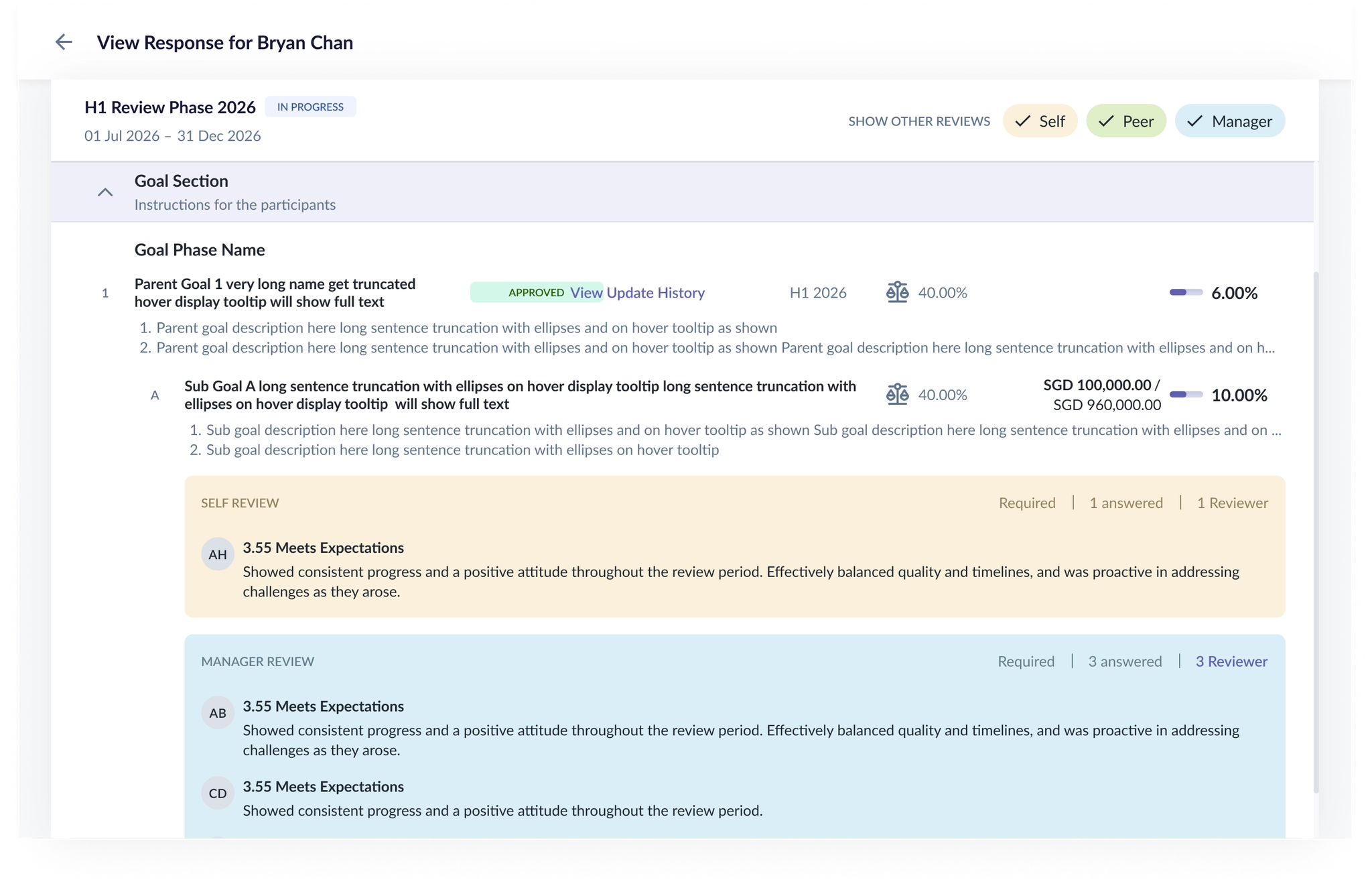
Clicking View Response shows the reviews written about that reviewee — subject to visibility rules setup for respective review phases.
Filtering by Review Type
Inside the View Response view, a row labelled Show other reviews displays toggleable chips for each review type: Self, Peer, Manager, Secondary Manager, and Upward.
Each chip behaves independently, and may appear as:
| Chip State | What It Means |
|---|---|
 | The review type is available to view. |
 | The review type has no submissions recorded. |
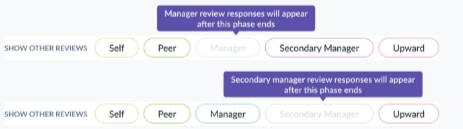 | The review type has been submitted but is not available to be viewed yet. |
 | The review type is not available to be viewed i.e. Peer & Upward Reviews are not visible due to visibility settings. |
When Your Own Response Is Visible But Others Aren't
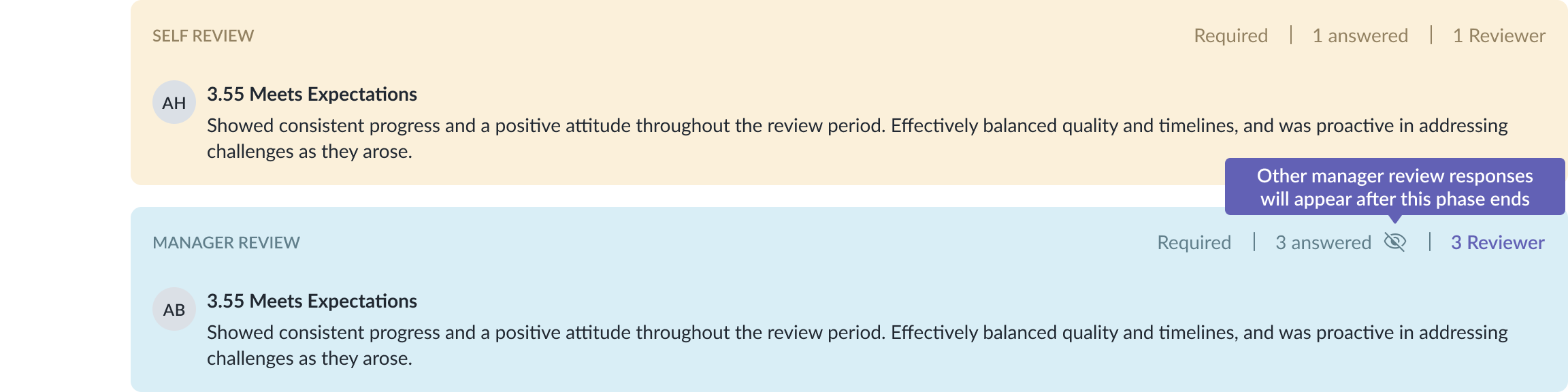
If you've already submitted your own review for a reviewee, but visibility timing restrictions mean other managers' responses aren't available yet, you'll still be able to see your own response. An icon appears beside the "answered" count with a tooltip: "Other responses will appear after this phase ends."
Other managers' responses stay hidden until the visibility timing condition is met.
Important Notes
- Reviewees appear in the Team Reviews tab as soon as they're in an eligible review phase — they don't need to have submitted anything yet.
- What you can view under View Response is still governed by visibility rules, even though the reviewee itself always appears in the tab.
- Your own submitted response is always visible to you, even if other managers' responses are temporarily hidden due to visibility timing.
Still Need Help?:
Reach out to our support team should you need further assistance.
Was this article helpful?
That’s Great!
Thank you for your feedback
Sorry! We couldn't be helpful
Thank you for your feedback
Feedback sent
We appreciate your effort and will try to fix the article