Overview:
This article explains how to configure and manage access control settings in Performance+ to define who can view, create, edit, or administer goal setting data and features.
TABLE OF CONTENTS
Accessing Performance+
To access the Performance+ module, you must first make sure that your role has the right access control settings.
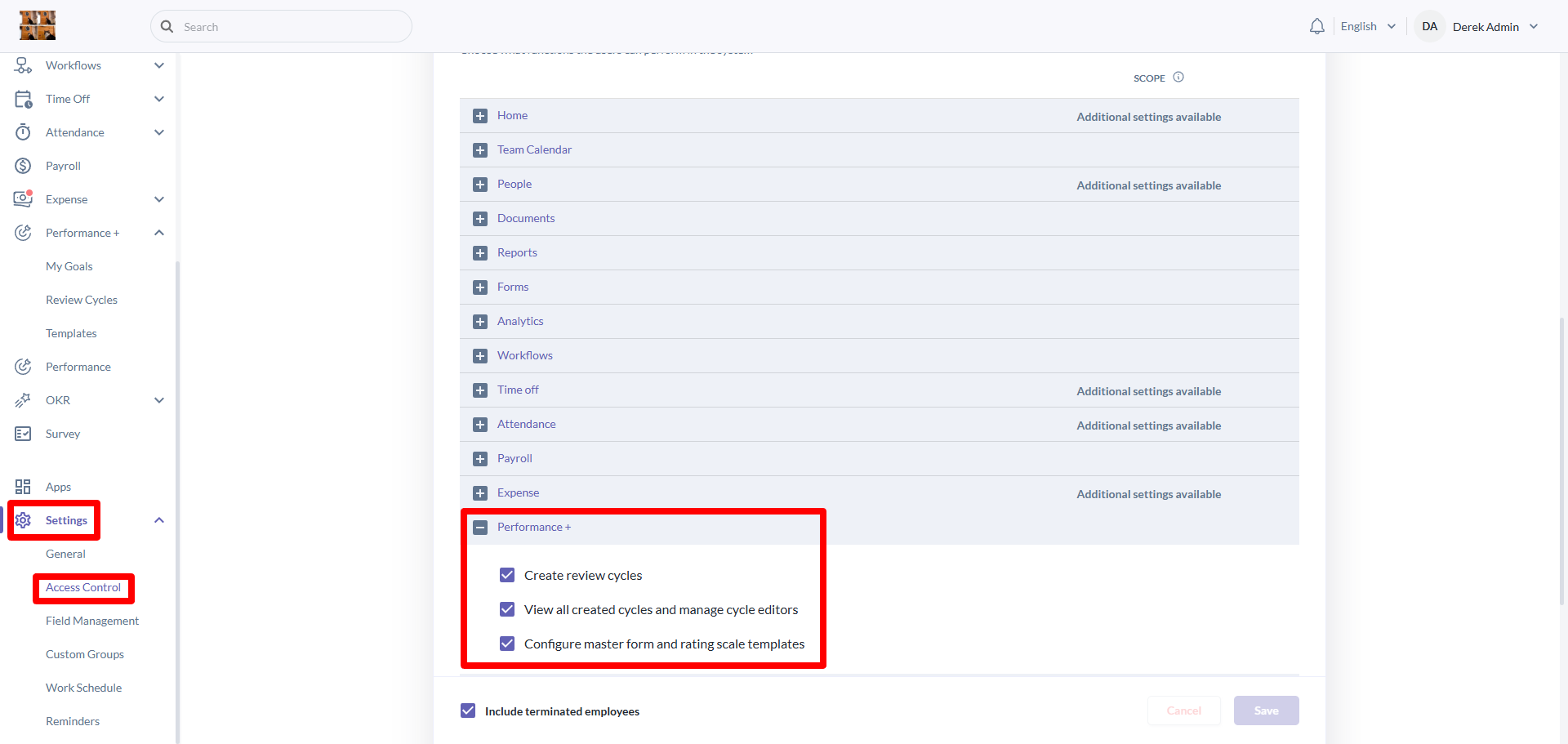
- Navigate to Settings > Access Control and click on your role.
- Then, scroll down the 'access to system functions' section and look for Performance +.
- Enable permissions for create review cycle, view all created cycles and manage cycle editors & configure master form and rating scale templates for full access to the Performance + module.
Review Cycle Permissions & Behaviors Explained
Create review cycles
- Can create new review cycles
- Cannot view, edit or delete existing review cycles
- Cannot manage cycle editors
View all created review cycles and manage cycle editors
- Cannot create review cycles
- Can view all review cycles in the organization
- Cannot edit or delete any review cycles
- Can manage editors for all review cycles
Cycle editors (per-cycle access)
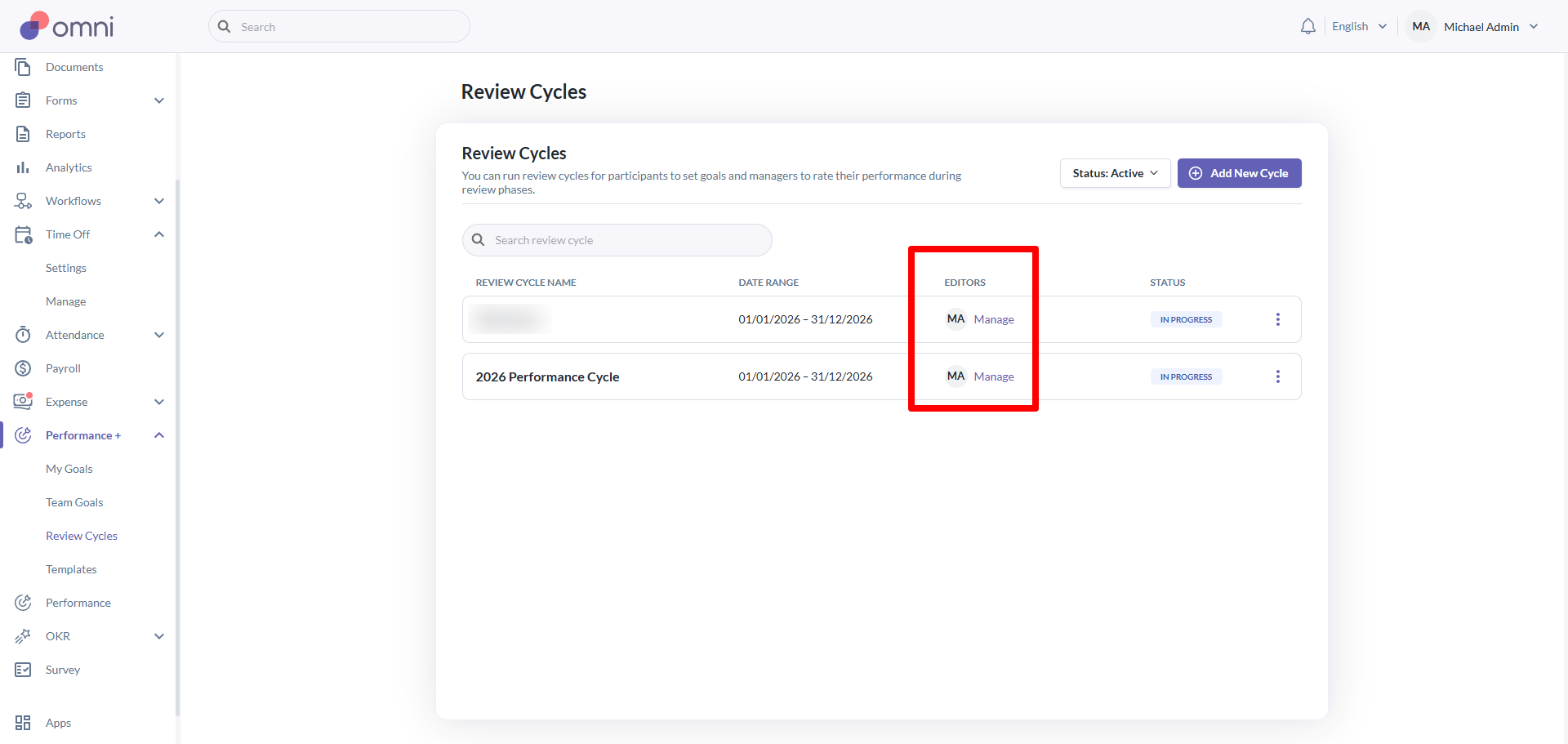
- Cannot create review cycles
- Can view only the cycles where they are assigned as an editor
- Can edit only the cycles where they are an editor
- Can delete only the cycles where they are an editor
- Can manage cycle editors only for the cycles where they are an editor
Still Need Help?:
Reach out to our support team should you need further assistance.
Was this article helpful?
That’s Great!
Thank you for your feedback
Sorry! We couldn't be helpful
Thank you for your feedback
Feedback sent
We appreciate your effort and will try to fix the article