Overview:
This article explains how to manage goal phases by renaming, closing, or deleting them to keep goals organized and up to date.
TABLE OF CONTENTS
Maintaining goal phases
After launching a goal phase within a review cycle, there are a few things you can do:
- Rename goal phase
- Turn on/off approval flow
- Edit timeline
- Download goals report
- Delete goal phase
- Close goal phase
Rename goal phase
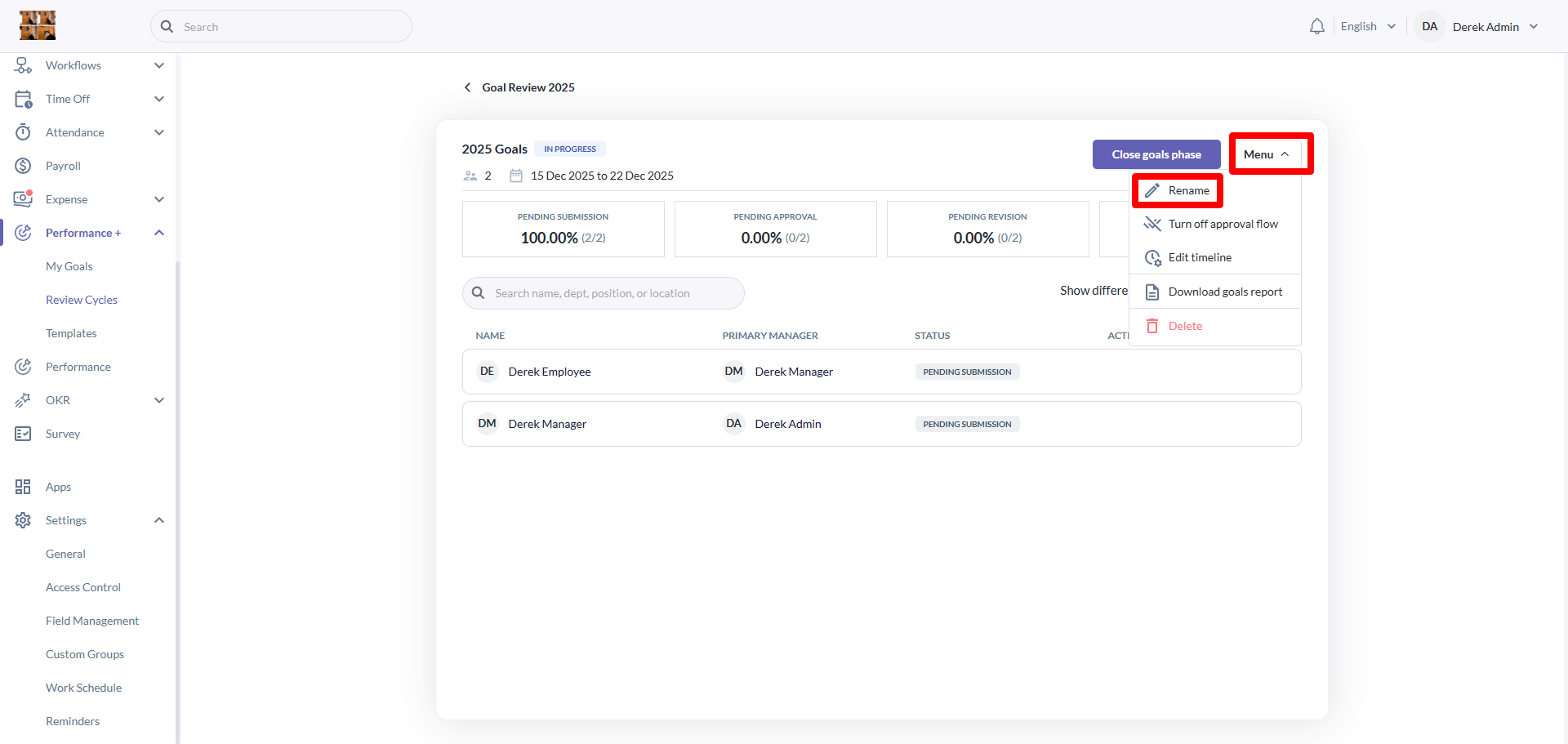
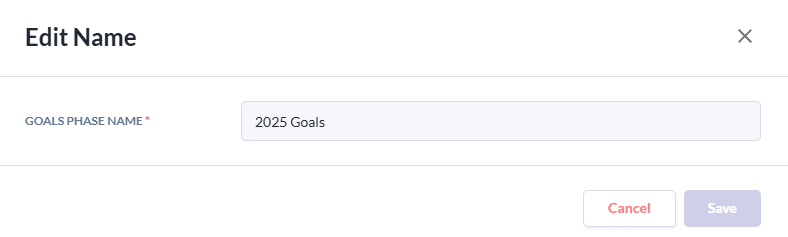
To rename a goal phase, click on the menu button and then click on rename. Rename the goal phase as you wish and click on the save button to save.
Delete goal phase
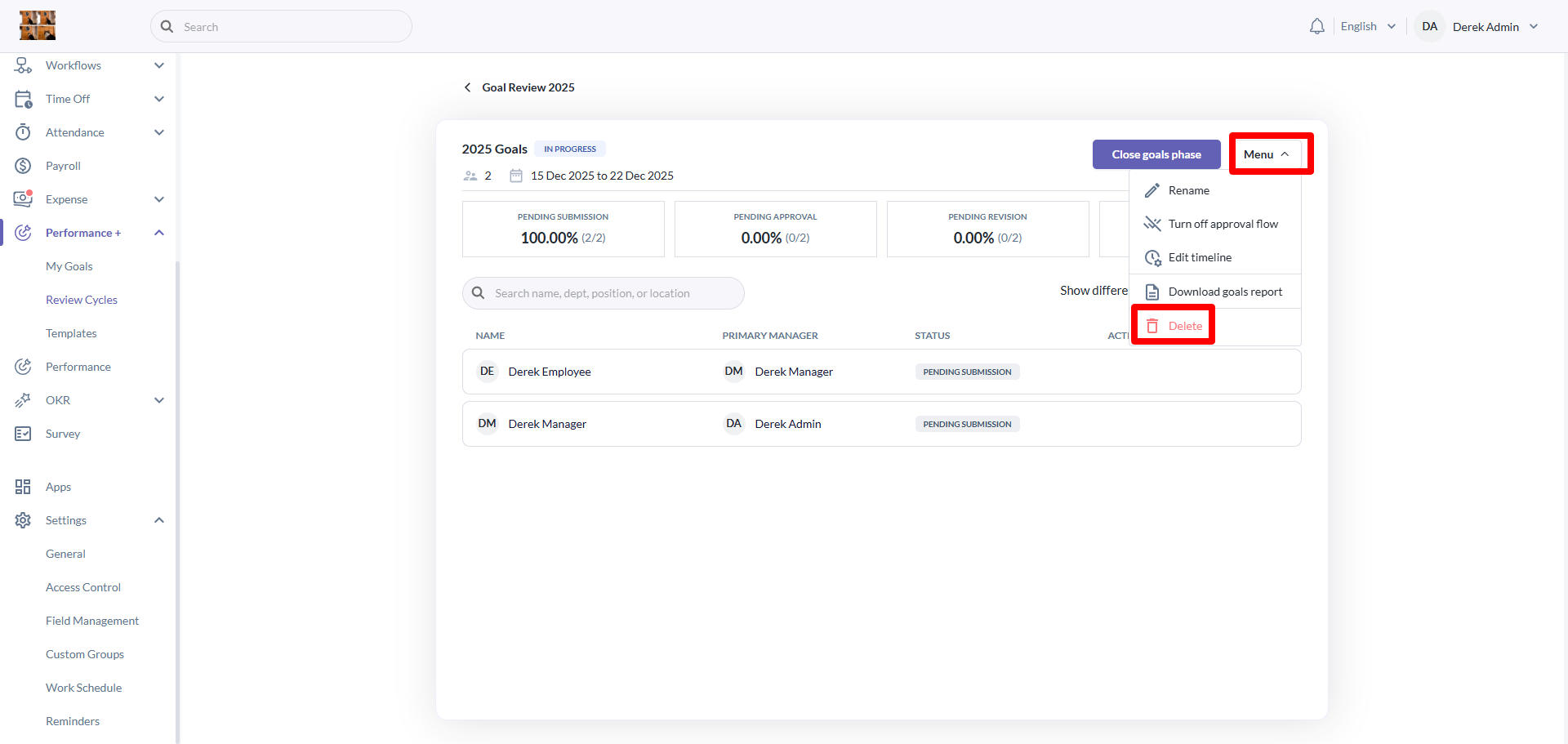
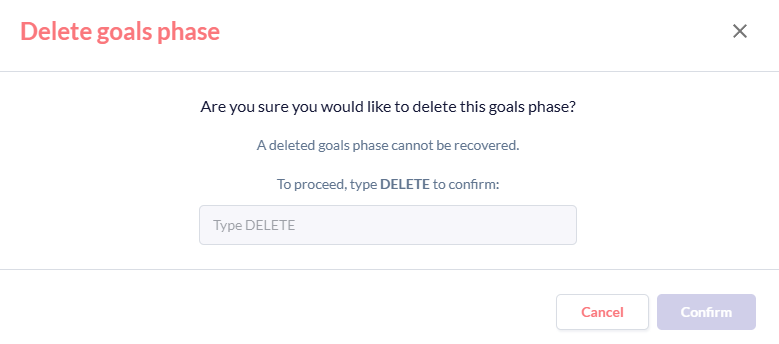
To delete a goal phase, click on the menu button and then click on the delete button. To confirm the delete action, please type 'DELETE' and then press confirm. This is to prevent any accidental deletions.
Close goal phase
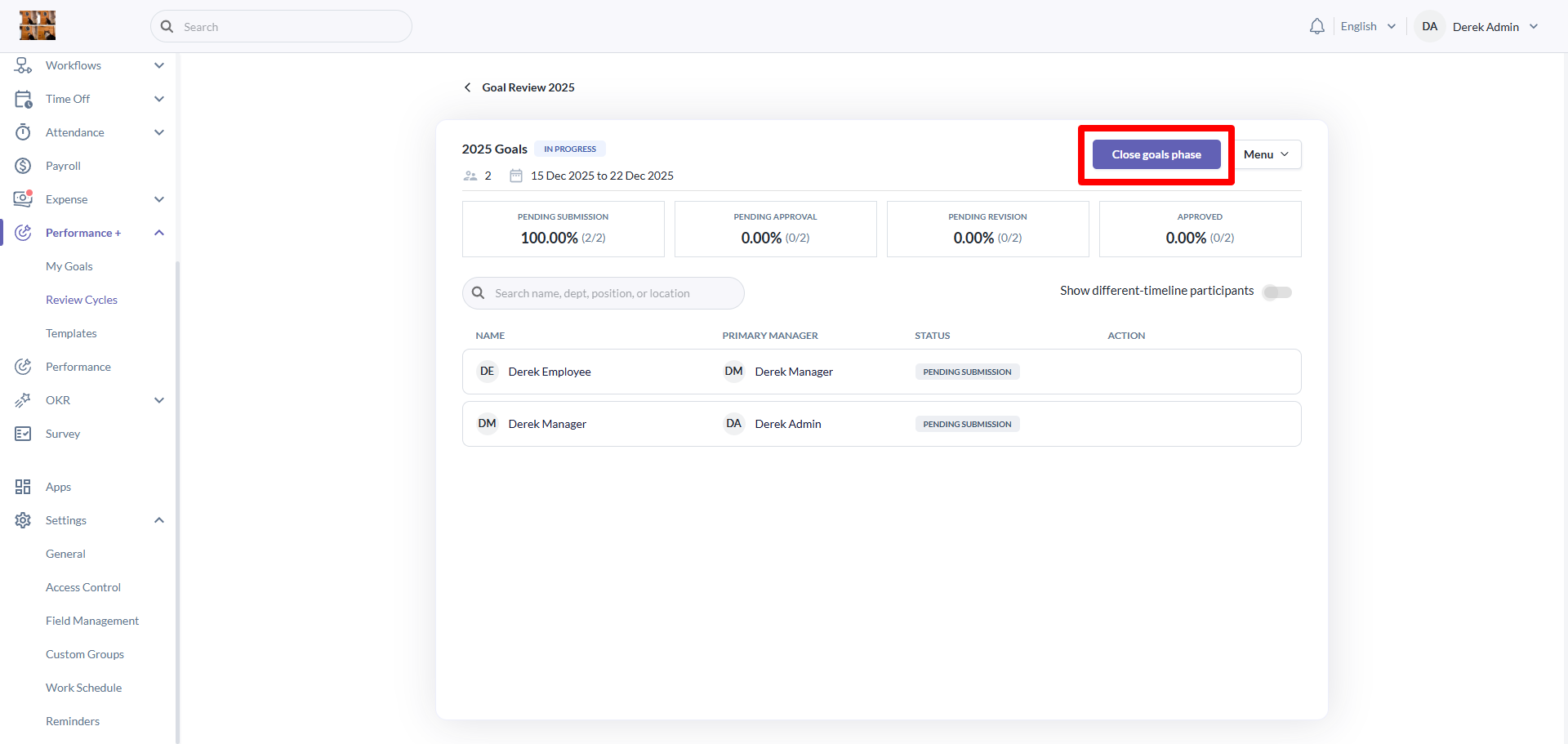
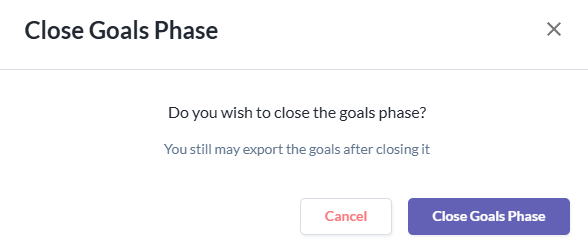
To close a goal phase, click on the close goal phase button then click on the close goal phase button on the popup to confirm action. This is also to prevent any accidents from closing the goal phase.
Still Need Help?:
Reach out to our support team should you need further assistance.
Was this article helpful?
That’s Great!
Thank you for your feedback
Sorry! We couldn't be helpful
Thank you for your feedback
Feedback sent
We appreciate your effort and will try to fix the article