Overview:
Locking and unlocking goals is available only when Approval Flow is enabled. This feature allows admins to control whether participants can continue editing their approved goals ensuring consistency after approval.
TABLE OF CONTENTS
Note:
- Locking and unlocking apply only to goals with the status "Approved."
- Goals that are pending submission, pending approval, or pending revision are not affected.
Available Admin/Manager Actions
Admins/Managers can manage approved goals using the following options:
- Bulk Lock/Unlock - Apply actions to all participants with approved goals.
- Individual Lock/Unlock - Apply actions to a specific participant's approved goals.
All changes take effect immediately once confirmed.
Bulk Lock All Approved Goals
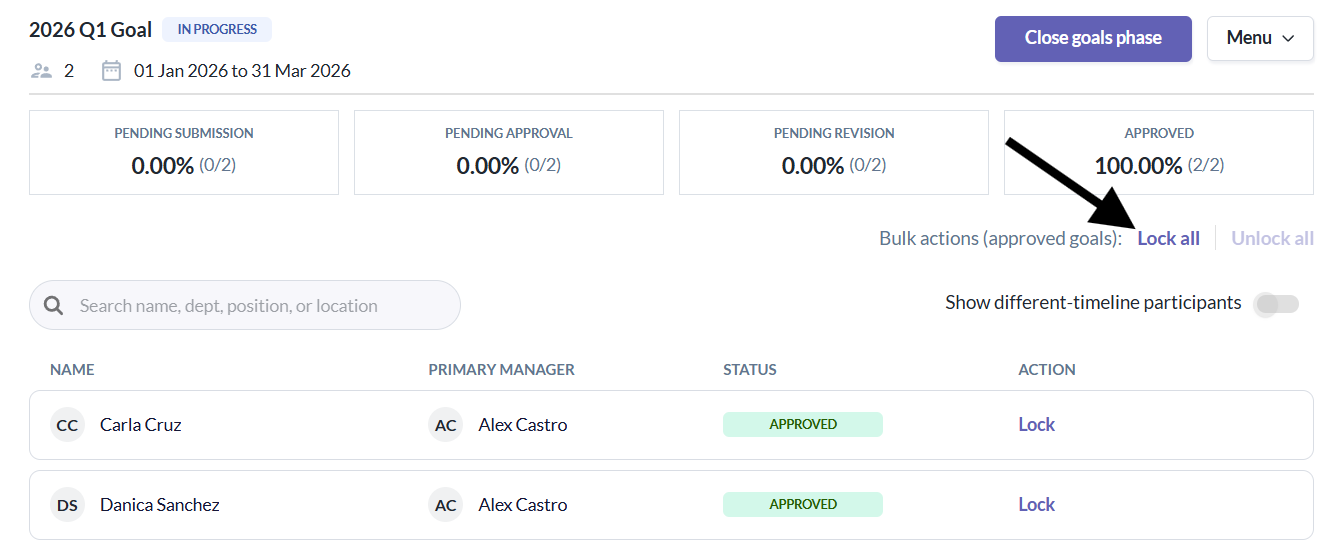
- Admins/Managers can lock the goals of all participants whose goals are in "Approved" status.
1. Admin/Manager click Lock All
2. A confirmation modal appears
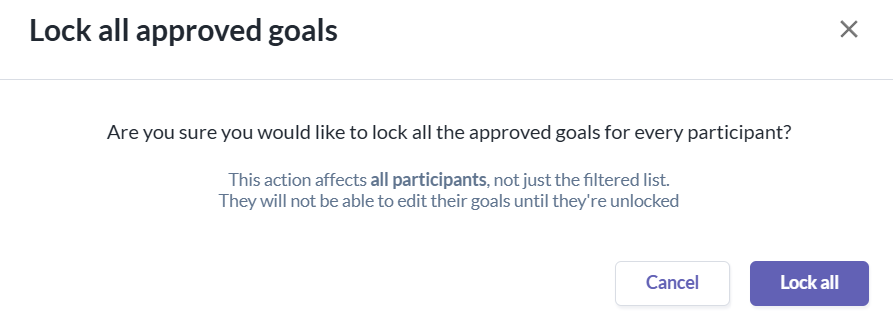
3. Admin/Manager confirms the action
4. All approved goals are locked
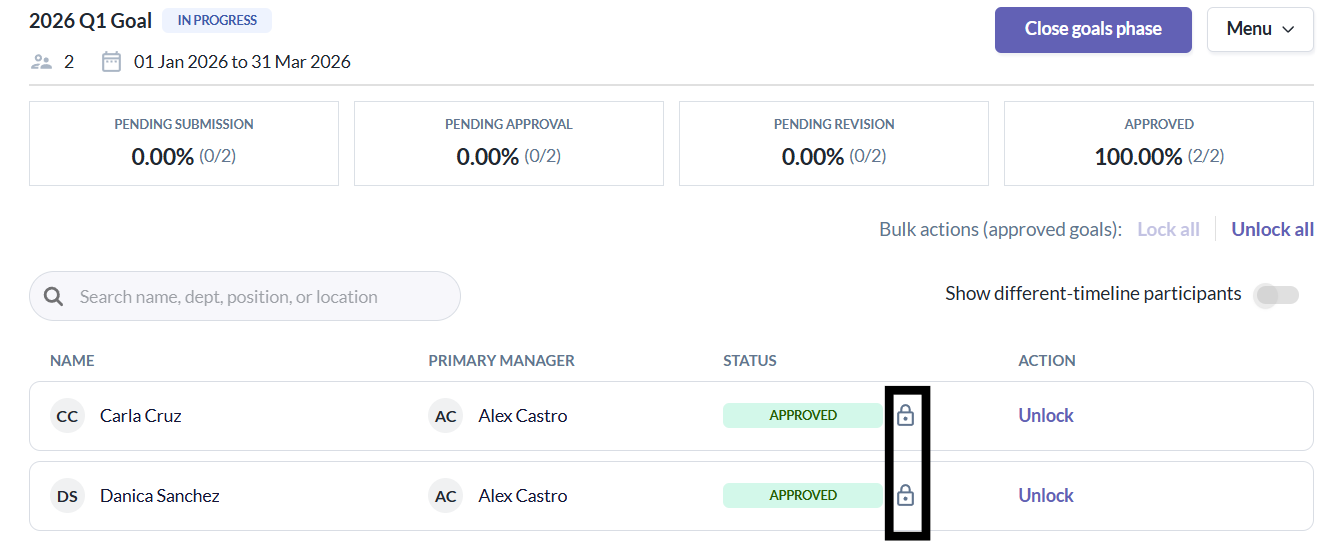
Note:
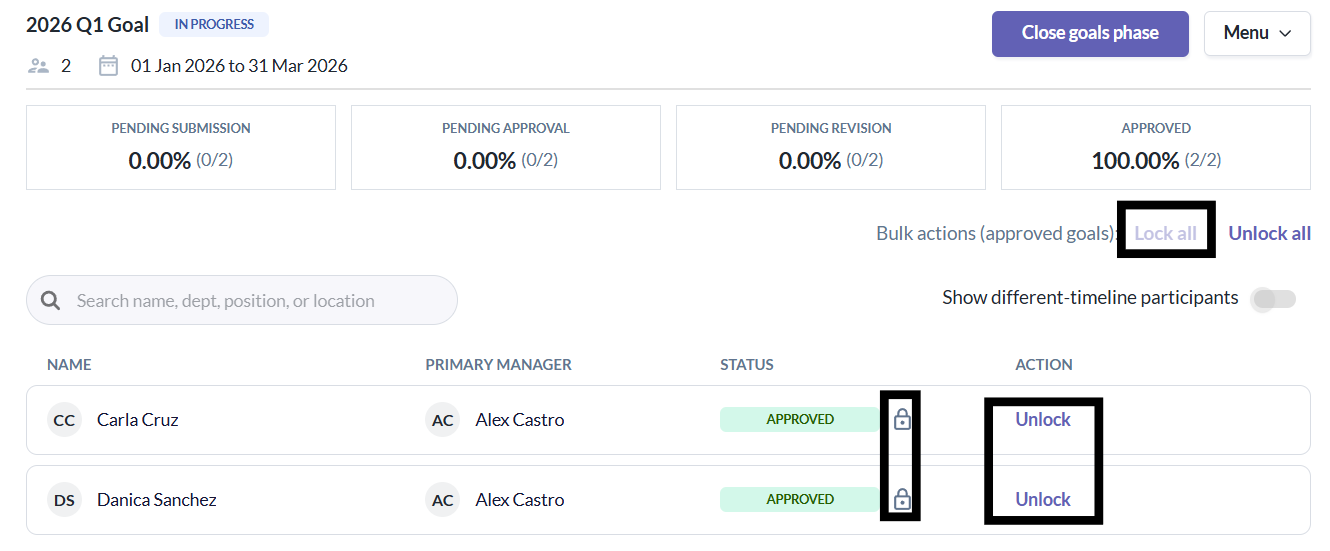
- A lock icon appears next to rows with Approved goals
- The action option changes to Unlock for these row
- If there are no approved goals left that are unlocked, Lock all becomes disabled, and Unlock All is shown
Bulk Unlock All Approved Goals
- Admins/Managers can also unlock all previously locked approved goals.
1. Admin/Manager clicks Unlock All
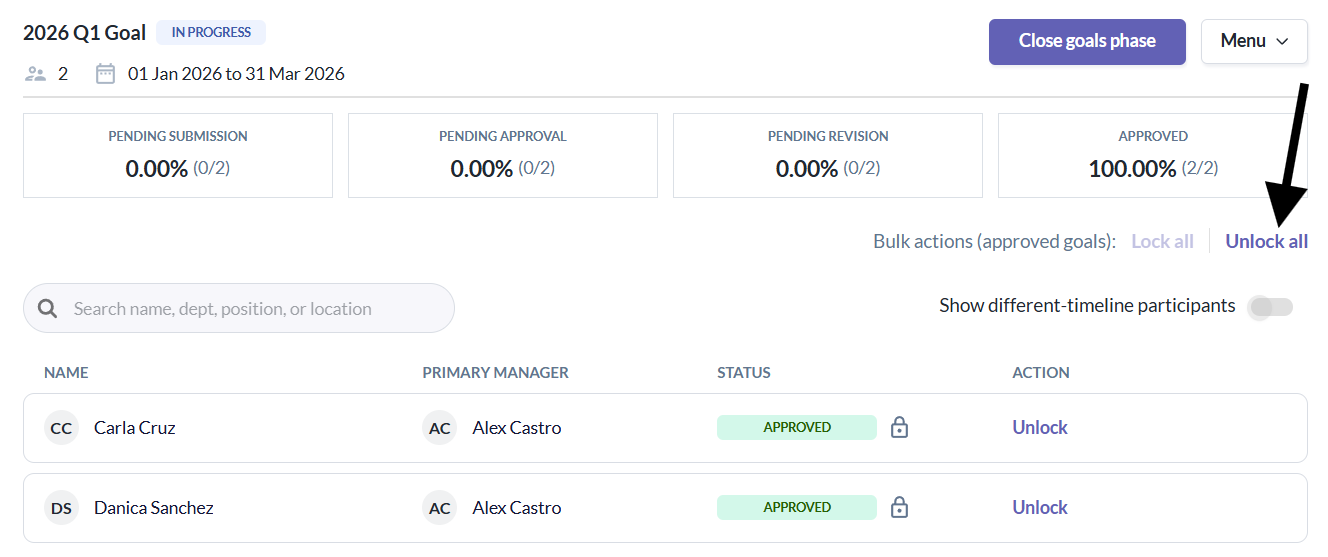
2. A confirmation modal appears
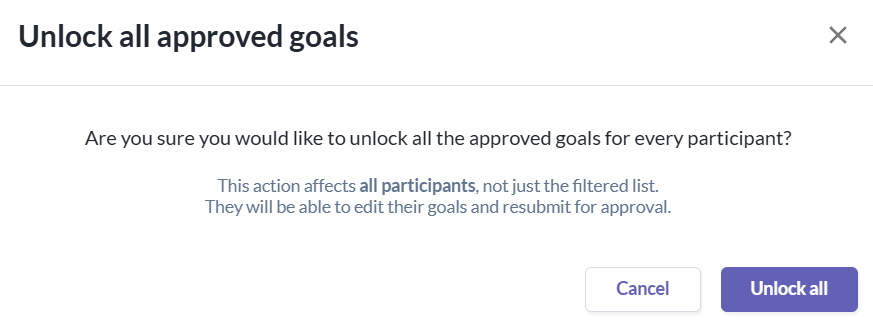
3. Admin/Manager confirms the action
4. All locked approved goals are unlocked
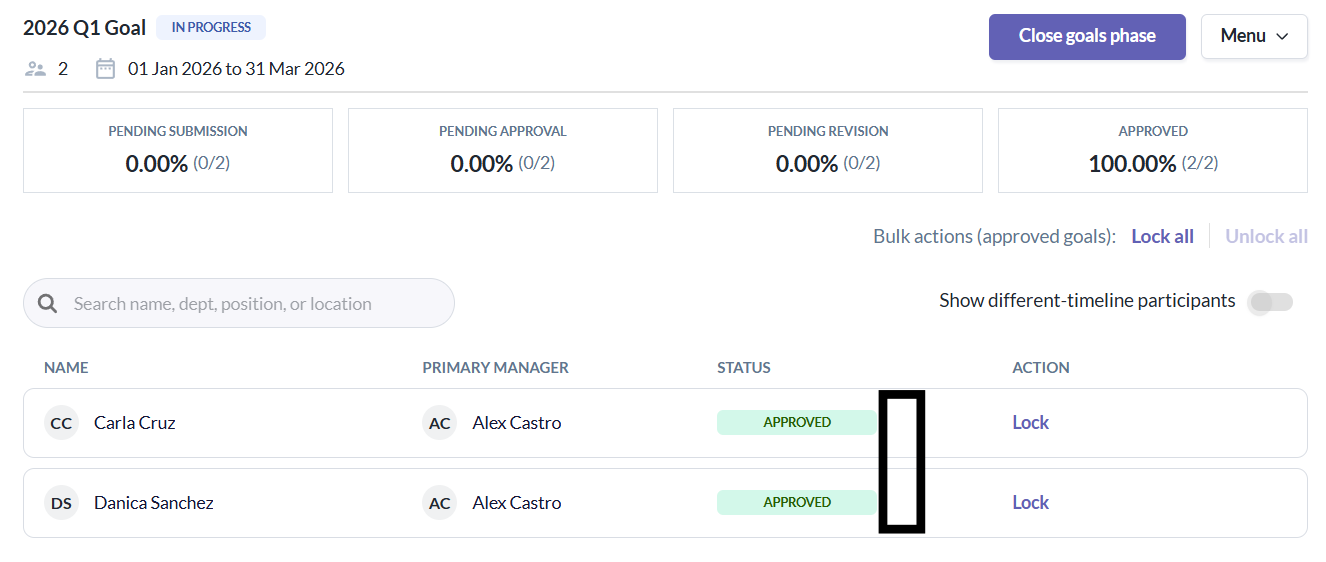
Note:
- Lock icons are removed
- The action option changes back to Lock
- If there are no approved goals left that are locked, Unlock all becomes disabled, and Lock all is shown
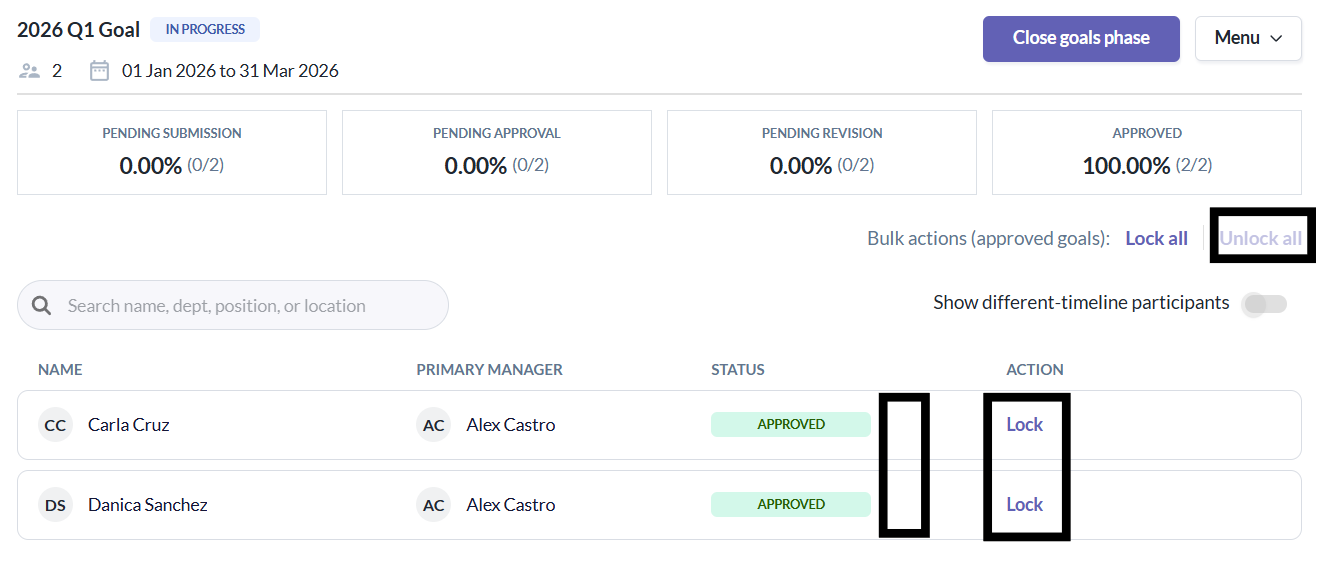
Individual Lock/Unlock (Per Participants Approved Goals)
- Admins/Managers can lock or unlock the approved goals of a specific participant.
When participant's goals are Approved and unlocked
- Action shows Lock
- Clicking Lock:
- Lock the participant's approved goals
- Displays a lock icon
- Action changes to Unlock
When a participant's goals are Approved and locked
- Action shows Unlock
- Clicking Unlock:
- Unlocks the participant's approved goals
- Removes the lock icon
- Action returns to Lock
Note:
- Only the selected participant's approved goals are affected
- Bulk actions update dynamically based on remaining eligible rows
Still Need Help?
Reach out to our support team for further assistance.
Was this article helpful?
That’s Great!
Thank you for your feedback
Sorry! We couldn't be helpful
Thank you for your feedback
Feedback sent
We appreciate your effort and will try to fix the article